
How to write email subject lines that get opens: a step-by-step guide
High open rates require a combination of short, psychology-backed subject lines and flawless technical email infrastructure. Shorter subject lines often perform
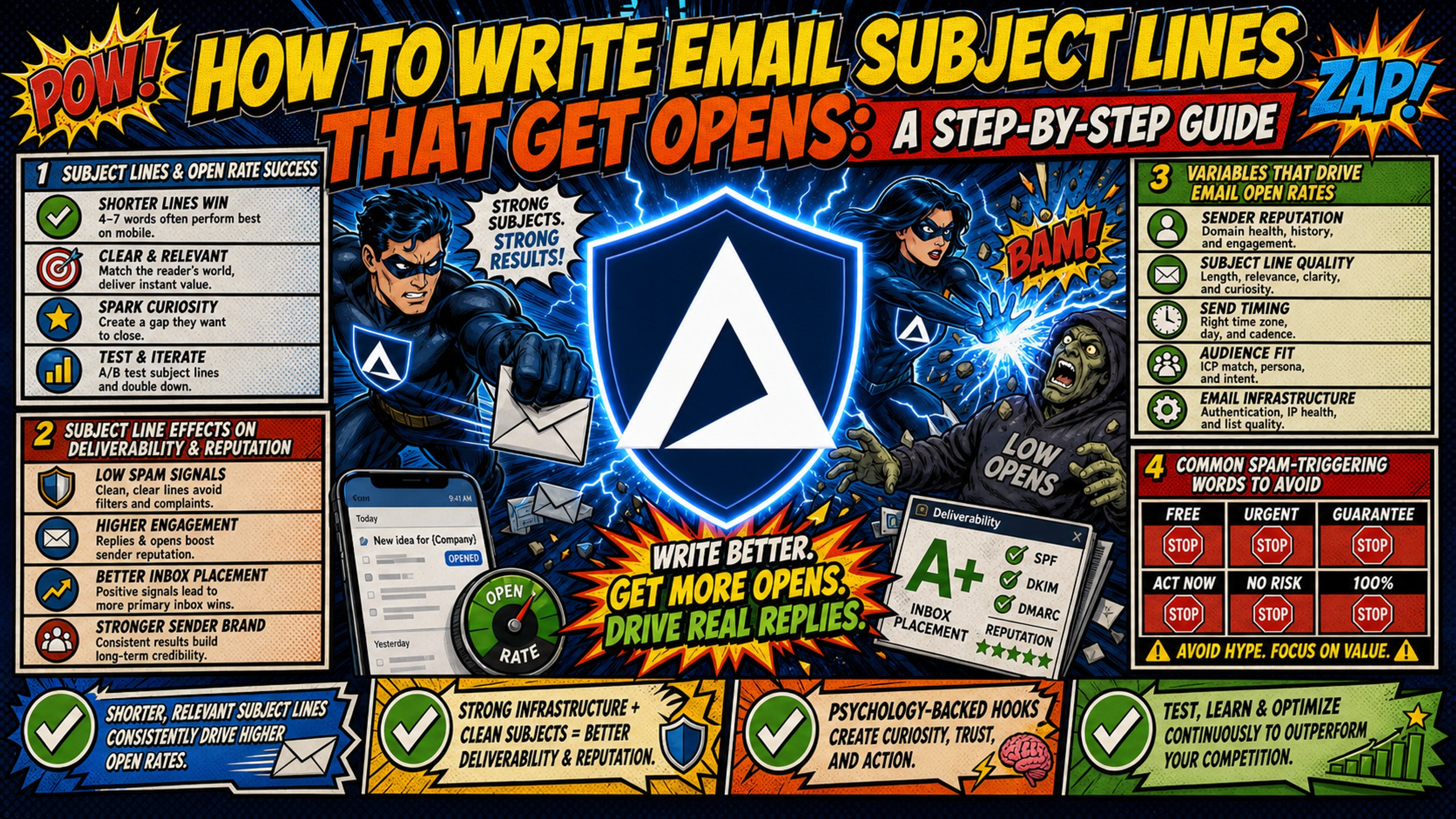
TL;DR: High open rates require a combination of short, psychology-backed subject lines and flawless technical email infrastructure. Shorter subject lines often perform well in cold outreach, but they fail if your SPF, DKIM, and DMARC records are broken and your emails never reach the inbox in the first place. Broken authentication causes emails to be rejected outright or filtered to spam before subject line psychology has any effect, and domain reputation built on unauthenticated sends degrades over time, compounding the placement problem with every send. Inframail automates this technical setup and offers flat-rate pricing at $129/month for unlimited inboxes, allowing you to scale campaigns without linear cost increases.
A brilliant subject line means nothing if your email lands in the spam folder because of broken Domain Name System (DNS) authentication. Writing high-converting subject lines is half copy psychology and half technical deliverability. This guide provides a step-by-step workflow to craft mobile-optimized, spam-free subject lines while ensuring your underlying email infrastructure actually delivers them to the inbox.
Subject lines and open rate success
Most campaign managers treat subject lines as a pure copywriting problem. They test phrasing, experiment with length, and rotate templates, but never look at why open rates are still flat. The reality is that subject line performance depends heavily on domain reputation and warmup status.
A new domain on day three of warmup cannot withstand the same subject line aggressiveness as a 90-day-old domain with a clean sending history. Starting with promotional language or high-personalization hooks before your domain has established trust with Email Service Providers (ESPs) signals low quality, which pushes future sends toward spam. The warmup stage your inbox is in dictates which psychological hooks are safe to use, and which ones will trigger filters. The B2B cold email response rate benchmarks that practitioners target are only achievable when infrastructure and copy work together.
Subject line effects on deliverability and reputation
Every time a recipient opens, replies to, or deletes your email, ESPs register that action as a signal of content quality. Actions like opens and replies typically count as positive signals, while deletions without opening and spam reports typically count as negative signals. ESPs weight these collective signals in their filtering decisions, creating a feedback loop that either rewards engaging senders with better placement or penalizes poor performers with increased filtering.
Deceptive or clickbait subject lines cause a specific type of damage: spam complaints. A recipient who opens expecting one thing and finds another may be more inclined to hit "report spam" than delete and move on. Gmail reportedly enforces a 0.3% complaint threshold, meaning 3 complaints per 1,000 inbox deliveries can trigger increased filtering across your entire sending domain.
Once domain reputation drops, future emails often carry that penalty regardless of how good the subject line copy is. The Inframail Microsoft blacklist guide outlines the delisting process, which typically resolves within 24-48 hours, but complaint-driven reputation damage can persist beyond the delisting itself, affecting inbox placement on future sends.
Variables that drive email open rates
Open rates respond to a cluster of variables, not just subject line copy. Understanding all of them prevents misdiagnosing a deliverability problem as a copywriting problem.
- Technical deliverability: SPF, DKIM, and DMARC authentication determines whether the email reaches the inbox before the subject line is evaluated. Authenticated domains reportedly achieve significantly higher inbox placement rates than unauthenticated sends.
- Sender name familiarity: A recognizable sender name may increase open likelihood before the subject line is even read.
- Subject line length and clarity: Character count affects visibility on mobile devices.
- Preview text alignment: Preview text that aligns with the subject line supports open momentum.
Psychological hooks for better email subject lines
Cold outreach typically operates under different psychological rules than opt-in marketing. A newsletter subscriber opted in and expects promotional content. A cold prospect did not, and any promotional tone immediately signals "unsolicited marketing," which triggers either a spam complaint or a delete.
The most effective cold email subject lines look like an internal message from a colleague. Short, direct, and low friction.
Common spam-triggering words to avoid
Modern spam filters use multifactor scoring systems, not simple keyword blocklists. But certain word patterns reliably push score thresholds past the filter boundary. Here is a curated list of B2B spam-trigger words, organized by risk category.
| Category | High-Risk Words |
|---|---|
| Financial | Free, Cash, Earn, Income, Profit, Double, Rich, No cost, Discount, Save big, Cash bonus, Financial freedom, Make money, Increase revenue, ROI guarantee |
| Urgency | Act now, Limited time, Urgent, Don't delay, Expires, Last chance, Today only, Deadline, Immediate, Rush, Final notice, Don't miss, Within hours, Respond now, Time-sensitive |
| Promotional/Scam signals | Winner, Congratulations, You've been selected, Gift, Prize, Claim, Guaranteed, Risk-free, No obligation, Special offer, 100%, Promise, One-time offer, Exclusive deal, Click here |
| Deceptive openers | Re: (no prior thread), Fwd: (no prior thread), FYI, You won't believe, Secret, Hidden, Shocking, As discussed, Per our last conversation (with strangers) |
Three real examples, and how to rewrite them:
- Bad: "Act now: guaranteed ROI with our exclusive offer" - triggers urgency, financial, and promotional flags simultaneously. Rewrite: "quick question about [Company]'s outbound"
- Bad: "Re: your growth strategy" - deceptive opener with no prior thread. Rewrite: "idea for [Company]'s pipeline"
- Bad: "FREE: 30-minute call to double your revenue" - financial and promotional triggers stacked. Rewrite: "30 minutes - [specific pain point]"
Psychology-backed subject line triggers
Three psychological triggers often perform well in B2B cold outreach:
- Curiosity: A subject line that implies a specific insight without revealing it. "Quick question re: [topic]" works because it feels like a colleague flagging something important.
- Specificity: Naming the exact problem at the exact company. "[Pain point] at [Company]" converts because it signals real research.
- Low friction: "Resource for [role]" signals a give, not an ask. Low-ask openers reduce the psychological cost of opening.
Chris Bussing's B2B subject line breakdown confirms this pattern across practitioners: the lines that perform consistently are not clever, they are clear.
Subject lines for your niche
Tone calibration matters alongside word choice. Tech and SaaS audiences often respond to informal, direct lines like "Idea for your onboarding flow." Professional services audiences in legal, finance, and compliance may expect more measured language like "Improving client reporting at [Firm]." Mismatching tone to audience signals template-blasting, which reduces open rates and increases spam complaints even before a single spam-trigger word appears.
Subject lines for mobile screens
Over 50% of emails are opened on mobile devices, and mobile clients display far fewer characters than desktop before truncating. A subject line that reads clearly on desktop can cut off mid-phrase on a mobile screen, hiding the value proposition entirely.
Subject line lengths for inbox display
Industry analysis suggests that shorter subject lines tend to achieve higher open rates. Subject lines in the 2-4 word range often perform best, while longer subject lines of 8+ words typically see lower open rates.
| Subject line length | Word count | Notes |
|---|---|---|
| Very short | 1-2 words | May lack context |
| Short (optimal) | 2-4 words | Often best-performing range |
| Medium | 5-7 words | Acceptable with mobile risk |
| Long | 8+ words | Truncates on mobile |
The B2B cold email sweet spot is typically 2-4 words with a maximum of 33 characters to avoid truncation on the tightest mobile screens. Longer subject lines risk being cut before the value proposition is visible.
Subject line display rules by device
Different email clients display different amounts of subject line text before truncating:
- Desktop Gmail and Outlook: Generally display more characters before truncating than mobile clients.
- iPhone Mail (default): Displays approximately 33-43 characters in portrait mode on many devices.
- Android Gmail: Displays approximately 30-33 characters in portrait mode on many devices.
The practical rule is to write for the tightest constraint. If your subject line reads clearly at 33 characters, it works everywhere.
Short subject lines and open rates
Short lines do two things simultaneously. First, they look personal and informal, resembling an internal message from a colleague rather than a bulk campaign. Second, they avoid triggering automated promotional filters that scan for longer, structured marketing phrases. The Aaron Reeves B2B cold email breakdown demonstrates this with real campaign data: stripped-down subject lines consistently outperform creative or promotional ones in reply rate.
Personalized subject lines that convert
Personalization works when it feels natural. It fails when it looks automated. The gap between those two outcomes is often a single merge tag with no fallback value or a scraping error that pulls in the wrong company name.
Merge tag safety
Every merge tag needs a fallback value configured in your sending platform. If a prospect's company name is missing from your data, the fallback "your team" prevents "Hi {{company_name}}" from sending verbatim. A broken merge tag like "Hi {{first_name}}" is an immediate trust-killer and a spam complaint trigger.
Formatting consistency matters too. Different fonts or colors when pasting variables can signal template use to spam filters. Keep all text in a cold email using the same font with minimal styling variations. The Kirke Männik cold email guide covers formatting inconsistency as one of the most common but avoidable deliverability mistakes in cold outreach.
Company-specific personalization tokens
Company name tokens in subject lines consistently outperform generic openers. Examples that work:
- "quick question for [Company]"
- "improving [metric] at [Company]"
- "[pain point] - thought of [Company]"
These work because they signal specificity without being intrusive. The prospect sees their company name and assumes, even briefly, that the message was written specifically for them.
Dynamic tags and inbox placement risk
Trigger-based personalization referencing a funding round, a recent hire, or a product launch can outperform basic merge tags in reply rate, but only when the underlying data is verified and current. Keep dynamic tags to first name and company name unless your data verification process is airtight. Any other variable, job title, recent news, or tech stack, requires a verification step before it goes into a live sequence.
A 5-step workflow for high-converting subject lines
Quick-start checklist: before sending any subject line
- Subject line is under 33 characters
- No spam-trigger words from the table above
- Merge tags have fallback values configured
- SPF, DKIM, and DMARC records verified active
- Domain has completed adequate warmup period
- No deceptive opener (Re:, Fwd:) on cold sends
- Preview text aligns with the subject line
- Tested on mobile display at 33-character view
1. Define your core value proposition
Reduce the email's entire offer to a single low-friction phrase before writing any subject line variations. If you can't state the value in seven words or fewer, the subject line will be too long or too vague. The value proposition drives the direction, and the subject line hints at it without revealing everything.
2. Draft high-converting subject lines
Write 5-10 variations per send. Include at least two under 20 characters, two using company-name personalization, and two with no personalization at all. The no-personalization control gives you a baseline for diagnosing whether personalization is helping or hurting in a given niche.
3. Check SPF, DKIM, and DMARC records
Authentication determines whether your email reaches the inbox before the subject line is ever evaluated. Using all three protocols together helps protect your brand, improve inbox placement, and meet Gmail's bulk sender requirements and Yahoo's sender requirements. In 2024, Google and Yahoo began rejecting unauthenticated bulk email outright. Fully authenticated domains reportedly achieve significantly higher inbox placement rates than unauthenticated sends, and no subject line copy can recover poor authentication.
Inframail automates SPF, DKIM, and DMARC configuration for every domain on the platform, eliminating the manual DNS panel work that typically takes 12+ hours across 50 domains. The platform configures records at domain setup, so campaigns launch with authentication already in place. Details are in the Inframail sending capacity guide.
"InfraMail makes it remarkably easy to purchase domains, configure them correctly, create inboxes, and initiate warm-up immediately. The level of automation is exceptional and clearly designed for serious operators; it removes friction and allows you to focus on execution rather than setup." - Verified user review of Inframail
4. A/B test with statistical significance
Import subject line variations into Instantly or Smartlead and split the test evenly across segments of equal size. Change one variable per test, either length or personalization or psychological trigger, never multiple variables at once. Changing everything simultaneously makes it impossible to know which variable drove the result. The Inframail reply rate guide covers how to structure A/B tests in sending platforms to get clean, actionable data rather than noise.
5. Iterate using campaign feedback
Open rate tells you whether the subject line cleared the inbox and matched recipient expectations. Reply rate tells you whether the combination of subject line and body copy created enough interest to respond. A high open rate with a low reply rate can suggest the subject line overpromised and the body underdelivered, which is a copywriting alignment problem, not an infrastructure problem.
5 subject line mistakes that ruin campaigns
3 open rate mistakes and how to diagnose them
When open rates drop without a clear campaign change, the cause is usually one of these three areas:
- Spam-trigger words in your active sequence. Run a spam-word audit on every subject line in rotation and check each one against the spam-trigger word categories above. Even a single high-risk word in rotation can suppress open rates across the entire domain.
- Personalization masking an infrastructure problem. Test with a plain-text, zero-personalization subject line. If a completely neutral subject line like "quick question" outperforms your personalized variations, the problem is infrastructure, not copy. Domain reputation is suppressing delivery before personalization has any effect.
- Undetected domain or IP blacklisting. Check blacklist status using Inframail's blacklist monitoring dashboard, which flags domain and IP health automatically and submits delisting requests when issues are detected. The platform reports a 68.3% delisting success rate, which limits campaign downtime when a domain gets flagged.
Deceptive and forced personalization risks
Using "Re: our meeting" or "Following up on our call" on a cold list might lift open rate in the short term, but it destroys reply rate and generates spam complaints immediately. Recipients who open expecting a thread continuation and find a cold pitch may hit "report spam" at a much higher rate than recipients who knew they were receiving outreach. That complaint spike damages domain reputation for every future send on that domain. Inframail's spam avoidance guide covers specific rules for staying out of spam folders, and deceptive openers are among the fastest ways to trigger permanent filtering.
Generic automated openers like "[First Name], check this out!" read as bulk templates, not personal messages. Recipients in B2B roles often receive many cold emails per month and can recognize automation patterns. Merge errors that produce "Hi there," or "Hi [first_name]," signal automation without intent, which reduces open rate and increases complaints.
Template limitations in cold email
Copy-pasting popular online templates verbatim is a deliverability risk. ESPs index high-volume sending patterns, and exact-match subject lines from widely shared templates have already been flagged across millions of sends. Using spintax to create variation across sends can help reduce pattern recognition. The Inframail spintax guide for Instantly shows the practical workflow for adding variation without writing entirely new copy.
Data-driven methods to validate subject lines
Subject line A/B test variables
Test one variable per experiment: length against length, personalization against no personalization, or curiosity hook against specificity hook. Keep every other element of the email constant, including the body copy, CTA, and sender name, so the subject line is the only changing factor.
Beyond open rates: key reply metrics
Open rate indicates initial interest, not ultimate success. A 60% open rate with a 0.5% reply rate can suggest the subject line oversold what the body delivered.
Campaign managers should track deeper metrics like meetings booked per 1,000 sends, which rolls up through open rate, reply rate, and conversion rate in sequence. Tracking only open rate creates an incentive to write clickbait, which damages the domain health that makes all future campaigns viable. The Alex Berman reply rate guide covers this distinction with real campaign examples.
Ideal test sample size
Test on a statistically significant sample of prospects per variation before choosing a winner. Smaller samples produce results that don't hold at scale. The Inframail guide on email sending capacity helps calculate how many inboxes you need to support your sending volume.
"This is genuinely the best cold email hosting software you can find for many reasons... Price: Compared to what you would spend making your own infrastructure with google workspace accounts, you are genuinely saving hundreds or even thousands of dollars a month on software costs. The $129/month plan supports 1,000-5,000 daily campaign emails across multiple inboxes." - Verified user review of Inframail
Sign up to Inframail and get started today. At $129/month for unlimited inboxes with automated DNS configuration, the platform removes the infrastructure bottleneck. Campaign managers can focus on copy and targeting rather than DNS panels. Compare the full cost breakdown for your domain count in the cold email infrastructure cost comparison across seven platforms.
FAQs
What is the ideal subject line length for high opens?
Target 2-4 words for best open rate performance. Industry analysis suggests that the 2-4 word range often achieves strong open rates compared to both very short one-word lines and longer ten-word lines. Keep character count under 33 to avoid truncation on the tightest mobile screens.
Should I use emojis in B2B cold email subject lines?
Avoid emojis in B2B cold outreach. Industry analysis suggests that emails with emojis may get fewer replies than emails without them, and emojis may appear unprofessional to B2B recipients.
How often should I test new subject lines?
Test new subject lines on statistically significant sample sizes per variation or whenever you notice open rate declines on warmed domains. Smaller sample sizes produce unreliable results that don't hold when scaled to full campaign volume.
Do spammy subject lines hurt inbox placement?
Yes. Spam-trigger words push emails past filter scoring thresholds, and recipient spam complaints from deceptive openers permanently damage domain reputation. Gmail reportedly enforces a 0.3% complaint threshold, meaning even a small number of complaints can trigger increased filtering across your entire sending domain.
How does SPF, DKIM, and DMARC setup affect subject line performance?
Without passing SPF, DKIM, and DMARC checks, emails land in spam before the subject line is evaluated. Authenticated domains reportedly achieve significantly higher inbox placement rates than unauthenticated domains, and Inframail automates all three protocols at domain setup.
Key terms glossary
SPF (Sender Policy Framework): A DNS record that specifies which servers are authorized to send email from your domain. Missing or misconfigured SPF causes receiving servers to distrust or reject your messages.
DKIM (DomainKeys Identified Mail): A cryptographic signature attached to outgoing emails that proves the message was not altered in transit. ESPs use DKIM to verify sender legitimacy.
DMARC (Domain-based Message Authentication, Reporting, and Conformance): A policy record that tells receiving servers what to do when SPF or DKIM fails. Setting DMARC to at least p=none is recommended for bulk senders to meet modern deliverability standards.
Inbox placement rate: The percentage of sent emails that land in the primary inbox rather than spam, promotions, or being rejected outright. Distinct from delivery rate, which only measures whether the server accepted the message.
Warmup schedule: A structured ramp-up period where sending volume increases gradually from a new domain or inbox to build sender reputation with ESPs before full campaign volume begins.
Dedicated IP: An IP address assigned exclusively to one sender. Sending reputation is determined solely by that sender's behavior, unlike shared IP pools where other users' spam complaints can affect your inbox placement.
DNS propagation: The time required for DNS record changes (SPF, DKIM, DMARC) to spread across the global DNS network and become visible to receiving mail servers. Can take time after configuration depending on various factors.
Merge tag: A dynamic placeholder in an email template (such as {{first_name}}) that is replaced with recipient-specific data at send time. Broken merge tags that fail to resolve are a common spam complaint trigger.