
Email subject line mistakes to avoid: 10 errors that kill open rates
Subject lines are technical triggers that interact directly with ESP (Email Service Provider) spam filters, not just copy decisions. The 10 most damaging errors
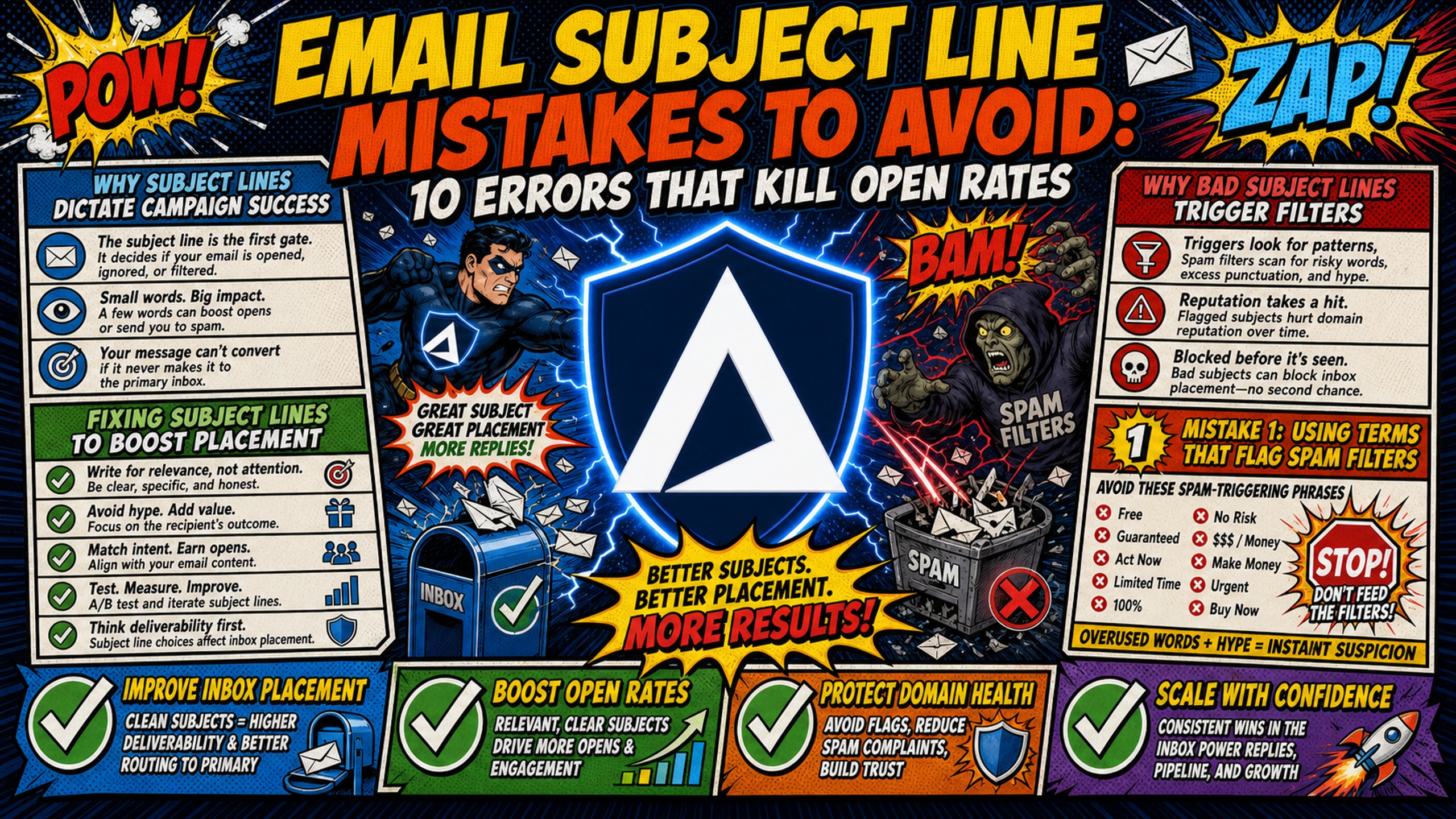
TL;DR: Subject lines are technical triggers that interact directly with ESP (Email Service Provider) spam filters, not just copy decisions. The 10 most damaging errors include spam-trigger words, deceptive "Re:" prefixes, ALL CAPS formatting, broken merge tags, and skipping pre-send audits. These mistakes drive spam complaints that damage domain reputation and kill inbox placement rates. Fixing copy is critical, but the underlying infrastructure matters just as much. Inframail automates SPF, DKIM, and DMARC configuration on a flat-rate plan of $129/month with dedicated US-based IPs, creating a safety net that absorbs occasional copy errors and monitors domain health in real time.
Most outbound operators troubleshoot low open rates by rewriting copy. They test different value propositions and shorten sentences, but they miss how subject lines feed directly into ESP scoring algorithms. A risky phrase sitting on top of unauthenticated DNS records is a fast path to the spam folder. This guide covers the 10 specific mistakes that kill open rates, the technical mechanics behind each one, and how to protect your domains before and after you hit send.
Why subject lines dictate campaign success
Not all subject lines carry the same risk. The sending context (B2C newsletter versus B2B cold outreach) changes what ESPs expect and how aggressively they filter.
Fixing subject lines to boost placement
Subject lines carry different weight depending on the sending context. B2C newsletters use promotional language because recipients opted in and expect marketing content. B2B cold outreach requires a conversational, plain-text approach that mimics an internal business message.
About 33% of email recipients decide whether to open an email based entirely on the subject line, according to data cited by EmailAnalytics. For cold outreach, that decision happens in under three seconds on a mobile lock screen. The subject line is not a headline. It is a pass or fail filter for both the human reader and the automated systems that route the message before it reaches them.
Watch this Inframail breakdown on how to increase cold email deliverability for a practical walkthrough of why technical setup determines whether copy even gets seen.
Why bad subject lines trigger filters
Modern ESPs, including Google and Microsoft, run NLP (Natural Language Processing) models across incoming subject lines to detect urgency signals, promotional intent, and anomalies in sentiment and structure. These models cross-reference subject line signals with the sending domain's authentication records (SPF, DKIM, and DMARC) and IP reputation before routing the message.
Google's sender guidelines require authentication for all senders and demand full SPF, DKIM, and DMARC compliance for bulk senders. Subject line copy and DNS configuration are evaluated together, not separately.
Mistake 1: Using terms that flag spam filters
Spam filters have moved beyond simple word-matching. NLP models now evaluate the full semantic intent of a subject line, scoring it against the sending domain's authentication records before routing the message.
Avoid these spam-triggering phrases
Spam filter dictionaries have evolved beyond "free money" and "click here." Modern NLP models flag clusters of terms that signal promotional or deceptive intent. Common B2B examples to remove from your subject lines:
- "Guarantee" / "guaranteed results"
- "Risk-free" / "no obligation"
- "Free trial" / "free consultation"
- "Act now" / "limited time"
All of these terms flag promotional intent in bulk sending contexts, even when the offer is legitimate.
What triggers automated spam filters
Spam filters do not flag individual words in isolation. They score the full subject line as a phrase, analyze its semantic intent, and check that score against the sending domain's technical trust rating, as covered in Inframail's guide on cold email infrastructure monitoring.
This is where automated DNS setup acts as a practical safety net. When SPF, DKIM, and DMARC records are correctly configured and the sending IP is dedicated, the domain carries a higher baseline trust score with major ESPs. A domain missing DMARC lacks a complete authentication layer, weakening the trust signal ESPs use to evaluate every message sent from it. Authentication is one factor among many that determine where a message is routed. Check Inframail's campaign health metrics guide to understand what healthy sending metrics look like.
Mistake 2: Why deceptive openers destroy reply rates
Fake thread prefixes are one of the fastest routes to domain blacklisting available in cold outreach. The short-term open rate lift is real. The downstream reputation damage is worse.
Why bait-and-switch damages reply rates
Fake "Re:" or "Fwd:" prefixes are among the most damaging tactics in cold outreach. They generate an initial open, but recipients immediately recognize the deception, which drives spam complaints that can kill the domain within days.
According to Sender.net's email marketing statistics, 69% of email recipients report email as spam based solely on the subject line. A fake thread prefix triggers that response at a higher rate than almost any other tactic because the deception is obvious at the moment of opening. The click metric looks good. The domain health metric does not.
The hidden cost of domain blacklisting
Spam complaints aggregate at the domain level. Mailbox providers like Gmail and Microsoft build a sender reputation score from complaint volume over time, and that score applies to every campaign running on the domain.
Spamhaus operates at the infrastructure layer. When a receiving mail server finds a sending IP or domain listed, the connection is refused before the message is evaluated. At a 0.3% complaint rate, Google and Yahoo begin blocking messages outright, not filtering them. A single deceptive subject line sent at volume can cross that threshold within one campaign.
Inframail's guide on getting off the Microsoft blacklist covers the recovery process if a domain has already been flagged.
Mistake 3: Why shouting in your subject line fails
Formatting is a signal, not just an aesthetic choice. ESPs treat ALL CAPS and repeated exclamation points as pattern markers for promotional intent, independent of the words themselves.
How text style impacts email deliverability
ALL CAPS subject lines and strings of exclamation points ("URGENT!!!", "ACT NOW!!!") are among the clearest spam signals NLP models detect. These formatting patterns do not appear in natural business communication, and ESPs are trained to weight them accordingly. The formatting itself, separate from the words, becomes the trigger.
Simple subject line fixes for higher opens
Write subject lines in sentence case or entirely lowercase to mimic an internal business message. "Quick question about your onboarding flow" outperforms "QUICK QUESTION ABOUT YOUR ONBOARDING FLOW!" in both deliverability and human perception. Nick Abraham's cold email deliverability breakdown covers why writing like a human, not a marketing blast, consistently beats every other tactic.
Mistake 4: Why template-style subject lines kill engagement
Visible automation signals destroy the one-to-one illusion that cold outreach depends on. Broken merge tags and generic personalization both fail for the same reason: they reveal the template underneath.
Fixing broken merge tags and fields
Sending a subject line that reads "Hi {{first_name}}" to 500 prospects is an operational failure that signals automation to both the recipient and the ESP. The fix is straightforward: run a test send to a seed inbox, verify that every merge field populates correctly, and confirm fallback values are set for contacts with missing data.
Why robotic personalization kills replies
Inserting a company name into "Quick question for [Company]" does not read as personal. It reads as a mail merge template. Personalized subject lines are 22.2% more likely to be opened according to research published by NVECTA, but only when the personalization reflects a real signal, such as a recent hire, a product launch, or a shared connection. Chris Bussing's video on top B2B cold email subject lines demonstrates how genuine context consistently outperforms template insertion.
Mistake 5: Poor subject line length hurts open rates
Most cold emails are first read on a mobile device. A subject line that exceeds the visible character window on a lock screen is effectively invisible before the recipient decides whether to open it.
Mobile subject length for better open rates
Mobile email clients typically display 30 to 40 characters before truncating. If the core message is buried past character 40, most mobile readers never see it. Industry analysis suggests that 36 to 50 characters achieve strong response rates, a range that maps directly to visible mobile display. Keeping subject lines to 2 to 4 words is a reliable way to stay within that window.
Why length ruins visibility
Long subject lines hide the value proposition on devices where most cold emails are first read. Shorter lines also appear less automated, because mass-blast templates typically run long to front-load multiple selling points. Keeping the subject under 40 characters signals a one-to-one message rather than a broadcast, improving both the human open rate and the ESP trust score.
Mistake 6: How emojis hurt your deliverability rates
Emojis are a context-dependent formatting choice, not a universal engagement tool. In B2B cold outreach, they shift the perceived sender type from individual to marketer, which affects both human perception and ESP classification.
Why emojis damage inbox placement
Emojis work in B2C newsletters because recipients expect marketing messages. In B2B cold outreach, research shows emails with emojis get 13% fewer replies than those without, and overusing them (three or more in a subject line, or pairing them with promotional language) can also affect inbox placement by creating signals that suggest broadcast-style content over one-to-one conversation. Some corporate mail clients also render emojis incorrectly, creating additional formatting issues.
Best practices for clean subject lines
Plain-text subject lines that read like a message from a colleague consistently outperform styled alternatives in cold outreach. No emojis, no special characters. The subject line should look indistinguishable from an email a real person would write to one specific contact. Inframail's channel covers emoji usage in its video on 32 rules for avoiding spam as one of the most consistent deliverability mistakes operators make.
Mistake 7: Skipping essential split tests
Sending one subject line across a full campaign produces one outcome with no comparison point. Structured variation at the campaign level converts subjective copy decisions into measurable deliverability data.
Tracking open rates by subject variation
Running a single subject line across an entire campaign produces one data point. Running two or three variations on a small sample produces a comparison. Sending platforms like Instantly and Smartlead both support A/B testing at the sequence level. Set up split tests at campaign launch rather than after the first week's results disappoint. Inframail's guide on how to connect Inframail to Smartlead covers the full credential import workflow where A/B tests should be configured.
What A/B test metrics actually mean
A high open rate paired with a 0% reply rate is a red flag, not a success metric. It signals that the subject line generated curiosity but failed to connect to the body content, often because a deceptive or misleading opener was used. The goal is a subject line with both a healthy open rate and a reply rate above 5%, because those two metrics together confirm that the subject and the body are aligned. Taylor Haren's case study on how a $6M campaign failed overnight shows exactly what happens when subject line metrics look good while domain health collapses underneath.
Mistake 8: Not matching subject line to email body
ESPs evaluate subject lines and body copy as a single semantic unit, not in isolation. A mismatch between the two is a filter trigger, not just a persuasion problem.
Avoid spam filters by aligning your copy
Modern ESPs use semantic analysis to check whether the subject line and body copy are contextually aligned. A subject line that promises "a quick question" followed by a 400-word pitch creates a mismatch that automated filters flag. The subject line is not an isolated hook. It is evaluated as part of the same message unit as the body content.
Ensure subject lines match body content
The practical test: read the subject line, then the first sentence of the body. If the opener does not directly follow from the subject line's implied promise, rewrite one of them. "Question about your Q3 pipeline" should open with a specific pipeline question, not a company introduction. Alignment between subject and opener also reduces spam complaints because recipients who open the email find exactly what the subject suggested.
Mistake 9: Recycling the same subject lines repeatedly
Pattern detection is a core function of modern spam filters. Sending the same string from the same domain to thousands of recipients creates a campaign signature that filters are designed to catch.
How stale content kills sender reputation
ESPs track pattern repetition across sending behavior. When the same subject line string is sent from the same domain to thousands of different recipients, filters identify it as a bulk campaign signature rather than individual outreach. High repetition rates increase the probability of the sending domain being flagged, regardless of how clean the copy is.
How to rotate subject lines effectively
Spintax (short for "spin syntax") inserts formatted alternatives inside curly braces separated by pipes, such as {Quick question|One question|Checking in}, and the sending platform randomly selects one variation per recipient. Build spintax groups across the key structural elements of each email (the opener, value proposition, and CTA) so variation runs through the full message, not just the subject line. Each variation needs to carry the same emotional register. Mixing casual and formal alternatives in the same template produces inconsistent messages that may perform poorly or get flagged on one variant.
Inframail's tutorial on avoiding spam with the Starter-Bench Rule explains how to structure variation pools for consistent deliverability.
Mistake 10: Skipping pre-send deliverability tests
Pre-send testing catches technical failures before they reach a live inbox. A failed merge tag or a spam-trigger word that slipped through review is recoverable at the test stage. It is a domain health problem at the campaign stage.
Recommended tools for inbox testing
Run every new subject line through a pre-send test before importing contacts into Instantly or Smartlead. Tools like Mail-Tester and GlockApps check your subject line header, authentication records, and content score against live spam filter benchmarks. A Mail-Tester score below 8/10 on a fresh send is a signal to audit the subject line and DNS configuration before launching at volume. Inframail's help article on how to calculate sending capacity includes guidance on matching domain count to sending volume to avoid threshold-based filtering.
Pre-send subject line audit workflow
Run this three-step check before every new campaign launch:
- Character count: Confirm the subject line is under 40 characters for full mobile visibility.
- Spam-trigger word scan: Search for terms like "guarantee," "free," "risk-free," or "urgent" and remove or reframe them.
- Merge tag validation: Send a test to a seed inbox and confirm every personalization field populates correctly with fallback values in place. Catching a broken merge tag before launch protects the domain reputation that bad automation signals can erode over time. Export credentials to CSV from Inframail, import to your sending platform, and run the pre-send test on a seed inbox before activating the full sequence.
Inframail's guide on how to get emails delivered walks through this pre-launch workflow in detail.
Recovering your open rates after subject line gaffes
A sharp drop in open rates is a domain health signal before it is a copy problem. The recovery sequence matters: diagnosing the complaint rate comes before rewriting subject lines.
Troubleshooting sudden inbox placement drops
When open rates drop sharply overnight, check the spam complaint rate on the sending domain first, not the subject line. A single risky subject line sent at high volume can push complaints above the 0.1% threshold that triggers ESP sensitivity, and above 0.3% where blocking begins. Cross-reference your domain's current complaint rate in your sending platform's deliverability dashboard with Inframail's campaign health metrics guide.
When complaints spike, pause the active campaign and stop all sends from the flagged domain immediately. Switch to ultra-safe subject lines (3 to 5 words, plain text, no promotional language), reduce daily sending volume to 20 to 30 emails per inbox per day, and re-warm the affected inboxes using an external warmup tool before resuming full volume. Inframail's inbox warmup guide covers the recommended warmup schedule after a deliverability event.
Steps to rebuild sender reputation
Inframail's domain health dashboard tracks blacklist status across major blocklists in real time and auto-submits delisting requests when a domain is flagged. The platform reports a 68.3% blacklist delisting success rate within 48 hours, handling the delisting workflow that would otherwise require manual submissions to each blocklist individually.
Dedicated IPs matter here for a specific reason. On shared IP pools, another sender's poor practices can contaminate the IP reputation you share with them, causing your inbox placement rate to drop with no connection to your own sending behavior. Inframail's Unlimited Plan includes 1 dedicated US-based IP, and the Agency Pack includes 3, so your IP reputation reflects only your own sends. The dedicated IP vs. shared IP analysis from Inframail's cost comparison confirms that shared IP contamination is one of the leading causes of unexplained deliverability drops at the agency level.
Stop these email subject line blunders
The patterns that kill deliverability are consistent across campaigns. The table below maps the most common B2B subject line mistakes to their optimized alternatives, with the specific reason each version succeeds or fails.
Solving subject line deliverability issues
The table below compares common B2B subject line mistakes with optimized alternatives.
| Bad subject line | Why it fails | Optimized subject line | Why it works |
|---|---|---|---|
| "FREE strategy call - GUARANTEED results!" | Spam-trigger words and ALL CAPS flag NLP filters | "Quick question about your outbound stack" | Conversational, no trigger words, under 40 chars |
| "Re: Following up on our conversation" | Fake "Re:" prefix triggers spam reports when no prior thread exists | "Saw your hiring push on LinkedIn" | References a specific, publicly observable event. Reads as one-to-one outreach with no deceptive formatting |
| "Hi {{first_name}}, wanted to connect" | Unpopulated merge tag renders visibly in the subject line, immediately revealing mass automation to the recipient and undermining any appearance of one-to-one outreach | "Hi Sarah, saw you just raised a Series A" | Uses a real first name alongside a specific, verifiable business event: two signals that distinguish one-to-one outreach from a mail merge template and reinforce the subject-to-body alignment ESPs evaluate |
| "Increase your revenue fast - limited time offer" | Urgency plus promotional language plus trigger words | "How [Competitor] is booking 30 more calls/mo" | A specific number anchors the claim and draws attention naturally. Competitive framing creates relevance without urgency language or promotional trigger words |
| "I wanted to reach out to discuss a potential opportunity for us" | Exceeds mobile character limits, front-loads no specific value, and reads as a broadcast opener rather than a one-to-one message. The recipient cannot identify the relevance before deciding whether to open | "Intro from [Mutual connection name]" | References a named mutual connection, creating immediate relevance and credibility for the recipient. Stays well under the 40-character mobile display threshold and reads as a one-to-one message rather than a broadcast |
Use this checklist alongside the 25 sales email automation tools comparison to confirm your sending stack is configured for the volume you are running. Jeremy Miner's breakdown on what not to write in sales emails covers the copy-level version of these errors in detail.
"InfraMail makes it remarkably easy to purchase domains, configure them correctly, create inboxes, and initiate warm-up immediately. The level of automation is exceptional and clearly designed for serious operators; it removes friction and allows you to focus on execution rather than setup." - Verified user review of Inframail
How to repair a poor sender score
When a domain's reputation is permanently damaged from repeated spam complaints, the most cost-effective fix is spinning up fresh domains. This is where infrastructure pricing becomes a real operational factor. On Google Workspace at $7 to $8.40 per user per month, replacing 50 burned domains means rebuilding a $350 to $420/month infrastructure line item from scratch.
On Inframail's flat-rate model, the platform fee stays at $129/month regardless of inbox count, and domains cost $5 to $16 each per year. For 50 domains, amortized domain costs add approximately $34/month, bringing the total to around $163/month, compared to $350 to $420/month on Google Workspace for the same inbox count. (Warmup tools are an additional external cost on both sides, typically $15 to $50/month per inbox.)
GMass confirmed that Inframail was the first private cold email infrastructure company, with the domain registered in November 2022. That first-mover position is reflected in the platform's automated DNS setup, which provisions SPF, DKIM, and DMARC records without manual panel work. The Inframail blog covers the full cost comparison across seven platforms if you are benchmarking providers before making a switch.
Impact of identical subject lines on opens
Subject line variation and authenticated infrastructure work together, not independently. Spintax prevents filter pattern detection. Proper DNS authentication raises the baseline trust score that determines how much risk tolerance the ESP extends to content. Neither variable fixes the other in isolation. Running validated subject lines through Inframail's automated infrastructure setup protects the domain health that makes good copy land. Inframail's guide on cold email compliance and legality is worth reading alongside this checklist to confirm the full sending stack meets current outreach standards.
Sign up to Inframail and get started today to automate DNS setup, protect domain health, and run unlimited inboxes on a flat-rate plan of $129/month.
FAQs
How many characters should a cold email subject line be?
Keep cold email subject lines under 40 characters to prevent mobile email clients from truncating the text, with 2 to 4 words being the most effective length based on deliverability benchmarks. Subject lines in the 36 to 50 character range achieve the best response rates according to NVECTA's analysis of subject line performance data.
What is the flat-rate cost of Inframail's Unlimited Plan?
Inframail's Unlimited Plan costs $129 per month on a monthly billing cycle, or approximately $90.30 per month when billed annually at the 30% annual discount. The plan includes 1 dedicated US-based IP and unlimited email inboxes.
Does Inframail include a built-in email warmup tool?
No, Inframail does not include a native warmup tool and requires external services like Warmbox or Lemwarm, which cost $15 to $50 per month per inbox.
What spam complaint rate triggers domain blacklisting?
Complaint rates above 0.1% trigger increased ESP filtering sensitivity, and rates above 0.3% cause Google and Yahoo to begin blocking messages outright rather than filtering them. Inframail's domain health dashboard monitors blacklist status automatically and auto-submits delisting requests with a reported 68.3% success rate within 48 hours.
How does Inframail's DNS setup protect domain health?
Inframail automatically configures SPF, DKIM, and DMARC records for every domain provisioned through the platform, removing the need for manual DNS panel work. Fully authenticated domains carry a higher baseline trust score with ESPs, reducing the impact of occasional copy mistakes.
Can I run split tests on subject lines in Instantly or Smartlead with Inframail?
Yes. Inframail exports IMAP/SMTP credentials to CSV, which imports directly into Instantly or Smartlead, and both platforms support A/B subject line testing at the sequence level. Inframail's Smartlead integration guide covers the full credential import workflow.
Key terms glossary
The following definitions cover the core technical and operational terms referenced throughout this guide, relevant to both subject line optimization and the sending infrastructure that determines how subject lines are evaluated.
SPF (Sender Policy Framework): A DNS record that specifies which mail servers are authorized to send email on behalf of your domain. It is one of three authentication records that ESPs check before routing an inbound message.
DKIM (DomainKeys Identified Mail): An email authentication method that adds a digital signature to outgoing messages, proving the content was not altered in transit. ESPs use this signature to verify that the sending domain is legitimate.
DMARC (Domain-based Message Authentication, Reporting, and Conformance): A protocol that uses SPF and DKIM results to determine email authenticity and specifies how receiving servers should handle messages that fail authentication checks.
Dedicated IP: An IP address used exclusively by a single sending account or domain, isolating IP sender reputation from other users on shared infrastructure. Inframail's Unlimited Plan includes 1 dedicated US-based IP, and the Agency Pack includes 3.
Spintax: A formatting method used by sending platforms to rotate words, phrases, or full subject lines dynamically across a campaign, creating unique content for each recipient to avoid spam filter pattern detection.
Inbox placement rate: The percentage of sent emails that land in the recipient's primary inbox rather than the spam or promotions folder.
Domain blacklisting: The process by which a domain or IP address is added to a blocklist database like Spamhaus after triggering spam complaint thresholds, causing receiving mail servers to block messages before evaluation.