
Email subject for reaching out: How to start conversations
A cold outreach subject line that earns a reply needs two things working together: low-hype, conversational copy that reads like a peer message rather than a pi
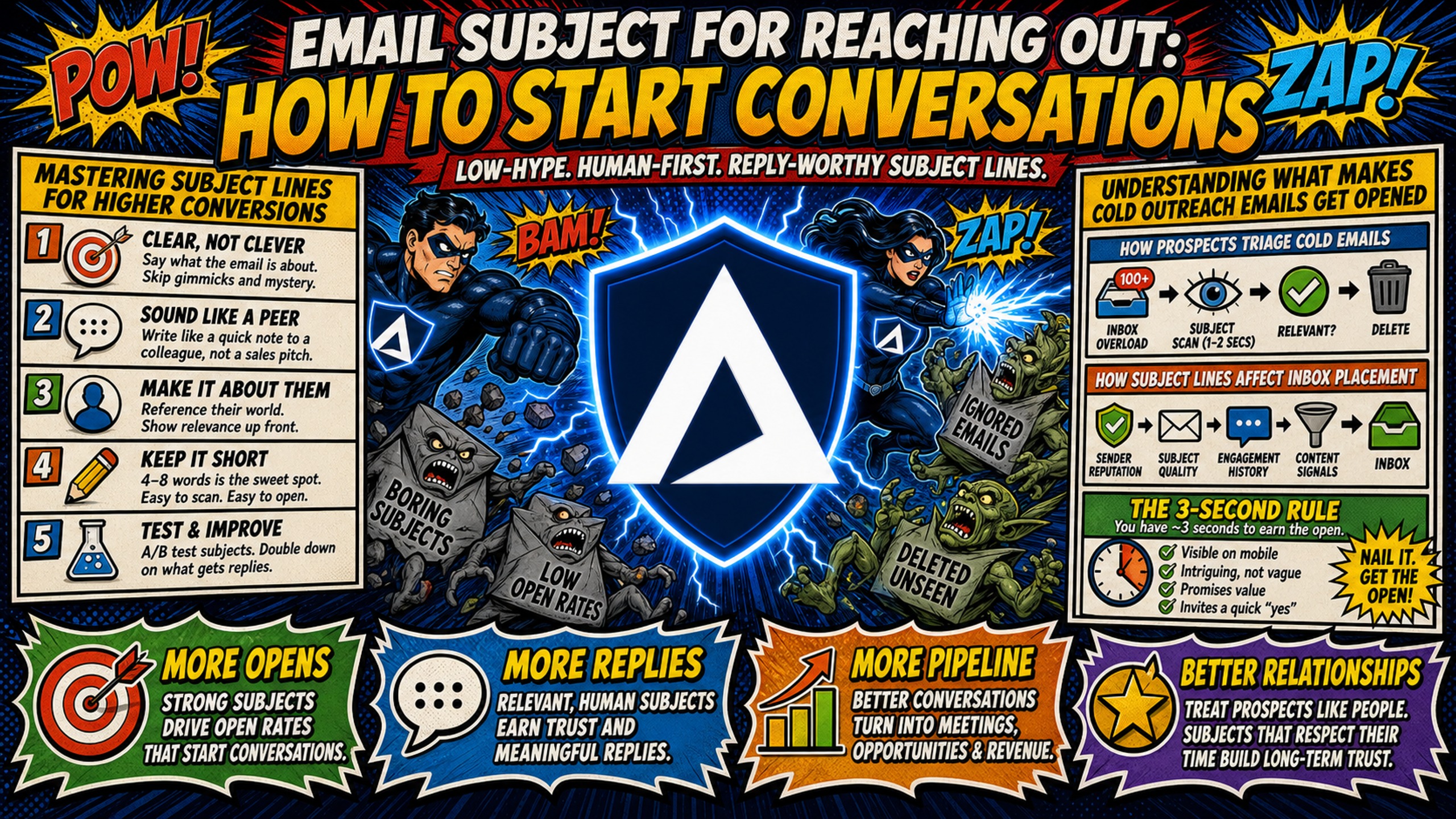
TL;DR: A cold outreach subject line that earns a reply needs two things working together: low-hype, conversational copy that reads like a peer message rather than a pitch, and a clean technical foundation (SPF, DKIM, DMARC on a dedicated IP) that gets the email to the inbox in the first place. Keep subjects concise to avoid mobile truncation, front-load the hook in the first 37 characters to guarantee visibility across all major email clients, and cut every word that signals a promotion. Pair that copy with dedicated email infrastructure and your reply rates will reflect your actual messaging quality, not a deliverability gap hiding underneath.
Most cold email advice treats subject lines as a pure copywriting challenge. That framing misses half the equation. A subject line that never clears the spam filter is copy no one reads. This guide covers the exact formulas that drive replies, the words that trigger spam filters, and the infrastructure setup that ensures your emails land where they belong.
Mastering subject lines for higher conversions
The sections below cover how prospects process subject lines, how copy choices interact with spam filters, and what the data says about timing and visibility.
How prospects triage cold emails
Your prospect scans dozens of emails in a few seconds and decides which ones earn attention. Name recognition, subject line, and preheader text are the only inputs before deciding to open or archive. Subject lines are the primary factor driving email opens. Personalized subject lines tend to produce higher open rates than generic alternatives.
If the subject doesn't create a reason to open within three seconds, the body copy, offer, and CTA are all irrelevant. Focus on the subject line first and treat everything else as secondary.
How subject lines affect inbox placement
Subject line copy directly affects whether your email clears spam filters, and modern filters reportedly go beyond obvious trigger words to analyze structural patterns, deceptive practices, and your sending domain's cumulative reputation. Major email providers maintain strict complaint rate thresholds, meaning even a small percentage of complaints can trigger enforcement across your entire sending domain.
SPF (Sender Policy Framework), DKIM (DomainKeys Identified Mail), and DMARC records are the authentication layer that tells receiving mail servers your domain is legitimate. Spam filters typically check these records as part of their authentication process before evaluating other aspects of your email. Subject line copy quality matters less when sent from a domain with misconfigured DNS records. Inframail automates SPF, DKIM, and DMARC configuration so authentication is correct from the moment a domain goes live, which means your copy gets evaluated on its own merits rather than penalized for a technical gap.
How the 3-second rule affects email open rates
Prospects scan their inbox quickly and decide to open or archive your email. On mobile, they see even less information before deciding. Gmail's mobile app shows approximately 37 characters before truncating, while desktop shows more. The safe minimum threshold is 37 characters to guarantee visibility across all major clients, with around 50 characters as a practical upper limit for most email clients.
Run through this checklist before you send any cold outreach:
Mobile-First Subject Line Checklist
- Front-load the hook: The most important word or phrase appears in the first 3 words of the subject line.
- Character count: Subject line is between 30 and 50 characters total.
- Punctuation: No more than one exclamation point or question mark per subject.
- Personalization tokens work: {{first_name}} and {{company}} tokens have been verified against your list before sending, with a fallback value set for any blank fields.
- Plain text preview: The subject reads like an internal business message, not a marketing headline.
- Preheader alignment: The first sentence of the email body matches the tone and topic of the subject line.
Understanding what makes cold outreach emails get opened
The following covers how opening lines and personalization signals work together to turn a subject line open into a genuine read.
Specific openers that drive reply rates
The first sentence of the email body (the preheader text) acts as an extension of the subject line. A subject like "quick question re: {{company}}" earns the open, but the preheader has to justify it immediately. If the subject promises a quick question and the first line delivers a product pitch, the prospect closes the email and marks it as spam.
Here are professional opening lines that transition cleanly from common subject line formulas:
- Subject: "{{first_name}}, saw your post on outbound" Opening line: "Your point about reply rates on LinkedIn caught my attention because we're seeing the same pattern across agency accounts."
- Subject: "{{mutual_connection}} suggested I reach out" Opening line: "{{mutual_connection}} mentioned you're expanding your outbound program and thought our work with similar agencies might be worth a quick conversation."
Each opening line answers the implicit question the prospect asks when they open: "Why is this person contacting me right now?" For more on structuring full emails, this B2B cold email template breakdown walks through how body copy and subject lines work together.
Personalized openers that drive engagement
Referencing a specific trigger, such as a recent hire, a new product launch, or content the prospect published, signals research rather than automation. Personalized subject lines consistently produce higher open rates than generic alternatives.
Concrete examples of trigger-based personalization:
- "Congrats on the Series A, {{first_name}}" (funding announcement as trigger)
- "Re: your post about outbound volume" (content as trigger)
- "{{company}}'s new SDR team" (hiring data as trigger)
Each of these subjects demonstrates that the sender did actual research, which builds credibility before the email body even loads.
Using 5 reliable formulas for better reply rates
Each formula below targets a different trust signal, from shared contacts to business-specific observations, giving you a set of starting structures to adapt to your prospect context.
Using shared networks to boost open rates
The "Mutual Connection" formula uses a shared contact or community to establish immediate trust. When a prospect sees a name they recognize in the subject line, the email moves from cold to warm immediately.
- "{{mutual_name}} thought we should connect"
- "We both know {{first_name}} at {{company}}"
Use this formula only when the mutual connection is genuine. Fabricating a connection destroys trust faster than any other tactic.
Crafting high impact compliment openers
The "Specific Compliment" formula references something concrete the prospect created or achieved. Generic compliments read as automated. Specific ones signal genuine attention.
- "Your take on outbound attribution was sharp"
- "That case study you published last month"
Pair the compliment with a relevant segue in the opening line to make the transition feel natural.
Personalizing outreach for better replies
The relevant observation formula points out a specific signal in the prospect's business, such as a job posting, a tool change, or a recent news mention. This is covered in Inframail's cold email personalization guide.
- "Noticed {{company}} is hiring for RevOps"
- "Saw {{company}} added Gong recently"
Observations tied to business signals give the prospect an immediate reason to read further because the subject implies context relevant to a current priority.
Crafting quick question subjects
Short, low-friction questions consistently outperform complex pitches. The "Quick Question" formula works because it sets a low expectation for the interaction. The prospect isn't committing to a call or a demo, they're just answering a question.
- "quick question re: {{company}} outbound"
- "{{first_name}}, quick question"
- "One question about your outreach stack"
Keep the question specific enough to show context. "Quick question" alone is too vague. "Quick question re: your SDR team size" gives the prospect a reason to engage. This CTAs and cold email reply rates video pairs well with the quick question approach.
Removing flagged terms from subject lines
The sections below identify the specific words and patterns that trigger filters, with rewrite examples and a note on deceptive formatting.
Remove spam trigger words that hurt deliverability
Certain words train spam filters to flag your emails before any human evaluates them. Messages containing "free," "sale," or similar promotional language land in spam at significantly higher rates than plain-language equivalents. Using these words in combination with misconfigured SPF, DKIM, or DMARC records may compound the problem, as spam filters can penalize both the content signal and authentication failures.
Words and phrases to remove from every B2B cold outreach subject line:
- Financial triggers: "free," "discount," "save," "earn," "cash," "profit"
- Urgency triggers: "urgent," "act now," "limited time," "last chance," "don't miss"
- Promotional triggers: "offer," "deal," "buy now," "order today," "special"
- Guarantee triggers: "guaranteed," "no risk," "100% free," "risk-free"
This Inframail video on avoiding cold email spam explains how send volume management works alongside copy choices to protect domain health.
Draft subject lines without salesy hype
The fastest way to improve a subject line is to remove every word a vendor would use and replace it with plain business language. Here are before-and-after rewrites:
| Before (high-hype) | After (plain) |
|---|---|
| "FREE demo - boost your pipeline NOW!" | "Quick question re: your outbound stack" |
| "Guaranteed 3x more leads this quarter" | "How {{company}} is handling lead gen" |
| "Exclusive offer for {{company}}" | "{{first_name}}, saw your hiring post" |
| "URGENT: Don't miss this limited deal" | "One thought on your Q3 outreach" |
Avoid clickbait to boost reply rates
Using "Re:" or "Fwd:" in a subject line when no prior conversation occurred can damage sender reputation. Spam filters and corporate security systems often treat fake thread indicators with suspicion because they mimic phishing patterns. The short-term open rate lift is real, but the downstream cost is a spike in spam complaints that can permanently damage your domain's reputation. Domains accumulating high complaint rates trigger enforcement from major email providers that can render entire sending domains unusable.
Testing subject lines to boost outreach results
The sections below cover how to structure a reliable test, which metric to prioritize, and when your data has enough volume to act on.
Designing A/B experiments for subject lines
A structured A/B test produces reliable data. Here is a four-step framework:
- Define variable: Test only one element at a time, for example, personalization token vs. no personalization, or question format vs. statement format.
- Segment list: Split your verified lead list into two equal, randomized groups. Do not split by company size or industry unless you're testing those as the variable.
- Send at scale: Deploy both variants simultaneously through your sending platform (Instantly or Smartlead) to eliminate time-of-day bias.
- Analyze reply rate vs. open rate: Measure positive reply rate as the primary metric. Open rate is useful directionally but unreliable as a standalone signal.
Understanding why reply rates outperform opens
Apple Mail Privacy Protection prevents senders from tracking opens by automatically loading remote content. Apple Mail reportedly accounts for a significant portion of all email opens, which can inflate open rate data across campaigns. Corporate security scanners may also load links and images to check for malware, registering as opens within seconds of send and adding further noise to open rate data.
For campaigns running on dedicated IPs with clean domain setups, industry benchmark reports suggest a B2B cold email average reply rate in the 3-4% range, with top performers exceeding 10%. A reply rate above 5% typically indicates strong performance. These figures are more actionable than open rate benchmarks because replies represent genuine human engagement that security scanners cannot fake. See how this plays out in the Inframail vs. Maildoso deliverability review, which contrasts dedicated IP setups against shared IP pools directly.
Determining when to trust your subject line data
Wait for statistical significance before you change copy. Calling a winner too early on a small sample produces noise rather than signal. For reply rate differences, use 250-500 contacts per variant to produce reliable signal rather than noise. Calling a winner on 50 contacts per side produces noise, not signal.
Using proven subject line templates for cold outreach
The templates and sequence guidance below are organized by campaign intent and built to stay within mobile-safe character limits.
Outreach templates for B2B partners
Use these templates as starting points, adjusted for your specific prospect context. The character counts reflect mobile-safe lengths.
Campaign Manager's Toolkit
| Intent | Template | Character Count |
|---|---|---|
| B2B Sales | "Question re: {{company}} outbound" | 33 |
| B2B Sales | "{{first_name}}, saw your hiring post" | 36 |
| B2B Sales | "How {{company}} handles cold volume" | 35 |
| Networking | "{{mutual_name}} thought we'd connect" | 36 |
| Networking | "Fellow [Industry] operator here" | 31 |
| Networking | "Quick intro from [Conference]" | 28 |
| Job Seeking | "Admired {{company}}'s outbound work" | 35 |
| Job Seeking | "{{first_name}}, open to a quick chat?" | 37 |
| Informational | "15 minutes on your SDR setup?" | 30 |
All templates fall within the 30-50 character range that prevents truncation on Gmail mobile and stays safe across Outlook desktop. For more on automation tooling, the Inframail sales email automation guide covers additional context on working with sending platforms.
Cold outreach sequence subject lines
Multi-step sequences require a decision at the follow-up stage: reply in the same thread or launch a new subject line. Replying in the same thread can preserve context and signal persistence. Some practitioners prefer a new subject line when the first email shows low engagement.
For a three-step sequence:
- Email 1: Personalized trigger-based subject ("Noticed {{company}} added RevOps")
- Email 2 (same thread): Reply bump with short context ("Following up on this")
- Email 3 (new thread): Different angle ("Different approach, {{first_name}}")
Informational interview subject lines
Informational interview subjects often perform better when they lower the commitment barrier explicitly. Templates:
- "15 minutes on your outbound approach?"
- "Quick intro, {{mutual_name}} suggested"
- "{{first_name}}, 10-minute call this week?"
Keep the ask in the subject line itself so the prospect knows exactly what they're agreeing to before they open.
Avoiding these 5 cold outreach subject line traps
Each trap below represents a common failure point that damages reply rates or domain reputation, often without obvious warning signs.
How name errors destroy reply rates
A broken merge tag, such as "Hi {{first_name}}" delivered literally instead of "Hi Jordan," signals automated mass email. Before every send, run a test email to your own address using a record from your actual list. Check that every personalization token resolves correctly and that fallback values display cleanly for any blank fields.
Why prospect-focused subjects perform better
Consider the difference between self-centered and prospect-focused subject lines. Self-centered subject lines describe what you do. Prospect-focused subject lines describe something relevant to the prospect's current situation.
| Self-centered | Prospect-focused |
|---|---|
| "Our software services" | "Growth bottleneck at {{company}}?" |
| "We help agencies scale outbound" | "{{first_name}}, your Q3 hiring pace" |
Prospect-focused subjects force the reader to ask "how does this person know about my situation?" That curiosity drives opens.
Why email intent must match subject lines
The subject line and email body must match. A subject that promises a quick question but opens with a multi-paragraph pitch can create distrust and may drive spam complaints. Inframail's infrastructure monitoring guide covers the complaint-rate thresholds that can pause your sending account. Write the subject line after you finish the email body so you can accurately represent what the email contains.
Why subject lines should stay clean of emojis
Emojis in B2B cold outreach subject lines may trigger spam filters and typically appear unprofessional to corporate buyers. In B2B cold outreach, emoji subject lines like "🚀 Scale your pipeline!" read as promotional rather than peer-to-peer, which works against the conversational tone that drives replies in corporate buying contexts. Avoid emojis in B2B cold outreach entirely.
Crafting high-converting cold outreach subject lines
The questions below address the most common decisions cold emailers face when building and refining subject line strategy.
How long should a cold email subject line be?
Keep cold email subject lines between 30 and 50 characters. This range helps ensure visibility on Gmail mobile (37 characters before truncation), Outlook desktop, and Apple Mail. Subject lines over 50 characters typically get cut off before the key phrase renders on many mobile screens.
When to use personalized subject lines
Deep personalization, referencing a specific trigger like a recent hire, published content, or funding round, is worth the research time for high-value accounts. For high-volume campaigns targeting a broad market, light personalization using {{first_name}} and {{company}} tokens provides a starting point, but modern spam filters and buyer expectations increasingly penalize generic patterns.
Surface-level personalization can backfire when recipients detect automation, so volume-first approaches must be paired with careful engagement monitoring. Inframail's sending capacity guide explains how to calculate send limits per inbox and choose the right plan for your domain volume.
Emoji usage in cold outreach subjects
Emojis may be more appropriate for B2C outreach where the tone is casual and the audience expects promotional content. In B2B cold outreach, they are generally considered unprofessional and may trigger spam filters. Skip them entirely in B2B contexts regardless of industry.
How many subject line variants to test
Test no more than 2 to 3 variants at a time. Testing 5 or more variants simultaneously can fragment your sample size too much to produce statistically reliable results, especially at the reply rate sample sizes typically required for B2B cold email (use 250-500 contacts per variant). Start with 2 variants that test a single variable, identify a winner, then iterate from that baseline.
Benchmark your cold outreach open rates
Realistic benchmarks for cold outreach based on the Instantly 2026 cold email benchmark report:
- Average B2B open rate: Approximately 27-28% (note: may be inflated by Apple Mail Privacy Protection)
- Target open rate (clean domain setup): Strong personalization and proper authentication can significantly improve open rates
- Average B2B reply rate: Approximately 3-4%
- Target reply rate: 5-15% depending on offer quality, list accuracy, and industry
Achieving strong open and reply rates requires copy that matches the formulas above and infrastructure that delivers the email to the inbox. Inframail provides automated DNS setup (SPF, DKIM, and DMARC configured automatically, with new inboxes provisionable in minutes), dedicated US-based IPs that isolate sender reputation, and a 98%+ deliverability rate as reported on Inframail's homepage. For 50 inboxes, that's $129/month on the Unlimited Plan versus $350-420/month on Google Workspace, a savings of $221-291/month before domain costs. (External warmup tools are additional on both sides and not reflected in this comparison.)
The Inframail and Smartlead integration guide walks through the full CSV export and import process so you can have new domains operational in your sending platform within minutes of provisioning.
Sign up to Inframail and get started today.
FAQs
What is the ideal character count for a cold outreach subject line?
Keep subject lines between 37 and 50 characters, with 37 characters as a safe threshold for visibility across major clients. Front-load the core hook within the first 37 characters to cover the tightest mobile clients.
How much does Inframail cost compared to Google Workspace for 50 inboxes?
Inframail costs $129/month for unlimited inboxes, with separate domain costs as needed. Google Workspace costs $350-420/month for 50 seats at $7-8.40 per user, which produces significant savings with Inframail (external warmup tools are additional on both sides and not reflected in this comparison).
50-inbox cost comparison:
| Provider | Platform cost | Domain cost (amortized) | Total/month |
|---|---|---|---|
| Inframail Unlimited Plan | $129 | Separate | $129+ |
| Google Workspace (Business Starter) | $350-420 | Included | $350-420 |
Does Inframail include built-in email warmup?
Inframail does not include a built-in warmup tool on its standard Unlimited or Agency Pack plans. You'll need an external warmup service. The Inframail inbox warmup guide covers the recommended warmup process after provisioning.
What reply rate should cold outreach subject lines target?
The Instantly 2026 cold email benchmark report puts the average B2B cold email reply rate in the 3-4% range across industries, with a reply rate above 5% indicating strong performance and 10%+ considered excellent in most sectors. These benchmarks typically assume proper domain authentication and dedicated IP infrastructure.
How does a dedicated IP improve subject line performance data?
Dedicated IPs isolate your sender reputation so performance data better reflects your own sending behavior rather than shared pool users. Inframail's Unlimited Plan includes 1 dedicated US-based IP, and the agency plan includes 3.
Key terms glossary
SPF (Sender Policy Framework): An email authentication method that specifies which mail servers are authorized to send email on behalf of your domain. Without a valid SPF record, receiving mail servers cannot confirm your domain is the legitimate source of the email.
DKIM (DomainKeys Identified Mail): A cryptographic authentication method that adds a digital signature to outgoing emails, proving the message content was not altered in transit between sender and recipient.
DMARC (Domain-based Message Authentication, Reporting, and Conformance): An email protocol that uses SPF and DKIM results to determine whether an incoming email is authentic and specifies what receiving servers should do when authentication fails (quarantine, reject, or allow).
Dedicated IP: An IP address assigned exclusively to a single sender or account, isolating their sending reputation so only their own sending behavior affects inbox placement rates. Contrast with a shared IP pool, where all users' behavior contributes to the collective reputation.
Inbox placement rate: The percentage of sent emails that land in the recipient's primary inbox rather than the spam folder, promotions tab, or being rejected outright. This is the metric that determines whether your subject line gets seen at all.
Preheader text: The short preview text displayed after the subject line in most email clients. It functions as a second subject line and should reinforce the subject's promise rather than contradict or repeat it.
Merge tag / personalization token: A placeholder in an email template (e.g., {{first_name}}) that your sending platform replaces with the corresponding field value from your contact list before delivery. Broken tokens that render literally signal automated mass email to recipients.
SDR (Sales Development Representative): A sales professional focused on outbound prospecting, qualifying leads, and booking meetings for account executives. SDRs typically manage multiple email domains and run high-volume cold outreach campaigns.
RevOps (Revenue Operations): A strategic function that aligns sales, marketing, and customer success operations to optimize revenue growth. RevOps teams often own email infrastructure decisions and sending capacity planning.
CTA (Call to Action): A prompt in an email that asks the recipient to take a specific action, such as booking a meeting, replying to a question, or visiting a link. In cold outreach, low-friction CTAs like "quick 15-minute call?" outperform high-commitment asks.