
Cold email vs LinkedIn outreach: which works better for startups?
Cold email wins on cost per lead and volume for startups. LinkedIn wins on trust for high-value accounts. The verdict rests on published pricing and benchmark d
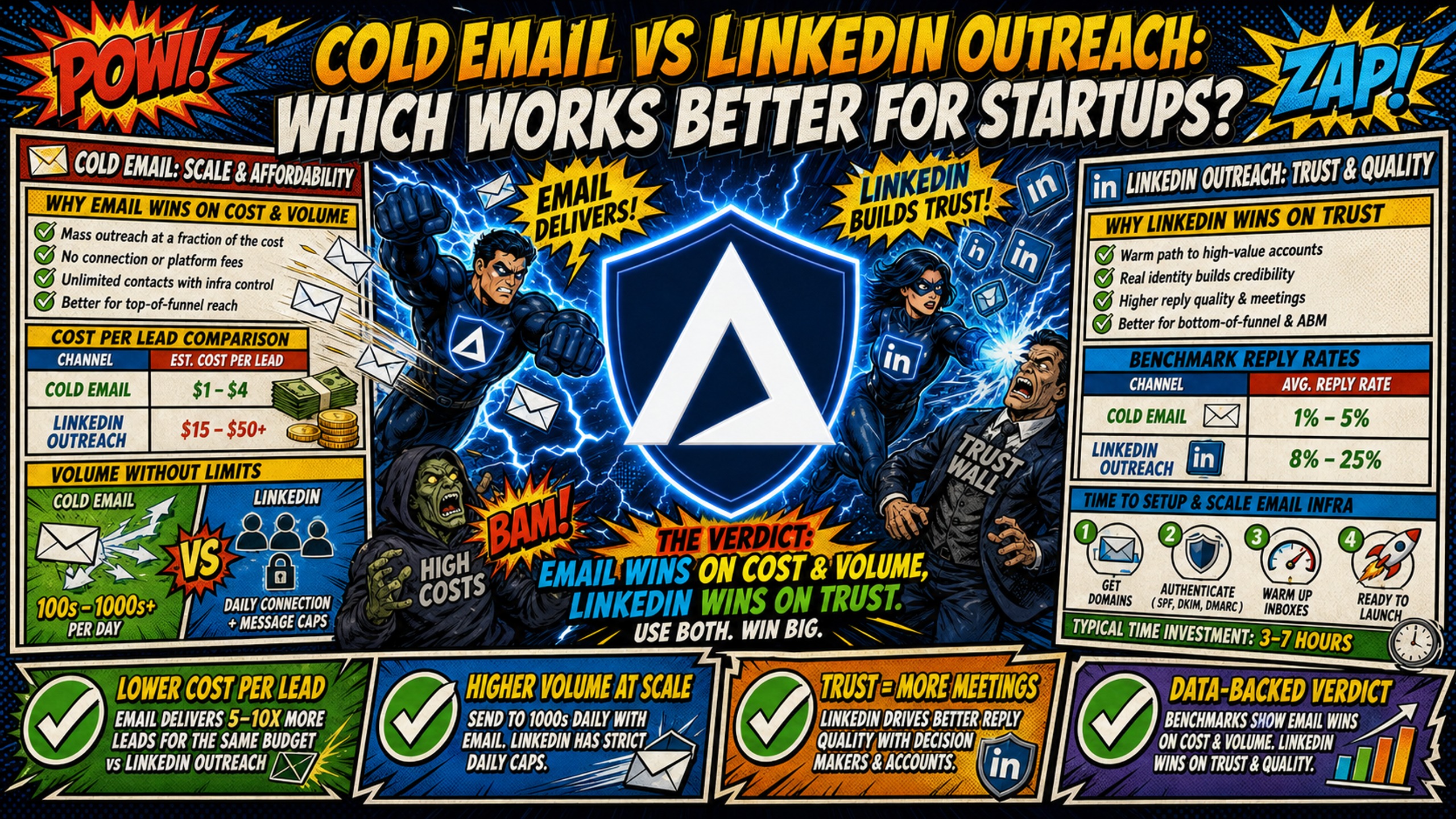
TL;DR: Cold email wins on cost per lead and volume for startups. LinkedIn wins on trust for high-value accounts. The verdict rests on published pricing and benchmark data: Google Workspace bills 50 inboxes at $420 monthly while Inframail charges $147 monthly flat for unlimited inboxes, and Instantly's 2026 benchmark report puts average cold email reply rates at 3.43%, with elite campaigns exceeding 10%. LinkedIn Sales Navigator Core costs $119.99 per seat monthly, caps warmed accounts at roughly 100 connection requests weekly, and includes 50 InMail credits that accumulate to a 150 maximum. Both channels face the same add-on costs, $5-16 per domain yearly and $15-50 per inbox monthly for external warmup tools. Highest-performing startups run email first for volume, then add LinkedIn for warm, high-intent targets who engaged but didn't book.
Startups burn budget on LinkedIn Sales Navigator seats while ignoring that 50 cold email inboxes on Google Workspace cost $420 monthly before a single email is sent. Both channels work for outbound but solve different problems: email scales volume at lower cost per lead with flat-rate infrastructure, while LinkedIn builds trust with high-value accounts but caps volume and adds per-seat costs.
Choosing between email and LinkedIn outreach
Cold email and LinkedIn outreach differ fundamentally on cost structure, volume capacity, and trust dynamics. Email requires upfront infrastructure investment but scales without per-seat penalties. LinkedIn requires minimal setup but limits warmed accounts to roughly 100 connection requests weekly, with commonly cited caps lower for newer or free accounts, and charges $119.99 monthly per seat for Sales Navigator Core.
| Factor | Cold Email | |
|---|---|---|
| Cost per lead | $21-164 depending on infrastructure | $50-200 (varies by industry and offer) |
| Reply rate | 3.43% average, 10%+ elite | Varies by source, test baseline |
| Volume cap | 30 emails/inbox/day is general sending-platform guidance (Inframail's guide uses 40/day including warmup, about 12 campaign sends) | 100 connection requests/week |
| Setup time | 2 min per 10 inboxes (testimonial) vs 12+ hours manual for 50 domains | Minimal |
| Trust level | Typically lower at first touch | Higher due to profile visibility |
| Best use case | High-volume prospecting to mid-market | C-level, enterprise, niche markets |
Which channel offers lower lead costs
Cold email delivers lower cost per lead when infrastructure costs stay flat as inbox count grows. Google Workspace charges $8.40 per inbox monthly, so 50 inboxes cost $420 monthly. Inframail charges $147 monthly flat for unlimited inboxes (domain costs of $5-16/year per domain and external warmup tools at $15-50/inbox/month are additional on both sides and not included in this comparison). The detailed breakdown appears in the infrastructure cost comparison below.
LinkedIn requires Sales Navigator Core at $119.99 monthly per seat for serious prospecting, with 50 InMail credits monthly (rollover up to 150 maximum). One Sales Navigator seat costs $119.99 monthly, nearly as much as Inframail's $147 flat fee for 50 inboxes, and you can't scale volume without adding seats.
Benchmarking outreach reply rates
Cold email averages 3.43% reply rate with top quartile hitting 5.5% and elite campaigns exceeding 10% per Instantly's 2026 benchmark report. LinkedIn InMail reply rates vary widely across published reports and lack a current, independently verified industry benchmark. Testing your own baseline gives a more reliable number than third-party averages.
Email lets you A/B test subject lines, openers, and calls-to-action across hundreds of sends daily. Customers report reply rates of 9%+ on Inframail infrastructure. LinkedIn connection requests carry a recommended safe limit of roughly 100 per week (about 14 per day) for a warmed account, which slows statistical validation.
Volume caps on cold email vs LinkedIn
Cold email sending platforms recommend capping daily volume at 30 emails per inbox to protect sender reputation, and Inframail's sending capacity guide splits 40 daily emails per inbox into roughly 28 warmup and 12 campaign sends. New accounts start lower and ramp gradually because a fresh inbox needs about two weeks of warmup, based on Inframail's standard 14-day warmup process, before it handles light cold volume. At the general 30-per-inbox guidance, 50 inboxes send 1,500 emails daily, compared with 600 campaign sends under Inframail's 12-per-inbox split. Scale to 200 fully warmed inboxes and you reach 6,000 daily sends at 30 per inbox, though campaign sends above the guide's 12 per inbox per day carry escalating deliverability risk.
LinkedIn caps connection requests at roughly 100 weekly on a rolling reset for warmed accounts, with commonly cited caps lower for newer or free accounts. A 3-person team with Sales Navigator sends roughly 300 connection requests and 150 InMails weekly (100 requests and 50 InMails per account). At the general 30-per-inbox guidance, a 50-inbox cold email setup with fully warmed inboxes sends roughly 10,500 emails weekly. Inframail's sending capacity guide uses 40 emails per inbox daily, which includes warmup and leaves roughly 12 as campaign sends, or about 4,200 campaign emails weekly across 50 inboxes.
Time cost of domain configuration
Manual DNS configuration for 50 cold email domains takes 12+ hours. You're logging into DNS panels, creating SPF records to authorize sending servers, adding DKIM signatures, configuring DMARC policies, waiting for propagation, and testing deliverability. Inframail automates the entire process, configuring SPF, DKIM, and DMARC records without DNS panel access.
Getting started on LinkedIn is generally quicker than configuring cold email infrastructure. That speed advantage matters for solo founders testing outbound for the first time, but it disappears when you factor in ongoing per-seat costs and volume caps that prevent scaling.
When to prioritize cold email over LinkedIn
Prioritize cold email when you need to reach hundreds or thousands of prospects monthly, when your target buyer responds to asynchronous communication, and when your budget can't absorb $119.99 per seat monthly for every team member doing outreach. Email makes sense for startups selling to mid-market companies where deal sizes justify volume prospecting and when you need predictable infrastructure costs that don't scale linearly with team growth.
Lower costs and faster testing
Google Workspace charges $8.40 per inbox monthly. At 50 inboxes, that's $420 monthly. At 200 inboxes, you pay $1,680 monthly before sending a single email. Inframail charges $147 monthly whether you provision 50 or 500 inboxes (domain costs of $5-16/year per domain and external warmup tools at $15-50/inbox/month are additional on both sides and not included in this comparison), so infrastructure cost per inbox drops as you scale, and scaling without per-seat costs explains why. Email sequences let you test variables at scale. You can A/B test subject lines across 200 sends, identify a winner in 48 hours, and roll it out to your entire list.
LinkedIn caps connection requests at roughly 100 weekly, or about 14 per day, for a warmed account. You'd need around two weeks to test two message variants across 200 prospects at that pace. Email does this in hours. Higher testing velocity means faster optimization. Customers report reply rates of 9%+ on Inframail infrastructure.
Setting up automated email cadences
Automated email cadences run on autopilot once configured. You build a sequence in Instantly or Smartlead, set daily send limits per inbox, and the platform sends follow-ups on schedule. Export IMAP/SMTP credentials from Inframail to CSV, import to your sending platform, and infrastructure is operational.
Email automation scales to thousands of touches daily when you stay within deliverability best practices. LinkedIn automation carries ban risk. LinkedIn's User Agreement prohibits unauthorized automation tools. Accounts get restricted or shut down when detection systems flag non-human behavior. You can use API-based tools with conservative daily limits (50-100 messages), but the risk never disappears.
Filtering leads by specific job titles
Cold email lets you filter leads by job title, company size, industry, technology stack, funding stage, and dozens of other attributes using data providers like Apollo or ZoomInfo. Build a list of 5,000 VP Sales prospects at Series A SaaS companies, export to CSV, import to your sending platform, and launch.
LinkedIn Sales Navigator offers strong filtering, but you can't export filtered lists to CSV on Core plans. You're stuck viewing prospects inside LinkedIn's interface and sending connection requests one at a time, constrained by the 100 weekly limit. Email gives you the same targeting precision with none of the volume constraints.
Why LinkedIn outreach can build more trust than email
LinkedIn can build trust faster than cold email because prospects can see your face, read your work history, check mutual connections, and validate you're a real person before responding. Cold email arrives from an unfamiliar domain with no inherent social proof. No independent benchmark measures this trust gap directly. It likely matters most when selling to C-level executives at enterprise companies, where relationships often drive buying decisions more than product features.
LinkedIn strategies for C-level outreach
C-level executives respond to peer-level outreach on LinkedIn because the platform signals professional context. A CEO reaching out to another CEO via LinkedIn feels like networking. The same outreach via cold email feels like spam unless the subject line and opener are exceptional.
Cold email to C-level executives works but requires stronger social proof in the message itself. Even then, reply rates drop compared to mid-level managers because executives receive more cold email and have stronger filters. LinkedIn's connection request format feels less transactional, which lifts response rates for this audience.
Niche prospecting for maximum impact
LinkedIn wins for niche prospecting when your total addressable market is small. If you're selling to CFOs at biotech companies with 50-200 employees in North America, your total market is likely small, but no public data sizes this segment, so count it in a data provider like Apollo or ZoomInfo before you pick a channel. Burning through a short list with cold email at 600 to 1,500 sends daily makes no sense. LinkedIn's volume constraints force a slower approach that fits small markets. For niche markets under 2,000 prospects, LinkedIn's lower volume prevents you from burning your list too fast with untested messaging.
Fostering prospect trust at scale
LinkedIn builds trust through profile transparency and mutual connections, but it doesn't scale. Trust-building happens one conversation at a time, which works for enterprise deals with 6-12 month sales cycles where each deal justifies high-touch outreach.
Cold email scales trust through consistency and relevance rather than profile visibility. You build trust by showing up with a relevant message at the right time and following up persistently without being annoying. This trust scales because it's embedded in the message content, not dependent on profile browsing behavior.
Improving inbox placement for cold email campaigns
Inbox placement rate determines whether your cold emails reach the primary inbox or land in spam. Email service providers like Gmail and Outlook use sender reputation, authentication protocols, and engagement signals to filter incoming mail. Poor inbox placement kills campaigns before they start.
Managing cold email sender reputation
Email providers assign reputation scores to your sending domain and IP address based on spam complaints, bounce rates, engagement rates, and blacklist status. Dedicated IPs isolate your reputation from other senders. Shared IP pools work like carpool lanes where you're affected by other drivers. One bad actor spamming gets the whole range flagged. Inframail includes 1 dedicated US-based IP on the Unlimited Plan and 3 on the Agency Pack.
Inframail's monitoring add-on tracks domain and IP health automatically and submits delisting requests when domains are flagged, with a 68.3% delisting success rate within 48 hours. Manual monitoring requires checking MXToolbox or similar tools daily.
Managing LinkedIn outreach restrictions
LinkedIn restricts accounts that send too many connection requests, use automation tools, or exhibit behavior flagged as non-human. Exceed the 100 weekly connection request limit and LinkedIn temporarily blocks you. Repeat offenses lead to longer restrictions or permanent bans.
Safe practices include using API-based tools, keeping daily volume under 50-100 messages, and personalizing outreach. The risk never disappears entirely, which makes LinkedIn automation fundamentally riskier than email automation.
Warmup methods: domains vs. inboxes
New domains and inboxes start with zero sender reputation. Sending too much volume on day one can trigger spam filters, so warmup typically starts at 10-20 emails per day, per Inframail's warmup guide, and cold sends begin after the 14-day warmup window. The exact risk depends on domain age, authentication, list quality, and engagement. Warmup gradually builds reputation by sending increasing volumes that generate positive engagement signals.
Domain warmup establishes SPF, DKIM, and DMARC authentication. Inframail configures these records automatically when you provision a domain.
Inframail doesn't include built-in warmup. You need external tools like Warmbox or Lemwarm at $15-50 per inbox monthly. Maildoso charges per mailbox. Its managed warmup feature is not confirmed.
Comparing outbound costs for your startup
Outbound cost per qualified meeting determines channel viability. Email costs less per meeting with flat-rate infrastructure because marginal cost per additional inbox approaches zero. LinkedIn costs more per meeting because every seat adds $119.99 monthly regardless of output.
Infrastructure fees per active inbox
Here's what 50 inboxes cost monthly:
| Provider | Monthly Cost | Cost per Inbox | Notes |
|---|---|---|---|
| Google Workspace | $420 | $8.40 | Business Starter Flexible Plan |
| Inframail | $147 + domains | ~$3.60 | Platform + ~$34/month amortized domain costs |
| Maildoso | $75-225 | $0.75-2.50 | Per-mailbox pricing varies by volume |
| Microsoft 365 | $350 | $7.00 | Business Basic, paid yearly |
(Domain costs of $5-16/year per domain and external warmup tools at $15-50/inbox/month are additional on both sides and not included in this comparison.)
Inframail saves $169-239 monthly versus Google Workspace for the same 50-inbox capacity, and the full cost breakdown at 50, 100, and 200 inboxes shows how the gap widens as you scale. Inframail's sending capacity calculator helps you determine how many inboxes you need based on daily send volume targets.
At 200 inboxes, Google Workspace costs $1,680 monthly. Inframail stays at $147 monthly plus amortized domain costs. Savings grow as you scale because Inframail's platform fee stays flat while per-seat pricing scales linearly.
Sales Navigator license ROI for startups
Sales Navigator Core costs $119.99 monthly or $1,079.88 annually (roughly $89.99 monthly effective) per seat. You get 50 InMail credits monthly with a 90-day rollover window (150 credits maximum), advanced search filters, and lead lists.
As an illustrative scenario, if one seat books 4 qualified meetings monthly and your average deal is $10,000, that seat generates roughly $40,000 in pipeline for $119.99 monthly. Compare this to cold email: at the general 30-per-inbox guidance, 50 inboxes on Inframail send 30,000 emails monthly (50 inboxes × 30 daily × 20 workdays), or 12,000 campaign emails monthly under Inframail's 12-per-inbox split. At a 3.43% average reply rate, 30,000 emails produce 1,029 replies, and a campaign-dependent share of those replies convert to booked meetings. Meeting counts vary with targeting, messaging, and offer strength, so test your own conversion rate before comparing it with the 4 meetings from the LinkedIn seat in this scenario.
Actual spend per qualified meeting
| Metric | Cold Email (Inframail) | LinkedIn (Sales Navigator) |
|---|---|---|
| Monthly cost | $147 + domains | $119.99 (1 seat) |
| Monthly volume | Up to ~30,000 emails at 30/inbox/day, or ~12,000 campaign emails at 12/inbox/day (50-inbox setup) | ~400 connections + 50 InMails |
| Reply rate | 3.43% (industry avg) | Test your baseline |
| Meeting rate | Varies by campaign | Varies by campaign |
| Cost per meeting | Lower at scale | Higher per seat |
These numbers are estimates. Actual rates vary based on targeting, messaging, and offer strength. The directional takeaway: cold email delivers lower cost per meeting when you need volume. If your average deal is $50,000+ and you only need 5 meetings monthly, LinkedIn's higher cost per meeting works. If you need 50+ meetings monthly, email is the only viable option.
Synchronizing your LinkedIn and email campaigns
The best outbound channel for SaaS startups isn't email or LinkedIn. It's both, sequenced correctly. Run email first for volume prospecting to mid-market targets. Use LinkedIn as a trust amplifier for high-value accounts that engaged with your email but didn't book, or for C-level prospects where email response rates are lower.
Targeting leads: LinkedIn vs. cold email
Use cold email for initial outreach to prospects matching your ideal customer profile. Build a list in Apollo or ZoomInfo filtered by job title, company size, industry, and technology stack. Launch a 4-6 email sequence over 2-3 weeks. Prospects who open but don't reply are warm leads showing interest.
Take those warm leads and find them on LinkedIn. Send a connection request referencing your email: "Saw you opened my email about [specific pain point]. Thought connecting here would make sense." This combined approach uses email's volume and LinkedIn's trust.
Mapping LinkedIn and email touchpoints
A typical sequence:
- Day 1: Cold email #1 (intro + value prop)
- Day 3: Cold email #2 (follow-up + social proof)
- Day 5: LinkedIn profile view
- Day 7: Cold email #3 (case study + soft CTA)
- Day 10: LinkedIn connection request (if they opened emails but didn't reply)
- Day 14: Cold email #4 (breakup email or value-add resource)
- Day 16: LinkedIn message (if connection accepted)
Email carries the volume, LinkedIn adds trust at strategic moments, and the two channels should never duplicate the same message. Email focuses on problem-solution fit. LinkedIn focuses on relationship-building and social proof.
When to choose email over LinkedIn
Choose email when you need to reach more than 100 prospects weekly, when your target buyer is mid-level management, when your total addressable market exceeds 5,000 prospects, and when you need to A/B test messaging rapidly.
Choose LinkedIn when your total addressable market is under 2,000 prospects, when you're selling to C-level at enterprise companies, when deal sizes exceed $50,000, and when your buyer is highly active on LinkedIn but protective of their inbox. Most startups need both: email for pipeline volume, LinkedIn for strategic accounts.
Cut cold email infrastructure costs with Inframail
Inframail is a flat-rate Microsoft email infrastructure provider for teams running cold email at scale. The Unlimited Plan costs $147 monthly for unlimited inboxes, compared with $420 monthly for 50 inboxes on Google Workspace (Flexible Plan at $8.40 per inbox). It includes 1 dedicated US-based IP and automated SPF, DKIM, and DMARC setup. Domain costs ($5-16/year per domain) and external warmup tools ($15-50/inbox/month) are additional on both sides.
In this case study video, watch how Inframail helped a client launch high-volume cold email outreach using around 75 accounts with strong deliverability, book more sales calls than ever before, and nearly quadruple monthly recurring revenue in 60 days.
Sign up to Inframail and get started today.
FAQs
Is cold email or LinkedIn better for B2B SaaS?
Cold email works better when you need to reach hundreds of prospects monthly at mid-level management. LinkedIn works better when selling to C-level at enterprise companies or when your total addressable market is under 2,000 prospects.
What's the average reply rate for each channel?
Cold email averages 3.43% reply rate according to Instantly's 2026 benchmark report, with top campaigns exceeding 10%. LinkedIn InMail reply rates lack recent independent verification. Testing your own baseline gives a more reliable number than third-party averages, and a good rule of thumb is to plan on hundreds of sends per variant before trusting the result. The lower your baseline reply rate, the more sends you need to detect a meaningful lift.
Can you automate LinkedIn outreach safely?
You can automate LinkedIn outreach using API-based tools that stay under 50-100 messages daily, but the ban risk never disappears. LinkedIn's User Agreement prohibits unauthorized automation tools. Accounts flagged for non-human behavior get restricted or permanently banned.
Which channel scales faster for startups?
Cold email scales faster because you can add unlimited inboxes at flat-rate cost and, under general sending-platform guidance, send 30 emails per inbox daily. LinkedIn caps at roughly 100 connection requests weekly per warmed account, with commonly cited caps lower for newer or free accounts. At the general 30-per-inbox guidance, a 50-inbox email setup sends roughly 10,500 emails weekly. Inframail's sending capacity guide uses 40 emails per inbox daily, which includes warmup and leaves roughly 12 as campaign sends, or about 4,200 campaign emails weekly. A 3-person LinkedIn team sends roughly 300 connection requests and 150 InMails weekly.
Do I need different infrastructure for each?
Yes. Cold email requires domains, inboxes, DNS authentication (SPF/DKIM/DMARC), warmup tools, and a sending platform like Instantly or Smartlead. LinkedIn requires only a Sales Navigator subscription at $119.99 monthly per seat. Email infrastructure costs less at scale but requires more setup. LinkedIn requires no setup but costs more per seat and caps volume.
Key terms glossary
SPF (Sender Policy Framework): A DNS record that specifies which mail servers can send email on behalf of your domain.
DKIM (DomainKeys Identified Mail): An email authentication method that adds a digital signature to outgoing messages. Receiving servers verify the signature to confirm the email wasn't altered in transit.
DMARC (Domain-based Message Authentication, Reporting and Conformance): A DNS policy that tells receiving servers how to handle emails that fail SPF or DKIM checks.
Dedicated IP: An IP address used exclusively by one sender rather than shared across multiple senders. Isolates your sender reputation from other users' behavior.
Inbox placement rate: The percentage of sent emails that land in the primary inbox rather than spam or promotions folders. Higher placement rates correlate directly with higher reply rates.