
Cold email template features that actually move reply rates
Four template features move cold email reply rates. Emails of 50-125 words average an 8.2% reply rate against 3.9% at 200-300 words, per Overloop. One trigger e
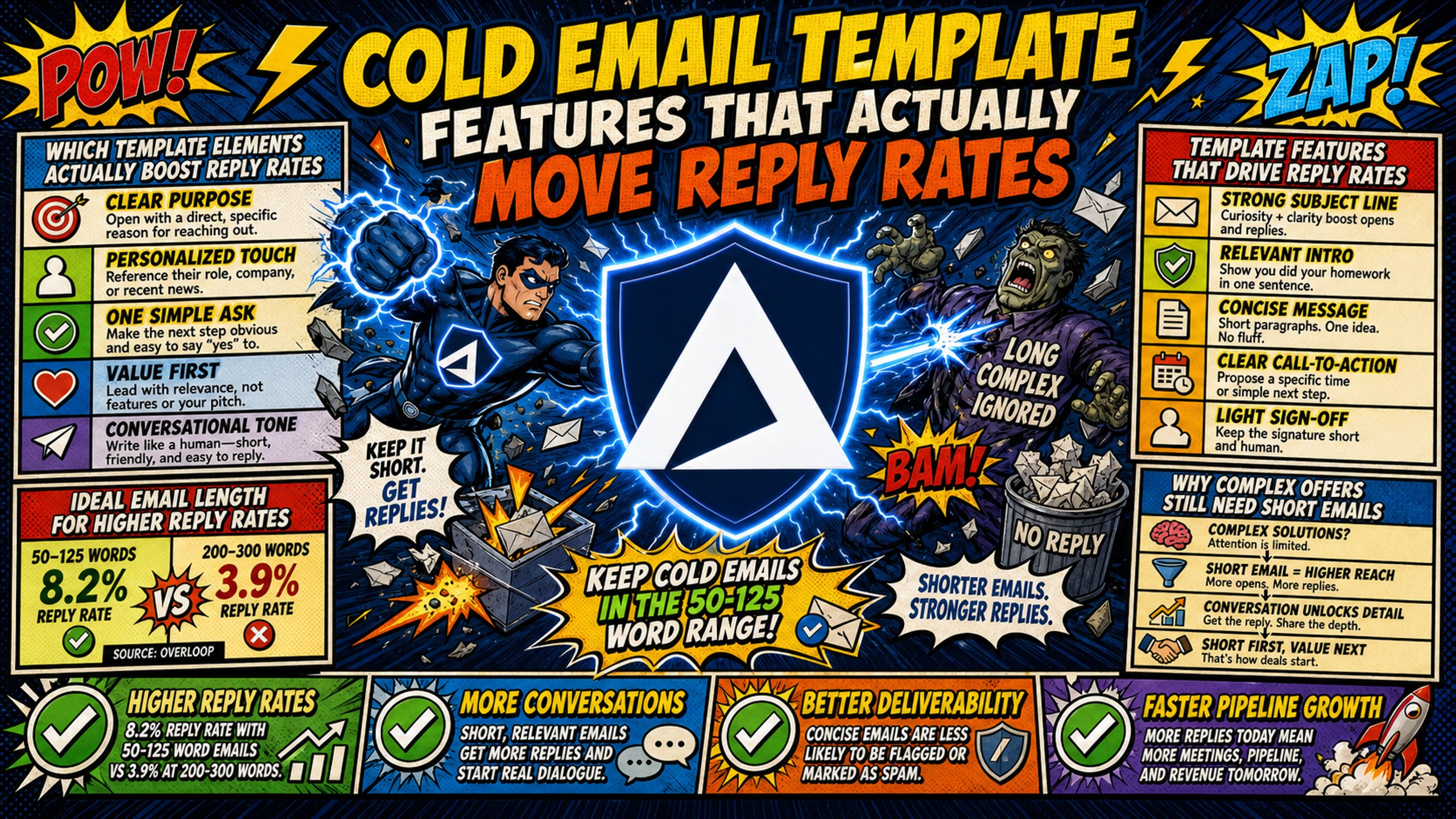
TL;DR: Four template features move cold email reply rates. Emails of 50-125 words average an 8.2% reply rate against 3.9% at 200-300 words, per Overloop. One trigger event placed in the first sentence returns 18% response rates against a 3.43% category average, per Instantly's benchmark report. A single ask lifts replies 35-42% over multi-CTA emails, per Growleads' 2025 vendor analysis, and interest-based CTAs are 2x+ more likely to book a meeting than meeting requests (per Gong, 304,174 emails). Longer subject lines beat shorter ones by 24.6% in response rate, with a sweet spot of 36-50 characters (per Backlinko and Pitchbox). Deliverability gates all of it: fully authenticated domains reach the inbox 2.7 times more often than unauthenticated ones (per TrulyInbox). Inframail automates DNS setup and provisions unlimited inboxes on dedicated IPs at $147/month flat.
Most cold email templates fail because they optimize for the wrong things. Campaign managers spend hours perfecting subject line word choice and adding personalization tokens to every sentence while reply rates stay flat. The data shows that a 50-word email with one well-placed personalization token outperforms a 200-word email with five tokens, but most teams never test the features that actually matter.
Reply rates are driven by a specific, measurable set of template features, not by copy polish or token count. This article ranks those features by actual reply ROI using A/B tests across sequences and published benchmarks, including the standard large-scale studies in this category, so you can stop over-investing in low-impact elements and start building templates that convert.
Which template elements actually boost reply rates
A small set of structural elements drives the majority of reply rate improvements, while most of what passes for cold email best practice is noise.
Template features that drive reply rates
| Feature | Impact on Reply Rate | Effort | Priority |
|---|---|---|---|
| Email length 50-125 words | 8.2% avg reply rate vs 3.9% for 200-300 words | Low | High |
| Sparing, relevant personalization tokens, placed early | 18% response rate vs 3.43% generic (Instantly 2026 Benchmark Report, via Autobound) | Medium | High |
| Single clear CTA | 35-42% higher than multiple CTAs (per Growleads' 2025 vendor analysis) | Low | High |
| Subject line 36-50 characters | Longer subject lines beat shorter ones by 24.6% in response rate, with a sweet spot at 36-50 characters (Backlinko and Pitchbox, 2019 link-building outreach, not B2B cold sales email) | Low | High |
| Interest-based CTA phrasing | 2x+ more likely to book a meeting than meeting requests (Gong, 304,174 cold emails) | Low | High |
The pattern is clear: structural features beat stylistic features. Length, personalization placement, CTA structure, and subject line format matter most.
Ideal email length for higher reply rates
Email length has a stronger correlation with reply rate than almost any other single variable. Shorter emails outperform longer ones, but there is a floor: emails under 50 words feel templated and underperform.
Keep cold emails in the 50-125 word range
In Overloop's benchmark data, the 50-125 word range delivers the highest average reply rate at 8.2%. That is about 2.1x the 3.9% average for emails of 200-300 words.
Emails of 200-300 words average a 3.9% reply rate, about 52% lower than the 8.2% average for the 50-125 word range. Within that range, staying concise and specific matters more than hitting an exact word count.
Shorter emails respect the prospect's time and force clarity. You cannot hide behind filler when you only have 50 words. A 50-word email with one well-placed personalization token outperforms a 200-word email with five tokens because the shorter email gets to the point before the prospect stops reading.
Example of a concise cold email:
"Saw you just hired 3 SDRs at [Company]. Most teams struggle to get them ramped in under 90 days.
We built a playbook that cut ramp time to 45 days for [Similar Company].
Worth a look?"
This email references a specific trigger event (a hiring spree), states a concrete outcome (45-day ramp), and uses a low-friction CTA. That is the whole template, and it works.
Why complex offers still need short emails
Complexity in the offer or insight drives replies, not complexity in word count. Some practitioners argue that longer emails work for complex B2B offers.
The 2025-2026 Overloop benchmark does not support that view. 50-125 word emails outperform 200-300 word emails by about 2.1x. The likely cause is market saturation, since inbox volume increased and spam filters tightened, which leaves longer emails less time to hold attention.
A short email can still carry a complex, specific insight. Complex ideas do not require complex language. A 75-word email that says "Your competitor just launched X feature, and here is why it creates Y problem for your customers" beats a 200-word email that dances around the same point.
Cold email personalization that drives replies
Cold email personalization is the most misunderstood template feature. More tokens do not mean more replies, and the data proves it. What matters is token placement, token relevance, and token count.
Top performing email merge fields
| Merge Field | Impact on Reply Rate | Example |
|---|---|---|
| Specific recent trigger event | High (signal-based emails achieve 5-18% range, per Autobound) | "Saw you just raised Series B" |
| Industry-specific pain point | High | "Most agencies struggle with X" |
| Mutual connection | Medium-High | "[Name] suggested I reach out" |
| Company name | Medium | "How [Company] handles Y" |
| Prospect's first name | Low-Medium | "Hi [FirstName]" |
A good starting point is one well-placed token in the subject line plus a single tokenized first sentence, then testing it against your own baseline. Personalizing the email body increases response rates by 32.7%, per Backlinko and Pitchbox's 12 million outreach email study, April 2019, but the lift comes from relevance, not token count.
Segmentation beats merge fields. A campaign written for 200 people who share one specific problem outperforms 2,000 {{first_name}} merges every time. Trigger events outperform generic fields because they prove you did research. "Saw you just posted about hiring challenges" is more credible than "Hi {{first_name}}" because it signals the email is not fully automated.
Stop overusing personalization tokens
Tokens that don't move reply rates: first name only, company name only, generic industry references, and overused phrases like "I saw your LinkedIn post." Using personalization tokens sparingly and strategically helps the message feel personal rather than automated.
Signal-personalized emails achieve 18% response rates versus 3.43% for generic outreach (Instantly 2026 Benchmark Report, via Autobound). The cold email community debates whether AI personalization at scale reads as authentic or as "AI slop," but the data points the same way: a few relevant, well-placed tokens outperform tokens stuffed into every sentence.
Optimizing personalization placement for replies
Placement matters as much as content. Personalization in the first sentence or subject line outperforms personalization buried in the third paragraph.
Before (buried personalization):
"Hi,
I wanted to reach out because I think our solution could help your team. We've worked with companies like yours and seen great results.
I noticed you're hiring SDRs, and thought this might be relevant."
After (early personalization):
"Saw you're hiring 5 SDRs at [Company].
Most teams struggle to ramp new reps in under 90 days. We built a playbook that cut ramp time to 45 days for [Similar Company].
Worth a look?"
The "after" version places the trigger event in the first sentence, immediately answering the prospect's first question: why is this email in my inbox?
Proven cold email subject line formulas
A cold email subject line has two jobs: get the email opened, and avoid triggering spam filters. Length, format, and personalization all matter, but not in the ways most advice suggests.
Optimal subject length for cold outreach
Subject lines between 36 and 50 characters generate the highest response rates. In Backlinko and Pitchbox's analysis of 12 million outreach emails (April 2019), longer subject lines beat shorter ones by 24.6% in response rate, with the sweet spot at 36-50 characters. The dataset is 2019 link-building outreach, not B2B cold sales email, so treat the figure as directional and test it against your own baseline.
Character count also affects how a subject line displays. Most mobile clients truncate subject lines past roughly 45 characters, and mobile is the most common email reading device. Subjects under 20 characters often feel cryptic and underperform, while subjects over 60 characters get cut off.
The pattern: short enough to be scannable, long enough to be clear. "Question about [Company]" works. "Hi" does not. "I have an idea for improving your outbound sales process and reducing ramp time for new SDRs" does not.
Testing question-based subject lines
Subject lines that are questions get about 10% higher open rates, according to Yesware's study of 1.2 million subject lines. In a separate study, Klenty analyzed 2,344 unique subject lines from over 255,000 emails sent through its platform and found that subject lines with question marks had an average open rate of 20%, compared to 12% for those without question marks.
High-performing question subject lines:
- "Hiring SDRs at [Company]?"
- "Struggling with ramp time?"
- "Worth a 15-min call?"
- "[Company] + cold email?"
Question-based subject lines work because they feel conversational and low-friction. They do not scream "marketing email" the way promotional jargon or all caps do.
Performance benchmarks:
| Open Rate Range | Performance Level | Likely Cause |
|---|---|---|
| 40%+ | Excellent | Strong subject line, good deliverability, targeted list |
| 25-40% | Good | Solid subject line, decent deliverability |
| 15-25% | Average | Generic subject line or minor deliverability issues |
| Below 15% | Poor | Deliverability problem or very weak subject line |
If open rates fall below 15%, check inbox placement rate before rewriting subject lines, though low opens can also reflect list health or measurement issues. Inframail's reply rate benchmarks break down what healthy metrics look like for multi-domain cold email setups.
Customizing subject lines for higher opens
Customizing means adjusting subject lines for specific industries, personas, or trigger events. Generic subject lines underperform customized ones, but customized does not mean stuffing in more tokens.
Generic: "Quick question"
Customized for trigger event: "Saw [Company] just raised Series B"
Customized for industry: "Agency owners: deliverability question"
Customized for persona: "For SDR managers hiring right now"
The customized versions are specific enough to signal relevance but short enough to avoid spam triggers.
Do emojis increase email response?
Emojis do not consistently increase reply rates and can hurt performance in B2B cold outreach.
Adding emojis to cold emails can cause 13% lower reply rates in body text and 6% lower open rates in the subject, according to lemlist's 2023 analysis of millions of its own campaigns. The same analysis found emails with 1-2 emojis perform nearly the same as emoji-free emails, with declines starting at 3 or more.
A Nielsen Norman Group study found emojis in subject lines increased negative sentiment toward the email by 26%. The study used e-commerce marketing emails only.
Emojis signal marketing campaigns rather than peer-to-peer communication, which undermines the pattern interrupt that drives opens in B2B outreach. Emojis might work in B2C or certain creative industries, but they hurt performance in B2B cold outreach where trust and professionalism matter most.
Testing CTA formats to boost reply metrics
The cold email CTA is where most templates fail. Campaign managers either ask for too much (a 30-minute demo) or dilute the ask with multiple CTAs (reply, click this link, or book a call). Single, low-friction CTAs outperform everything else.
Optimizing CTA density for replies
One clear CTA outperforms multiple CTAs. Per Growleads' 2025 analysis, a vendor study with no independent replication, reply rates increase 35-42% with single-ask CTAs compared to emails containing multiple calls-to-action.
Multiple CTAs dilute the ask because they force the prospect to make a decision. "Reply, or click this link, or book a call" creates friction. "Worth a look?" removes it.
Single yes/no question CTAs consistently outperform meeting requests in first-touch cold email. Yes/no questions require minimal effort to answer, while meeting requests require the prospect to check their calendar and commit time.
Testing CTA phrasing for higher rates
Interest-based CTAs ask for curiosity rather than calendar time, and in cold outreach that is the higher-performing ask. Asking for a specific slot makes the prospect weigh a finite resource they have not yet decided you deserve. Asking whether they are interested costs them nothing.
| Ask type | What it asks for | Example | Cold email performance |
|---|---|---|---|
| Interest | Interest, not time | "Are you interested in learning more about X?" | Highest. 2x+ more likely to book a meeting than either time-based ask |
| Open-ended time | A meeting, with no specific slot | "Do you have time next week to meet?" | Lower |
| Specific time | A meeting at a named day and time | "Can you meet Tuesday at 4pm?" | Lowest in first-touch cold email, best once a deal is active |
Source: Gong Labs, 304,174 emails. Success was defined as a meeting booked within 10 days, so these are meetings-booked outcomes and not reply rates. A separate write-up of the study reports 15% of cold emails with interest-based CTAs converting to meetings.
The specific-time row is worth reading twice. The same ask that performs worst in a first-touch cold email becomes the best one once the prospect is in an active deal, where Gong measured it converting at 37%. Match the ask to the stage rather than defaulting to a soft CTA everywhere.
Rephrasing "Let's schedule a call" as a softer question like "Are you seeing this challenge?" lowers the effort needed to reply.
The pattern: the lower the friction, the likelier the response. "Worth a look?" outperforms "Can we schedule 30 minutes next week?" because the first asks for a one-word reply and the second asks for a calendar commitment. This video on cold email CTAs covers CTA frameworks that drive replies across multi-domain campaigns.
Where to place your calendar link
Calendar links in the first email reduce reply rates. Save them for follow-ups after the prospect has expressed interest.
Calendar links feel presumptuous before a conversation. They assume the prospect is ready to commit time before deciding if the offer is relevant. The better approach: use a low-friction CTA in the first email ("Worth a look?"), then include the calendar link in the follow-up after they reply.
Why micro CTAs boost email responses
Micro CTAs are small, low-friction asks that require minimal effort to answer:
- "Worth a look?"
- "Open to a quick chat?"
- "Make sense?"
- "Curious?"
- "Interested?"
Micro CTAs work because the prospect can reply with one word ("yes," "sure," "tell me more") without committing to a call. This lowers the barrier to response and increases the likelihood of a reply.
Template elements that matter less for replies
Some template features have a smaller impact on reply rates, but campaign managers still spend time optimizing them. Signature layouts, fonts, and subject line myths all fall into this group.
Do signature layouts affect reply rates?
Signature layout has a smaller effect on reply rates than length, personalization, or CTA structure. It still deserves a quick cleanup, because a cluttered signature adds noise to an otherwise short email.
Keep signatures simple: left-aligned single-column signatures scan better on mobile than multi-column designs. HTML signatures with images can trigger spam filters and increase email size, which hurts deliverability. Best practice: name, title, company, phone number, one link.
Why email template fonts affect open rates and conversion
Font choice affects open rates and conversion, but the data here does not show a direct effect on reply rates. Incorrect font usage can lower open rates, so readability matters.
Stick to standard fonts (Arial, Helvetica, Georgia) that render consistently across email clients. Font choice and font size affect conversion, so test them alongside targeting and subject lines instead of treating them as an afterthought.
Subject line myths that stall replies
Common subject line myths that hurt deliverability and reply rates:
- All caps subject lines: "URGENT: READ THIS NOW" triggers spam filters and feels aggressive.
- Stacked urgency phrases: Urgent language like "Limited time" or "Act now" is only credible when the deadline is real. Piling several urgency phrases into one subject line, or using them with no real deadline, can trigger spam filters and reduce trust.
- "RE:" or "FWD:" tricks: Pretending the email is a reply or forward is deceptive and damages sender reputation.
- Excessive punctuation: "!!!" or "???" triggers spam heuristics.
Most of these tactics might have worked in 2015, but they hurt performance in 2026. Spam filters are smarter, and prospects are more skeptical.
File attachments reduce deliverability because spam filters flag them as security risks, and emails over 110 KB experience deliverability issues.
Ranking template features by actual reply ROI
With the data clear, here is how to prioritize template features by actual reply ROI.
High-impact cold email personalization
Ranked by ROI:
- Specific recent trigger event: Highest ROI. Requires research but drives 18% response rates.
- Industry-specific pain point: High ROI. Requires segmentation but scales well.
- Mutual connection: Medium-high ROI. Requires network but highly credible.
- Company name in subject line: Medium ROI. Easy to implement, moderate impact.
- First name in greeting: Low ROI. Easy but minimal impact.
The checklist for high-impact personalization:
- One trigger event or specific detail in the first sentence
- One industry pain point or company-specific insight
- Tokens used sparingly (one or two is a good starting point to test)
- Personalization placed in subject line or first sentence
- No generic "I saw your post" or "As a {{industry}} company"
A/B testing your email templates
How to set up A/B tests for template features:
- Change one variable at a time: Test subject line length in one test, CTA phrasing in another. Changing multiple elements at once makes the result unreadable.
- Send at least 500 emails per variant: Smaller samples produce unreliable results. For multi-domain setups, split tests across domains to avoid deliverability bias.
- Run tests for at least 2 weeks: Reply rates vary by day of week. Two weeks captures a full cycle.
- Measure the right metrics: Reply rate is the primary metric. Open rate and click rate are secondary, and meeting booked is the ultimate conversion metric.
For campaign managers running 50-200 domains, Inframail's sending capacity calculator helps determine how many emails you can send per domain while maintaining deliverability during A/B tests.
Stop polishing your cold email copy
Copy polish has diminishing returns after the structural features are in place. Once your email is 50-125 words, uses a few well-placed tokens, has a single clear CTA, and has a subject line under 50 characters, additional editing produces minimal lift.
Most campaign managers over-invest in copy and under-invest in infrastructure. They spend hours perfecting word choice while their emails land in spam because of poor deliverability.
Template features only convert to replies when deliverability is stable. According to TrulyInbox's first-party data from 32,500+ accounts, fully authenticated domains (SPF + DKIM + DMARC enforced) achieve 2.7x higher inbox placement than unauthenticated domains, with the gap sitting at roughly 85-95% versus sub-50%. DKIM failure alone causes 10-15% lower inbox placement, a penalty steeper than most senders realize. Valimail customer data shows brands can see up to a 10% boost in email deliverability after reaching DMARC enforcement.
A positive sender reputation tells mailbox providers the sender is legitimate, resulting in higher chances of successful delivery. A poor reputation gets emails filtered out, undelivered, or marked as spam.
This is where infrastructure becomes the prerequisite. Inframail automates SPF/DKIM/DMARC configuration and provisions unlimited inboxes on dedicated IPs at $147/month flat for the Unlimited Plan or $387/month for the Agency Pack, with a 98%+ deliverability rate and 68.3% blacklist delisting success within 48 hours. Manual DNS configuration for 50 domains takes 12+ hours. Automated setup eliminates that bottleneck, and dedicated IPs (1 on the Unlimited Plan, 3 on Agency Pack) mean your sending reputation stays isolated from other users.
Google Workspace charges $8.40 per seat per month on the Flexible Plan, or $7.00 on the annual commitment. At 50 inboxes on the Flexible Plan, that is $420/month with no DNS automation and no dedicated IP, while Inframail costs $147/month whether you run 50 or 500 inboxes. Domains cost $5-16/year each, and warmup tools ($15-50/month per inbox) are required on both sides and not included in this comparison. The breakeven point sits around 18-19 inboxes on the Flexible Plan.
For campaign managers tired of firefighting DNS issues and watching per-inbox costs climb, the infrastructure layer matters as much as the template layer. This dedicated IP breakdown explains why shared IP pools (where one bad actor spamming gets the whole range flagged) hurt deliverability, and dedicated IPs (where your behavior alone determines reputation) protect it.
Cost-per-inbox comparison:
| Provider | Cost for 50 Inboxes | Cost for 200 Inboxes | IP Type |
|---|---|---|---|
| Inframail Unlimited | $147/mo + ~$34/mo domains | $147/mo + ~$136/mo domains | Dedicated (1 US IP) |
| Google Workspace | $420/mo (Flexible Plan) | $1,680/mo (Flexible Plan) | N/A (per-seat, no dedicated IP) |
| Maildoso | $75/mo at 30 mailboxes, $225/mo at 300 | $225/mo at 300 | Proprietary SMTP, automatic IP rotation |
Maildoso's proprietary SMTP infrastructure publishes tiers of $75/month for 30 mailboxes ($2.50 per mailbox) and $225/month for 300 mailboxes ($0.75 per mailbox), with domains at $12/year. Inframail's flat $147/month covers unlimited inboxes on dedicated IPs with automated DNS configuration.
The takeaway: optimize the structural features first (length, personalization placement, CTA, subject line), then invest in infrastructure that keeps those optimized templates landing in the inbox.
Get started with Inframail
Inframail is a flat-rate Microsoft email infrastructure provider for agencies running 50-200 cold email domains. The Unlimited Plan costs $147/month flat and includes automated DNS configuration and a dedicated IP, so optimized templates keep landing in the inbox.
In this case study video, watch how Inframail helped a client make high-volume cold email outreach cost-effective for their newsletter business, achieve a 20–35% positive reply rate with strong deliverability, and generate 4–5 sales with an estimated ROI of over 10x.
Sign up to Inframail and get started today.
FAQs
How many personalization tokens should a cold email include?
Use personalization tokens sparingly and place them where they add relevance. A good starting point is one well-placed token in the subject line and a single tokenized first sentence, which you can test against your own baseline.
Does subject line personalization actually improve open rates?
Yes, when the personalization is specific, like a company name or trigger event. Generic personalization like first name alone has minimal impact.
What's the ideal cold email length for B2B campaigns?
50-125 words. In Overloop's benchmark, this range delivers an 8.2% average reply rate, the highest of any length bucket, while emails of 200-300 words drop to 3.9%.
Should I use a question or statement in my CTA?
Question-based CTAs outperform statement-based ones. Interest CTAs like "Are you interested in learning more about X?" are 2x+ more likely to book a meeting than meeting requests, per Gong's cold email study.
How do I test which template features work for my audience?
Run A/B tests with one variable changed at a time, send at least 500 emails per variant, and measure reply rate over 2 weeks. Treat reply rate as the primary metric, with open rate and meetings booked as secondary.
Key terms glossary
Reply rate: The percentage of delivered emails that receive a reply. A key metric for cold email performance.
Inbox placement rate: The percentage of delivered emails that land in the primary inbox rather than spam or promotions.
Personalization token: A merge field that inserts prospect-specific data, like first name or company name, into an email.
CTA (call to action): The specific ask in an email, like "Worth a look?" or "Open to a quick chat?"
Dedicated IP: An IP address used exclusively by one sender, isolating sending reputation from other users.
Shared IP pool: A group of IP addresses used by multiple senders, where one bad actor can affect everyone's reputation.
SPF/DKIM/DMARC: Email authentication protocols that verify sender identity and prevent spoofing.
DNS propagation: The time it takes for DNS record changes to take effect across the internet.
Warmup schedule: A gradual increase in sending volume to build sender reputation with email providers.
Blacklist: A list of IP addresses or domains flagged for sending spam, which blocks email delivery.