
Cold email outreach templates: the complete guide for high-reply campaigns
Template copy decides whether a cold email gets a reply, but authentication decides whether it gets seen. Hunter's 2026 analysis of 31 million emails found thre
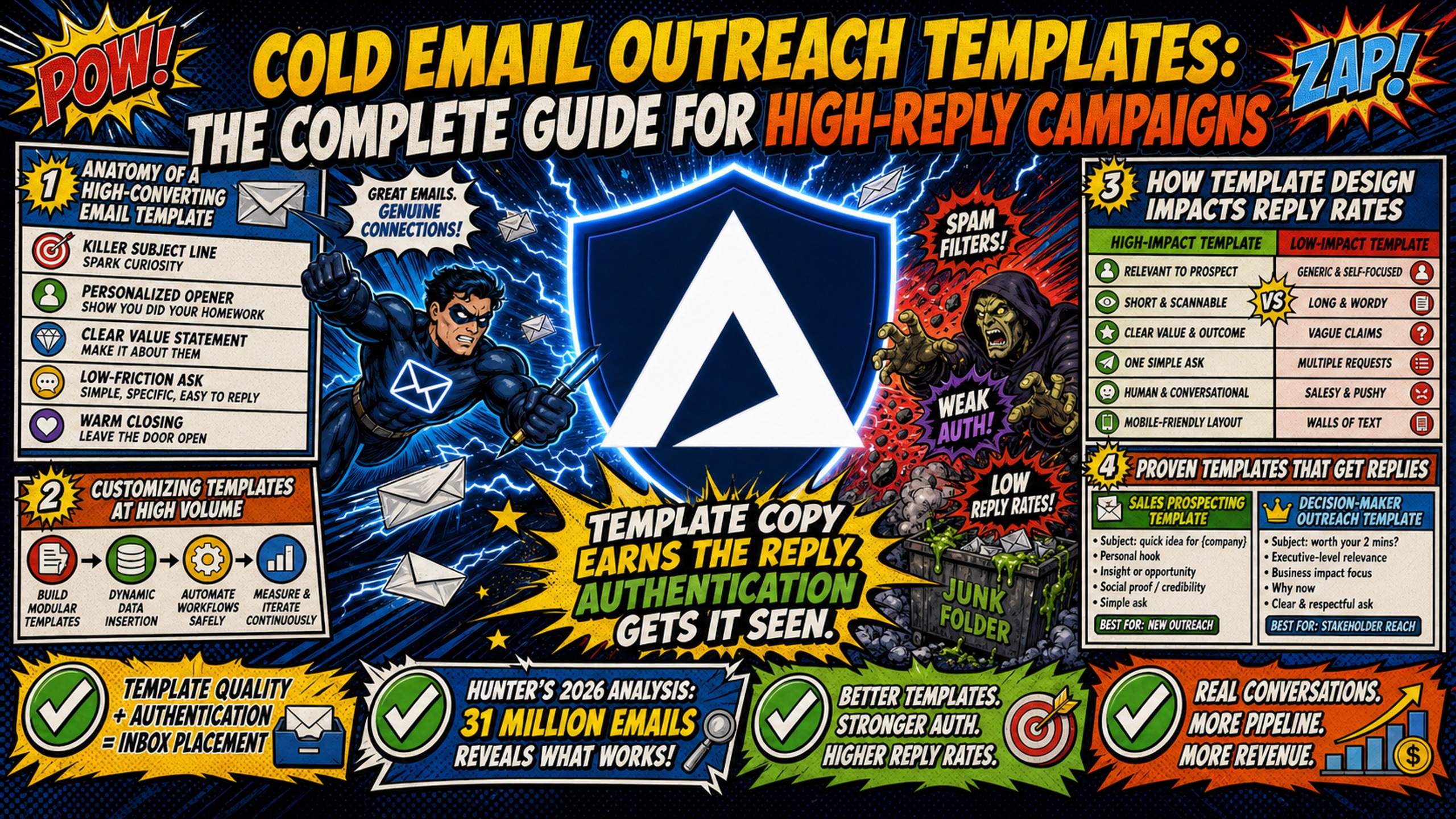
TL;DR: Template copy decides whether a cold email gets a reply, but authentication decides whether it gets seen. Hunter's 2026 analysis of 31 million emails found three-message sequences reply at 6.8% against 3.3% for a single send, with reply rates holding up at 61 to 80 words and lists of 21 to 50 recipients beating lists of 500 or more. Google requires SPF or DKIM for every sender, adds DMARC above 5,000 messages a day, and tells senders to keep spam complaints below 0.10%. Inframail automates those records and provisions unlimited inboxes on dedicated IPs at $147 a month, with domains at $5 to $16 per year and external warmup at $15 to $50 per inbox.
A cold email template can be perfect and still get zero replies, and the reason is rarely the copy. Campaign managers spend hours perfecting subject lines and value propositions, then watch those emails land in spam because the sending domain was never properly configured.
Template quality and infrastructure quality are inseparable. A perfect template sent from a misconfigured domain gets zero replies. A mediocre template sent from a properly warmed, dedicated IP domain with correct DNS records gets replies. This guide covers both sides: what to write and how to send it.
Anatomy of a high-converting email template
Every cold email that earns replies has six components in this specific order, and understanding how each component works lets you adapt templates across campaigns without starting from scratch every time.
Subject line: Sparks curiosity without revealing everything. Personalized subject lines lift response rates by 30.5%, across 12 million outreach emails analyzed by Backlinko and Pitchbox's 2019 outreach email analysis.
Opening line: This proves the email was written for them, not pulled from a bulk list. The subject line earns the open, the first line earns the reply. Inframail's analysis of email opener psychology breaks down the specific triggers that make prospects engage rather than dismiss.
Value proposition: One sentence connecting your reason for reaching out to their role or situation. Focus on outcomes, not your product features or credentials.
Proof point: One specific, quantified result from a comparable company. This is what separates a claim from a credible offer. "They saw {{QuantifiedResult}} in {{Timeframe}}" is a proof point. "We help companies grow" is not.
Call-to-action (CTA): One clear, low-friction next step. "Worth a quick look?" outperforms "Schedule a 30-minute demo" almost every time.
Signature: Include your name, job title, company, and contact info. Social profile links in the signature lift response rates by 9.8%.
Customizing templates at high volume
Adapting one template across 50 to 200 domains requires a systematic approach. The core method is firmographic tags and variable insertion, not rewriting every email manually.
Segment prospects by industry, company size, role, and technology stack before creating template variations. Then use merge fields compatible with your sending platform (such as Instantly or Smartlead, both cold email automation tools) to dynamically populate {{FirstName}}, {{CompanyName}}, {{RecentNews}}, and other variables at send time.
How template design impacts reply rates
Template length, personalization depth, and CTA clarity all impact reply rates. Keep the body between 61 and 80 words with one clear CTA. Hunter's 2026 cold email data shows reply rates holding up in that band. Spacing three messages three to four days apart, landing the final touch around day 8 to 10, is standard practitioner convention.
Boomerang's analysis of over 40 million emails found every length between 50 and 125 words drew response rates above 50%, but that dataset covers warm mail rather than cold outreach, so treat it as an outer bound rather than a primary target. Three total messages reply at 6.8% against 3.3% for a single send, a 106% lift across 31 million emails, per Hunter's data.
Cold email templates for sales prospecting
Sales prospecting templates target pipeline velocity and demo requests. These templates work when they lead with a specific insight about the prospect's company or role rather than your product.
B2B decision-maker outreach template
Use this template when targeting C-suite or VP-level prospects at mid-market companies.
Subject: {{FirstName}}, quick question about {{CompanyName}}'s {{Department}} process
Body:
Hi {{FirstName}},
I noticed {{CompanyName}} recently {{RecentNews}}. Congrats on the momentum.
I work with {{SimilarCompany}} to help them {{SpecificOutcome}}. They saw {{QuantifiedResult}} in {{Timeframe}}.
Worth a quick look to see if something similar could work for {{CompanyName}}?
Best, {{YourName}} {{YourTitle}}, {{YourCompany}} {{LinkedInURL}}
High-converting demo request template
This template focuses on booking demos with a specific CTA and follow-up hook.
Subject: {{FirstName}}, 15 minutes to show you {{SpecificOutcome}}?
Body:
Hi {{FirstName}},
{{SimilarCompany}} was spending {{PainPointCost}} on {{PainPoint}} every month. We helped them cut that to {{NewCost}} in {{Timeframe}}.
I recorded a 3-minute video showing exactly how they did it. Want me to send it over?
If it looks relevant, we can book 15 minutes to walk through how it would work for {{CompanyName}}.
Best, {{YourName}}
Writing high-conversion pain point emails
The pain point framework has three steps: identify the pain point, quantify the cost, offer the solution.
Example: "{{CompanyName}} is spending {{PainPointCost}} per month on {{PainPoint}}. {{YourCompany}} helped {{SimilarCompany}} cut that to {{NewCost}} in {{Timeframe}}."
The framework works because it leads with a problem the prospect already knows they have, quantifies the cost in time or money, then offers a specific solution.
Comparing cold email template styles
Different template styles work for different use cases. This table compares the three most common styles.
| Style | Best Use Case | Risk |
|---|---|---|
| Pain-point | Sales prospecting to decision-makers | Sounds generic if pain point is too broad |
| Value-first | High-ticket B2B sales | Requires credible proof point |
| Question-based | Re-engagement and follow-ups | Broad questions read as mass email and lower reply rates |
Proven value-first prospecting template
This template leads with value before asking for time.
Subject: {{FirstName}}, {{QuantifiedResult}} for {{CompanyName}}?
Body:
Hi {{FirstName}},
I put together a {{AssetType}} showing how {{SimilarCompany}} achieved {{QuantifiedResult}} in {{Timeframe}}.
No strings attached. If it looks useful, we can talk about how to replicate it for {{CompanyName}}.
Want me to send it over?
Best, {{YourName}}
Link building and content promotion templates
Link building and content promotion templates target website owners and content managers, not B2B decision-makers. Agencies running cold email at scale use these template types for their own growth: building domain authority, earning placements, and generating inbound leads alongside client campaigns. The value exchange is different from sales prospecting, and the templates need to reflect that.
Link building outreach template
Guest post pitch:
Subject: Guest post idea for {{SiteName}}
Body:
Hi {{FirstName}},
I read your recent article on {{ArticleTopic}} and found the section on {{SpecificPoint}} particularly useful.
I write about {{YourExpertise}} and have published on {{Publication1}} and {{Publication2}}. I would like to contribute a guest post to {{SiteName}} on one of these topics:
- {{Topic1}}
- {{Topic2}}
- {{Topic3}}
Each would be over 1,500 words, feature original research, and be written for your audience.
Interested?
Best, {{YourName}}
Broken link recovery: Find broken links on target sites, notify the site owner, and offer your content as a replacement. The value exchange is simple: you get a link, they fix their site. Reference the specific broken link and anchor text, then suggest your resource covers the same material.
Subject: Broken link on {{PageTitle}}
Body:
Hi {{FirstName}},
I was reading {{PageURL}} and noticed a broken link pointing to {{BrokenLinkAnchor}}.
I have a resource that covers the same topic: {{YourResourceURL}}. It is live, updated, and fits the context of the original link.
Happy to send the full details if it looks like a fit.
Best, {{YourName}}
Asset templates for lead campaigns
Promote lead magnets (e-books, whitepapers, tools) with a clear value proposition and zero friction. List 3 specific benefits, provide a direct download link with no form, and treat the reply as the conversion. The no-strings-attached approach builds goodwill and increases download rates.
Subject: {{AssetType}} for {{CompanyName}}: direct link, no form
Body:
Hi {{FirstName}},
I put together a {{AssetType}} covering {{TopicRelevantToPainPoint}}.
No form, no follow-up pitch. Here is the direct link: {{AssetURL}}
Three things it covers:
- {{Benefit1}}
- {{Benefit2}}
- {{Benefit3}}
If it raises anything worth talking through, reply here.
Best, {{YourName}}
High-conversion script for podcast pitching
Podcast outreach is a distinct template category with different success metrics. Agencies running cold email at scale use podcast pitching for their own growth: building authority, generating inbound leads, and earning distribution that converts better than outbound alone. Podchaser's 2026 producer survey found 68% of producers reject AI-templated pitches outright, so templates must stand out with specific value propositions.
Securing podcast spots via cold email
Subject: Guest pitch for {{PodcastName}}: {{YourExpertise}}
Body:
Hi {{FirstName}},
I have been listening to {{PodcastName}} and found your episode with {{RecentGuest}} on {{EpisodeTopic}} particularly insightful.
I have {{YourCredential}} and have helped {{QuantifiedResult}}. I would like to pitch a guest appearance on {{PodcastName}} to discuss:
- {{Topic1}}: {{SpecificAngle}}
- {{Topic2}}: {{SpecificAngle}}
- {{Topic3}}: {{SpecificAngle}}
I have appeared on {{Podcast1}} and {{Podcast2}}. Here is a recent clip: {{ClipURL}}
Would any of these topics work for your audience?
Best, {{YourName}}
Follow-up email templates that get replies
Follow-ups roughly double total replies, so the sequence structure matters as much as the first touch.
Best three-day follow-up email format
Subject: Re: {{OriginalSubject}}
Body:
Hi {{FirstName}},
Following up on my email from {{DayOfWeek}}, three days ago. I know inboxes get busy.
The {{AssetType}} I mentioned shows how {{SimilarCompany}} achieved {{QuantifiedResult}}. Here is the link again: {{AssetURL}}
Worth a quick look?
Best, {{YourName}}
Optional seven-day follow-up for longer cadences
Subject: Re: {{OriginalSubject}}
Body:
Hi {{FirstName}},
I wanted to add one more data point to my previous email.
{{SimilarCompany2}} just published a case study showing {{NewQuantifiedResult}}. Here is the link: {{CaseStudyURL}}
If {{PainPoint}} is still a priority for {{CompanyName}}, I would love to walk through how this applies.
Worth 15 minutes?
Best, {{YourName}}
The final break-up email template
Subject: Re: {{OriginalSubject}}
Body:
Hi {{FirstName}},
I have reached out a few times about {{ValueProposition}} but have not heard back.
I will assume now is not the right time and close the loop. If {{PainPoint}} becomes a priority down the road, feel free to reach out.
Best of luck with {{RecentNews}}.
Best, {{YourName}}
Proven value-driven follow-up tactics
Each follow-up must add new value, not just "bumping" the thread. Examples of value-adds include a relevant case study, a new industry stat, or recent news about the prospect's company. The initial email, the three-day follow-up, and the break-up email make a complete three-message sequence. Add the seven-day touch only when testing a longer cadence.
Three total messages is the sweet spot, per Hunter's 2026 data. Sequences longer than three show lower average reply rates. Each follow-up needs a new angle that adds value rather than simply bumping the thread.
Proven re-engagement templates for cold leads
Re-engagement is a distinct category with a different messaging approach because cold leads have already ignored your previous emails, so the template must acknowledge that gap and offer genuinely new value.
How to re-engage long-term cold leads
Subject: {{FirstName}}, circling back after {{Timeframe}}
Body:
Hi {{FirstName}},
I reached out {{Timeframe}} ago about {{OriginalValueProposition}} but did not hear back.
Since then, {{SimilarCompany}} achieved {{NewQuantifiedResult}} using {{YourSolution}}. Here is the case study: {{CaseStudyURL}}
If {{PainPoint}} is still on your radar, I would love to revisit the conversation.
Worth a quick look?
Best, {{YourName}}
How to revive unresponsive cold leads
Use a pattern interrupt technique. Acknowledge that your previous approach was wrong, then pivot to a different angle or outcome. A concession-style subject line such as "I was wrong" interrupts the pattern of the earlier emails.
Subject: I was wrong about {{OriginalAngle}}
Body:
Hi {{FirstName}},
I reached out a few times about {{OriginalValueProposition}}. Looking back, I led with the wrong angle for {{CompanyName}}.
The part that tends to matter more for {{Role}} at {{CompanySize}} companies is {{RevisedAngle}}.
{{SimilarCompany}} saw {{QuantifiedResult}} starting from that point. Worth revisiting?
Best, {{YourName}}
Automated trigger templates for cold leads
Trigger-based templates respond to specific prospect actions: website visit, content download, or job change. Set up event tracking in your CRM, then create templates that reference the specific action and offer related value. These templates work because they are timely and contextually relevant.
Subject: {{FirstName}}, saw you {{TriggerAction}}
Body:
Hi {{FirstName}},
I noticed {{CompanyName}} {{TriggerAction}} recently.
When {{SimilarCompany}} reached that stage, {{SpecificOutcome}} became a priority quickly. I have a {{AssetType}} showing how they handled it: {{ResourceURL}}
Relevant given where you are right now?
Best, {{YourName}}
3 steps to master cold email personalization
Personalization is a 3-step process: firmographic tags, individual data insertion, and dynamic variables. It is not an AI-only shortcut. Managing personalized campaigns across 50 to 200 domains requires infrastructure that can provision inboxes as fast as you can segment audiences. Flat-rate infrastructure keeps cost-per-inbox predictable regardless of how many personalized segments you create.
Targeting leads via firmographic tags
Step 1 is segmenting by industry, company size, role, and technology stack. This allows you to create relevant opening hooks specific to each segment rather than relying on generic greetings.
Example tag structure for a B2B SaaS campaign:
- Industry: SaaS, fintech, healthcare
- Company size: 50-200 employees
- Role: VP of Sales, Head of Growth
- Technology stack: Salesforce, HubSpot, Outreach
How to insert individual prospect data
Step 2 is researching individual prospects for specific data points. The most important line in the email should show that the message was written for them, not pulled from a bulk list.
Research sources include LinkedIn, company blog, and press releases. Look for recent posts, funding news, or job changes.
Setting up dynamic content variables
Step 3 is configuring variables in your sending platform. Use merge fields compatible with Instantly, Smartlead, or your sending platform to dynamically populate {{FirstName}}, {{CompanyName}}, {{RecentNews}}, and other variables at send time.
Example variable syntax with fallback values:
- {{FirstName | there}}
- {{CompanyName | your company}}
- {{RecentNews | your recent growth}}
Efficiently personalizing bulk campaigns
Personalizing at 50 to 200 domain scale requires time-saving tactics. Use template libraries, variable presets, and research shortcuts.
Inframail's guide on personalized vs generic email openers shows the ROI trade-off between personalization depth and research time investment.
Optimizing templates for inbox placement
Template content directly impacts deliverability. Spam filters analyze template language, formatting, and link placement.
Spam trigger words and phrases to avoid
Common trigger words that carry risk when stacked include urgency phrases like "act now" and "guaranteed," and financial promises like "make money."
Word choice is a minor signal. Filters weight authentication, sender reputation, bounce rate, and recipient engagement far more heavily. Google's email sender guidelines require SPF or DKIM for every sender, SPF plus DKIM plus DMARC above 5,000 messages a day, and a spam complaint rate under 0.10%. The phrasing that still carries risk is stacked financial-guarantee language, such as "guaranteed income" or "double your money," and several urgency phrases piled into one email, not a single use of "free".
Replace urgency phrases with specific timeframes (instead of "act now," use "offer ends March 15"). Replace financial promises ("make money," "guaranteed income") with concrete outcomes ("grew revenue 23% in Q1," "added 12 customers in 30 days").
Formatting emails for inbox placement
Use plain text where possible, keep the body short, and skip attachments. Keep bounce rates low, avoid tracking pixels, limit links in emails, avoid spam trigger words, send at consistent volumes, and monitor your domains for blacklist appearances.
Link reputation matters more than link count. Avoid URL shorteners and image-only emails, and point to a domain with a clean reputation. Google's email sender guidelines cover the full list of requirements.
Domain warmup before you send
Plan on two to four weeks of ramp before sending at full volume. Google does not publish a fixed warmup period. Its guidance is to start low and increase gradually, commonly 25% to 100% per day, while watching bounces and complaints. Google's email sender guidelines require SPF and DKIM for all senders, plus DMARC for anyone sending over 5,000 messages a day, with a spam complaint rate kept under 0.10%.
Start at low daily volumes in week 1 and increase by 25% to 100% per day as sending history builds, targeting steady-state volume by week 4.
External warmup tools are available from providers like Warmbox and Lemwarm (typically $15 to $50 per month per inbox). The flat-rate platform fee ($147/month for unlimited inboxes) makes infrastructure costs predictable at scale.
How to configure domains for better inbox placement
The technical requirements for template deployment include domain purchase, DNS configuration, inbox provisioning, and credential export. Inframail automates the DNS and provisioning steps.
Essential DNS setup for high deliverability
Misconfigured DNS records prevent templates from ever reaching inboxes. SPF, DKIM, and DMARC records authenticate your sending domain and prove to receiving servers that you are authorized to send from that domain.
SPF: Without it, receiving servers cannot verify your domain is authorized to send, and mail gets rejected or flagged.
DKIM: Without it, messages lack a cryptographic signature and receiving servers cannot confirm they were not tampered with in transit.
DMARC: Without it, there is no instruction for receiving servers when SPF or DKIM checks fail.
Inframail automates SPF, DKIM, and DMARC configuration for every domain, eliminating the manual DNS setup time required for multiple domains. The platform provisions domains with correct records quickly. Inframail's Microsoft cloud infrastructure provides the foundation for automated DNS configuration across unlimited domain setups.
Inbox and domain setup checklist
- Purchase domains: Buy domains through Inframail or transfer existing domains. Cost: $5 to $16 per domain per year.
- Configure DNS records: Inframail automates SPF, DKIM, and DMARC configuration. Manual setup takes 12+ hours for 50 domains. Inframail automates it.
- Provision inboxes: Create unlimited Microsoft email inboxes under dedicated IPs. Inframail includes 1 dedicated US-based IP on the Unlimited Plan ($147/month) or 3 dedicated US-based IPs on the Agency Pack ($327/month).
- Export credentials: Export IMAP/SMTP credentials to CSV, import to Instantly or Smartlead.
Total cost of ownership across inbox tiers
Three cost lines determine the true monthly spend: platform fee, domain costs, and warmup tools. The table below shows each line across 50, 100, and 200 inbox tiers. Sending platform costs (Instantly, Smartlead, or equivalent) vary by provider and are not included. Assumes one domain per inbox. Running multiple inboxes per domain lowers the domain line proportionally.
| Cost line | 50 inboxes | 100 inboxes | 200 inboxes |
|---|---|---|---|
| Inframail platform fee | $147/mo (Unlimited) | $147/mo (Unlimited) | $387/mo (Agency Pack) |
| Domains ($5-$16/domain/yr) | $21-$67/mo | $42-$133/mo | $83-$267/mo |
| Warmup tools ($15-$50/inbox/mo) | $750-$2,500/mo | $1,500-$5,000/mo | $3,000-$10,000/mo |
| Total (excl. sending platform) | $900-$2,696/mo | $1,671-$5,262/mo | $3,410-$10,594/mo |
At 50 and 100 inboxes, the Unlimited Plan ($147/month) covers standard sending volumes. At 200 inboxes, 30 sends per day across 20 workdays reaches 120,000 emails per month, past the Unlimited Plan's 80,000-email cap, so the Agency Pack ($387/month) applies. Even at $387/month, the platform fee is roughly 10% of the low-end total at 200 inboxes. Warmup is still the line that scales, and it is the one to attack.
How to audit and improve your email sequences
Templates degrade over time as prospects see similar emails. The sequence auditing framework is test, measure, retire.
Template testing: validating subject lines
Run a minimum of 1,000 prospects per variant. Below that, treat the result as directional only. Smaller samples produce unreliable results, and false positives from random chance lead to scaling the wrong version. At that volume a four-email sequence typically needs 30 to 37 days to produce a conclusive read.
Inframail's email sequence A/B testing framework shows how to isolate performance variables without breaking what works.
Reply rate benchmarks by campaign type
| Campaign Type | Expected Reply Rate | Factors That Impact Rate |
|---|---|---|
| Sales outreach sequences | 3% average (Hunter 2026) | Targeting precision, pain point relevance |
| Digital PR | 13% average (Hunter 2026) | Content quality, site authority |
| Podcast pitching | 17.5% median response, 5% median acceptance (Podchaser 2026) | Guest credentials, topic relevance |
| Re-engagement | Varies widely | Time since last contact, new value offered |
Sales outreach sequences and digital PR figures are from Hunter's 2026 analysis of 31 million sent emails. The 3% figure is the average for sales outreach campaigns specifically. The 4.5% figure cited in the benchmarks text is the average across all cold email sequence types in that dataset. The 6.8% figure is specific to three-message sequences. Podcast pitching figures are from Podchaser's 2026 producer survey, which is self-reported by producers and booking agencies rather than measured from send data. Re-engagement rate varies by list age and prior sequence and has no comparable primary source.
Hunter's 2026 analysis of 31 million emails puts the average cold email sequence reply rate at 4.5%. Instantly's 2026 report puts the platform-wide figure lower, at 3.43% across billions of sends, because it includes a wider span of list quality. Anything above 10% is top-decile.
Note: These benchmarks assume properly configured DNS (SPF, DKIM, DMARC), warmed domains (two to four weeks of ramp is standard practitioner convention, not a fixed Google requirement), and dedicated IP infrastructure. Misconfigured infrastructure significantly reduces reply rates even with perfect copy. Inframail reports a 98%+ deliverability rate and a 68.3% blacklist delisting success rate within 48 hours.
When to retire underperforming templates
Retire a template that stays under 2% reply rate across 1,000 or more sends per variant. At that volume the read takes 30 to 37 days for a four-email sequence, so judge on sample size reached, not on elapsed weeks. Replacement process: test new template against control in a 50/50 split at 1,000 prospects per variant, then scale the winner.
Hunter's 2026 data shows campaigns sent to 21 to 50 recipients reply at 6.2% against 2.4% for lists of 500 or more, so persistently poor performance is usually a targeting or template problem, not a volume problem.
Start sending with the right infrastructure
Inframail is a flat-rate Microsoft email infrastructure provider built for agencies and SDR teams running cold email at scale. It automates SPF, DKIM, and DMARC configuration, provisions unlimited inboxes with dedicated IP infrastructure, and keeps costs predictable at $147/month.
Check out this case study video and listen to how Inframail helped a client run cold email outreach through its infrastructure, with the team saying they loved using the software, and recently land a deal worth about £30,000, or roughly $50,000 USD.
Sign up to Inframail and get started today.
FAQs
How many follow-ups should I include in a cold email sequence?
Three total messages is the strongest starting point. Hunter's 2026 analysis of 31 million emails found three-message sequences reply at 6.8% against 3.3% for a single send, and sequences longer than three show lower average reply rates. Spacing them three to four days apart and closing with a break-up email around day 8 to 10 is standard practitioner convention.
What's the ideal length for a cold outreach email?
Hunter's 2026 cold email data suggests reply rates remain strong for emails between 61 and 80 words. Boomerang's analysis of 40+ million emails found that messages between 50 and 125 words achieved response rates above 50%. Boomerang's dataset primarily covers emails that senders had already flagged for a reply reminder, so it is more representative of warm email than cold outreach. Performance tends to decline for extremely short emails under 25 words.
Should I use the same template across different industries?
No. Segment prospects by factors such as industry, company size, role, and technology stack before creating template variations. Use firmographic and account-level data to create opening hooks and value propositions that are relevant to each segment rather than sending the same generic message to every prospect.
How long should I warm up domains before sending cold emails?
Plan on two to four weeks. This is practitioner convention rather than a published provider requirement. Google's guidance is to start low and increase gradually, commonly 25% to 100% per day, while watching bounces and complaints. By around week four, mature inboxes can begin approaching their intended sending volume, assuming deliverability remains healthy.
What reply rate should I expect from cold email campaigns?
Good B2B cold email campaigns may generate reply rates of around 5% to 10%, while highly targeted campaigns may exceed 10%. Average reply rates vary significantly based on targeting, offer quality, personalization, list quality, and sending infrastructure. Inframail customers report reply rates above 9%.
Key terms glossary
SPF (Sender Policy Framework): A DNS record that identifies which servers are authorized to send email on behalf of a domain. Messages sent from unauthorized servers may be rejected or flagged.
DKIM (DomainKeys Identified Mail): An email authentication method that adds a cryptographic signature to outgoing messages, allowing receiving servers to verify that the message is legitimate and has not been altered in transit.
DMARC (Domain-based Message Authentication, Reporting and Conformance): An email authentication policy that works with SPF and DKIM to tell receiving servers how to handle messages that fail authentication checks.
Dedicated IP: An IP address assigned exclusively to a single sender or organization, helping isolate its sending reputation from other users.
Shared IP pool: An infrastructure setup in which multiple senders use the same IP addresses. The behavior of other senders in the pool can influence overall IP reputation.
Inbox placement rate: The percentage of delivered emails that reach the recipient's primary inbox rather than spam, junk, or other filtered folders.
Warmup: The process of gradually increasing activity on a new domain or inbox to establish sending history and reputation with email providers.
Blacklist: A list of IP addresses or domains that have been flagged for suspected spam or abusive sending behavior. A listing can negatively affect email deliverability.
Sender reputation: An assessment used by email providers to evaluate a sender based on factors such as authentication, sending behavior, engagement, bounce rates, and spam complaints.
DNS propagation: The period required for DNS record changes to become visible across DNS servers. Allow authentication records to propagate and verify that they are working correctly before beginning outreach.