
Cold email features that actually matter (and which to ignore)
Most cold email platforms fill their feature lists with marketing noise. The features that actually protect your margins and reply rates are automated SPF/DKIM/
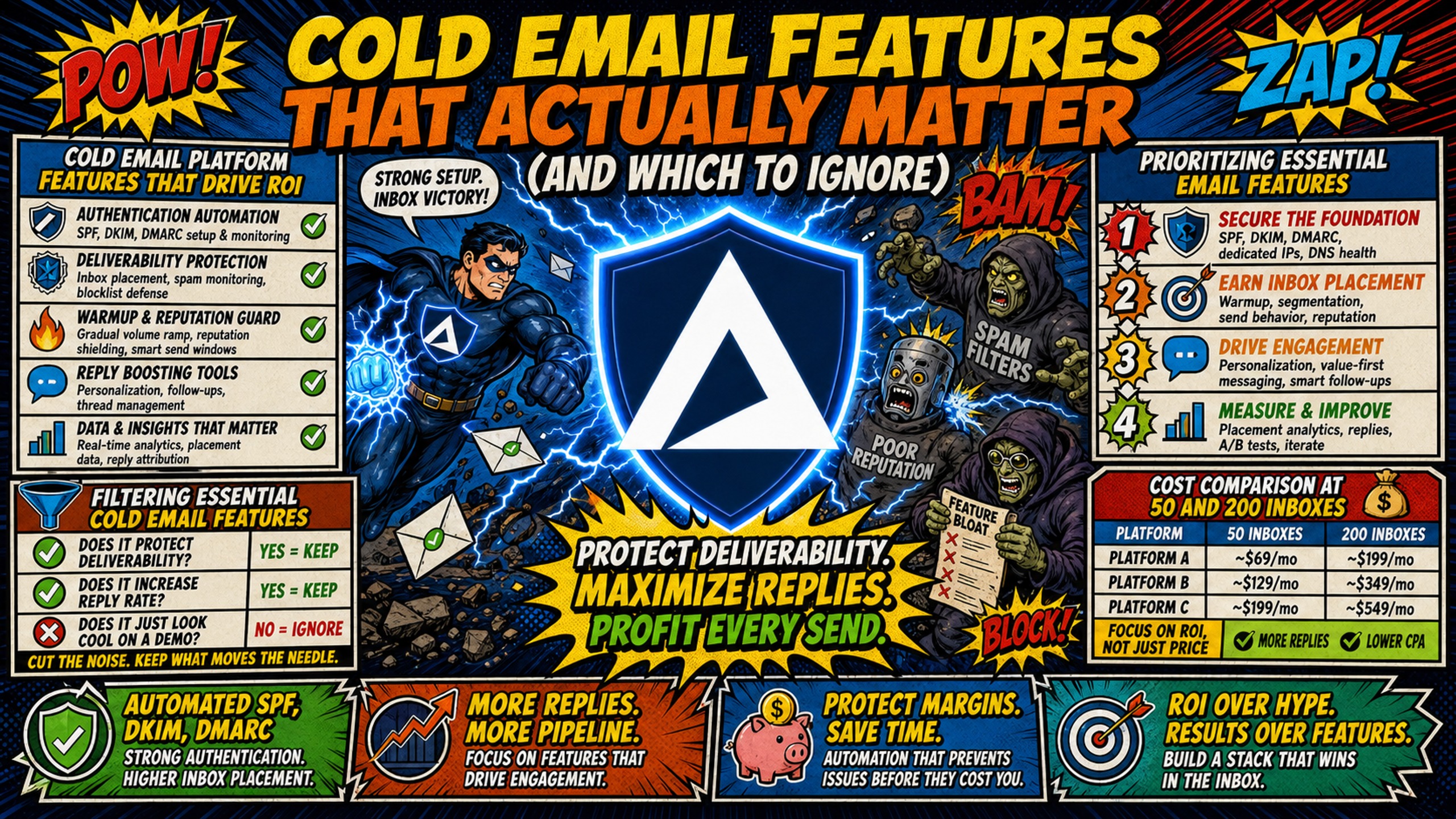
TL;DR: Most cold email platforms fill their feature lists with marketing noise. The features that actually protect your margins and reply rates are automated SPF/DKIM/DMARC configuration, dedicated US-based IPs, and flat-rate pricing that doesn't scale with inbox count. At 50 inboxes, Google Workspace costs $420 monthly at $8.40 per seat on the Flexible Plan, while external warmup tools add $750 to $2,500 monthly at $15 to $50 per inbox. Inframail's $147 flat rate covers unlimited inboxes on Microsoft infrastructure with automated DNS setup, and warmup costs apply on both sides. Ignore built-in prospecting databases and AI personalization unless you lack dedicated data providers. Prioritize infrastructure automation over creative tools.
Campaign managers can waste thousands of dollars monthly on cold email platform features that don't move reply rates. Vendors pack their feature lists with built-in prospecting, AI writers, and video tools while neglecting DNS automation and dedicated IPs that actually drive inbox placement. When evaluating what to look for in cold email software, filter every capability by whether it directly impacts deliverability, setup speed, or cost per inbox. If it doesn't affect those three variables, skip it.
Cold email platform features that drive ROI
Your evaluation framework starts with infrastructure, not software polish. Essential capabilities include unlimited sending accounts for flat-fee scaling, automated warmup protecting new domains during the 4 to 8 week ramp-up period, and inbox rotation to distribute volume across multiple IPs. Inframail's Microsoft-specific deliverability guide confirms that fresh accounts require 4 to 8 weeks of disciplined warmup. These infrastructure features determine whether your emails land in spam or generate replies.
Filtering essential cold email features
Separate signal from noise by asking three questions for every feature. Does this reduce DNS configuration time? Does this lower cost per inbox as volume scales? Does this improve sender reputation through dedicated resources? If the answer is no to all three, skip the feature and allocate budget to infrastructure that protects deliverability instead. This cold email feature comparison reveals that most platforms pad their lists with capabilities that sound impressive in demos but add monthly costs without improving inbox placement.
Prioritizing essential email features
Rank capabilities by their impact on your daily workflow. Automated DNS configuration saves 12+ hours per 50 domains compared to manual panel work across multiple registrars. Flat-rate pricing protects margins when client count grows from 50 to 200 domains. Dedicated IPs isolate your sender reputation from shared pool contamination, which matters critically for high-volume senders who need control over their reputation metrics.
Which email features actually drive replies
Reply rates depend on inbox placement, not AI-generated subject lines. Personalization beyond the first name tends to drive higher response rates, but only if your emails reach the inbox first, according to Cleverly's cold email response rate research. Inframail ensures that delivery through automated SPF/DKIM/DMARC setup, which you can verify through their Microsoft-specific deliverability documentation covering strict authentication requirements. Prioritize technical configuration over creative tools when allocating your infrastructure budget.
Cost comparison at 50 and 200 inboxes
| Feature | Google Workspace | Maildoso | Inframail |
|---|---|---|---|
| Pricing Model | Per-seat ($8.40/user) | Per-mailbox ($2.50 at 30) | Flat-rate ($147/mo) |
| 50 Inbox Cost | $420/month | $225/month (300-mailbox tier, no published 50-mailbox tier) | $147/month |
| 200 Inbox Cost | $1,680/month | 300-mailbox tier: $225/month (no published 200-mailbox tier) | $147/month |
| DNS Setup | Manual | Automated | Automated |
| IP Type | Shared | Rotating | Dedicated (1-3) |
| Warmup | External required | Unconfirmed | External required |
| Excludes | Domain costs ($5-16/year), warmup ($15-50/inbox/month), sending platform fees |
For 50 inboxes, Google Workspace costs $420 monthly versus Inframail's $147 flat rate. At 200 inboxes, Google hits $1,680 monthly while Inframail remains $147, saving $1,533 monthly before domain and warmup costs. Add external warmup at $750 to $2,500 monthly for 50 inboxes (both models require it), and Inframail still delivers $1,533 in platform savings. Google Workspace pricing breakdown confirms the $8.40 per user rate on Flexible Plans, while Maildoso's current pricing shows per-mailbox tiers that scale linearly with volume.
Key deliverability settings for consistent inbox access
Inbox placement hinges on technical configuration, not copywriting tricks. These five infrastructure settings determine whether prospects see your emails or your competitors'.
Automated SPF/DKIM/DMARC configuration
Manual DNS setup consumes roughly 20 to 30 minutes per domain, according to Inframail's Microsoft-specific deliverability guide, totaling 12+ hours for 50 domains. Once the records are in, SPF and DMARC changes typically take 24 to 72 hours to propagate due to DNS caching, according to MailTester's guide on SPF DNS change delays. Inframail's automated configuration eliminates this bottleneck by provisioning records automatically at domain purchase, reducing setup to minutes without manual panel access. This automation directly impacts launch velocity when you need to spin up domains for new clients immediately. Inframail provisions inboxes in minutes with SPF, DKIM, and DMARC set automatically, per customer reports of 10 inboxes operational in about 2 minutes.
Dedicated IP benefits for cold email
Shared IP pools expose your sender reputation to every other user on the server. One spammy neighbor can blacklist the entire range, killing your deliverability overnight. Dedicated IPs give you exclusive control over reputation metrics, though they require a gradual warmup period to build trust with ESPs. IPXO's dedicated IP documentation explains that dedicated IPs provide full control over sender reputation, making them better suited for high-volume and consistent email campaigns. Inframail provides 1 dedicated US-based IP on the Unlimited Plan and 3 on the Agency Pack ($387/mo), ensuring your sending behavior alone determines ESP trust.
Choosing your ideal warmup strategy
Inframail requires external warmup tools like Warmbox or Lemwarm at $15 to $50 per inbox monthly, giving you specialized warmup control and avoiding the vendor lock-in that bundled warmup creates, though it adds vendor management overhead. External tools often provide domain-level and IP-level warmup separately, which matters for protecting inbox placement while new domains build sender reputation. Factor this into your total cost calculation when comparing platforms.
Blacklist monitoring and auto-delisting
Real-time blacklist monitoring catches reputation crashes before clients notice missing replies. Inframail's blacklist monitoring tracks domain and IP health with automated delisting requests, achieving 68.3% success within 48 hours according to their cold outreach reviews analysis. This beats manual blacklist checks, which may not reveal problems until reply rates decline. The system checks domain health continuously and submits delisting requests automatically when flags appear, reducing the response time that directly costs active campaign performance.
Tracking sender reputation in real time
You need visibility into blacklist status and domain health before problems trigger ESP blocks. Inframail's blacklist monitoring tracks IP and domain blacklist status, helping you spot the 7 reputation warning signs that precede deliverability crashes, such as authentication failures. Campaign-level metrics like bounce rates, reply rates, and spam folder placement live in your sending platform dashboard rather than in Inframail, so review both to pause sending, clean lists, or adjust volume before a temporary issue becomes a permanent blacklist entry.
Paid tools that actually scale your outreach
Software features should reduce manual work, not create it. Evaluate these capabilities by whether they eliminate tasks or add complexity.
How to evaluate sequence trigger tools
Verify the platform triggers follow-ups based on opens, clicks, or link visits without requiring manual CSV exports between each sequence step. The tool should auto-pause sequences when prospects reply to prevent embarrassing double-sends that damage sender reputation. Operational features like inbox warm-up, domain rotation, custom sending schedules, and bounce detection help prevent deliverability problems that can damage domain reputation.
Domain rotation for inbox health
Spreading volume across multiple domains prevents any single domain from hitting spam thresholds. Effective rotation distributes sends evenly while maintaining consistent branding across all sender addresses. This matters particularly when you manage 50+ domains across multiple client accounts and need to isolate reputation damage if one domain encounters blacklist issues. Inframail's unlimited inbox model supports this strategy without per-seat penalties that make rotation cost-prohibitive on per-mailbox pricing tiers.
Auto-pause replies to protect sender health
When a prospect responds, the platform must immediately halt further sends to that address. Continuing to email someone after they reply risks spam complaints that can damage domain reputation. This automation prevents the manual oversight required when managing hundreds of active conversations across dozens of domains.
Why send-time automation matters
Sending emails at 3 AM recipient time kills open rates. The platform must schedule sends based on prospect time zones automatically rather than forcing you to calculate send windows for each campaign batch. This feature matters more than AI writing because timing affects deliverability algorithms that track engagement patterns.
Focus on these KPIs to improve reply rates
Track metrics that correlate with meetings booked, not vanity numbers that look good in reports but don't pay bills.
Inbox placement vs open rate metrics
Apple's Mail Privacy Protection preloads tracking pixels and renders open rates unreliable. Focus on inbox placement rate instead, where 95%+ is excellent and rates below 85% indicate serious deliverability problems. Use Inframail's spam detection guide to diagnose placement issues before they crater reply rates. Strong inbox placement sits between 80 and 90%, so a 95%+ rate puts you above the range most strong senders reach.
Reply rate by sequence step
Track reply rates at each touchpoint to identify where prospects drop off. When step three shows 80% lower engagement than step one, shorten your sequence or revise messaging rather than adding AI personalization. Tightly targeted lists tend to lift reply rates more than software features do.
Spotting domain blacklists early
Monitor blacklist status weekly rather than waiting for deliverability crashes. Early detection lets you submit delisting requests before your clients ask why pipeline dried up. Inframail's blacklist monitoring catches reputation issues before they impact reply rates, addressing the common fear of blacklist incidents surfacing with no warning.
Tracking your cost per booked call
Calculate total infrastructure spend divided by meetings booked to measure true ROI. A platform costing $400 monthly that generates 10 meetings beats a $225 monthly tool generating zero due to spam folder placement. This metric matters more than feature count when evaluating cold email platform features because it directly ties infrastructure costs to revenue outcomes.
When AI personalization boosts your reply rates
AI features work for specific use cases but often mask poor list quality with superficial customization.
Template variable insertion
Basic merge tags for company name and industry remain essential. Advanced AI writing fills gaps when you lack copywriting resources, though it cannot fix fundamentally irrelevant offers or poor targeting. Personalization beyond the first name tends to drive higher response rates, but only when combined with accurate targeting data, per Cleverly's cold email response rate research.
AI writing: when to automate outreach
Use AI for initial drafts when sending 1,000+ emails weekly. You cannot manually customize at that scale, making AI assistance necessary for baseline personalization. However, relevance beats volume, so tightly targeted lists and shorter messages tend to matter more than send count.
When AI messages hurt reply rates
Generic AI-generated content triggers spam filters and prospects recognize template patterns immediately. If your AI tool produces obviously robotic language, it degrades response rates below simple, direct templates. The risk increases when AI optimizes for open rates rather than replies, potentially triggering spam filters that damage sender reputation permanently.
How to verify deep stack compatibility
Integration depth determines whether a platform fits your existing workflow or forces costly migrations.
Direct CSV imports to sending tools
Inframail exports IMAP/SMTP credentials via CSV formatted specifically for Instantly and Smartlead bulk import, eliminating manual data entry errors. The Smartlead integration guide covers exact column mapping for clean transfers. Inframail's Instantly integration documentation confirms support for Instantly.ai, Smartlead, ReachInbox, Plusvibe, SalesHandy, Reply.io, and Woodpecker with minimal active work when using the built-in CSV export format. Verify your sending platform accepts these formats before committing to infrastructure.
Automate CRM workflows without bloat
Native CRM integrations should sync replies and status changes without middleware like Zapier adding monthly fees. Verify the platform pushes data directly to your CRM rather than forcing you to pay for expensive connector subscriptions like Zapier. Middleware adds unnecessary complexity that erodes the efficiency gains from automated infrastructure.
Automating data provider syncs
If you use Apollo or ZoomInfo, verify the cold email platform accepts exports from these tools without reformatting. Inframail works alongside Apollo and ZoomInfo rather than replacing them, letting you keep the data quality you already paid for while upgrading infrastructure. This integration approach beats platforms that force you into their proprietary databases with inferior data quality.
Using APIs to scale email operations
API access becomes critical when managing 100+ domains across multiple clients. Verify the platform offers API endpoints for automated domain provisioning and credential retrieval rather than forcing manual dashboard exports. API automation eliminates the context-switching that consumes hours daily when you manage infrastructure across separate platforms for domains, inboxes, and sending.
Cold email features you can safely ignore
Vendors pad feature lists with capabilities that sound impressive but rarely impact campaign performance. Skip these to preserve budget for infrastructure that matters.
Built-in prospecting databases
Platforms like Instantly include contact databases, but these duplicate Apollo and ZoomInfo subscriptions you already own. Paying twice for contact data drains budget better spent on deliverability infrastructure.
Advanced A/B testing
Ensure emails reach the inbox before you test subject lines. Sophisticated multivariate testing requires massive send volumes to reach statistical significance, which most cold email campaigns never achieve. Basic A/B testing on copy variations provides sufficient data for optimization without enterprise testing suites.
Video personalization at scale
Video personalization tools carry premium monthly costs and only work with specific email clients. You cannot justify the expense unless you sell high-ticket enterprise deals with long sales cycles. These costs often exceed the entire infrastructure budget for small to mid-size agencies.
Bundled auto-posting may duplicate tools you already pay for
Social media auto-posting and LinkedIn automation features belong in separate specialized tools. If you already run dedicated social media or LinkedIn tools, bundled versions in cold email platforms may add cost to your stack without replacing them, so compare what each one does before paying for both.
Get flat-rate Microsoft email infrastructure with Inframail
Inframail is a flat-rate Microsoft email infrastructure provider for agencies running 50 to 200 cold email domains. The Unlimited Plan costs $147/month and covers unlimited inboxes with automated SPF/DKIM/DMARC configuration and 1 dedicated US-based IP, while the Agency Pack costs $387/month and includes 3 dedicated IPs. Domain costs ($5 to $16 per domain per year) and external warmup tools ($15 to $50 per inbox per month) apply on top of the platform fee.
Watch this case study video and see how Inframail helped a client simplify cold email setup with automated domain and inbox creation, SPF and DMARC configuration, and a 2% reply rate, generating 20 interested leads within just 1-2 hours of launching a campaign.
Sign up to Inframail and get started today.
FAQs
What's the most important cold email platform feature?
Automated SPF/DKIM/DMARC configuration matters most because manual setup takes 12+ hours per 50 domains and errors guarantee spam folder placement. Without proper authentication, no other feature functions.
Do I need built-in warmup or can I use an external tool?
External warmup tools like Warmbox or Lemwarm typically run $15 to $50 per inbox monthly. Budget for this separately when using infrastructure providers like Inframail that focus on DNS automation rather than bundled warmup.
How much should I pay for cold email software?
Infrastructure costs should stay under $150 to $180 monthly for 50 inboxes before warmup. Per-seat models charging $8+ per inbox become cost-prohibitive at scale compared to flat-rate options like Inframail's $147 unlimited model.
What features actually improve reply rates?
Deliverability features (dedicated IPs, automated DNS) and integration depth with your existing sending platform improve replies more than AI writing or video tools. Top performers get their reply rates through list quality and inbox placement, not software features.
Should I choose a platform with AI personalization?
Only if you lack copywriting resources and send at volumes where manual customization is not practical. AI cannot compensate for poor targeting or infrastructure problems that land emails in spam.
Key terms glossary
Inbox placement rate: The percentage of sent emails reaching the primary inbox rather than spam or promotions folders. Aim for 95%+ on cold outreach campaigns.
SPF/DKIM/DMARC: Email authentication protocols that verify sender identity. SPF specifies allowed sending IPs, DKIM adds cryptographic signatures, and DMARC enforces alignment between them to prevent spoofing.
Domain warmup: The 4 to 8 week process of gradually increasing send volume from new domains to establish positive sender reputation with ESPs before launching full campaigns.
Dedicated IP: An IP address used exclusively by your organization rather than shared with other senders. Provides complete control over sender reputation but requires proper warmup.
Sender reputation: A score assigned by email service providers based on bounce rates, spam complaints, and engagement metrics. High reputation ensures inbox placement; low reputation triggers spam filtering.