
Best transactional email API: password resets, receipts, and order confirmations compared
A password reset delayed by even a minute can increase abandonment and support ticket volume. A password reset that never arrives is a churned account. Many Saa
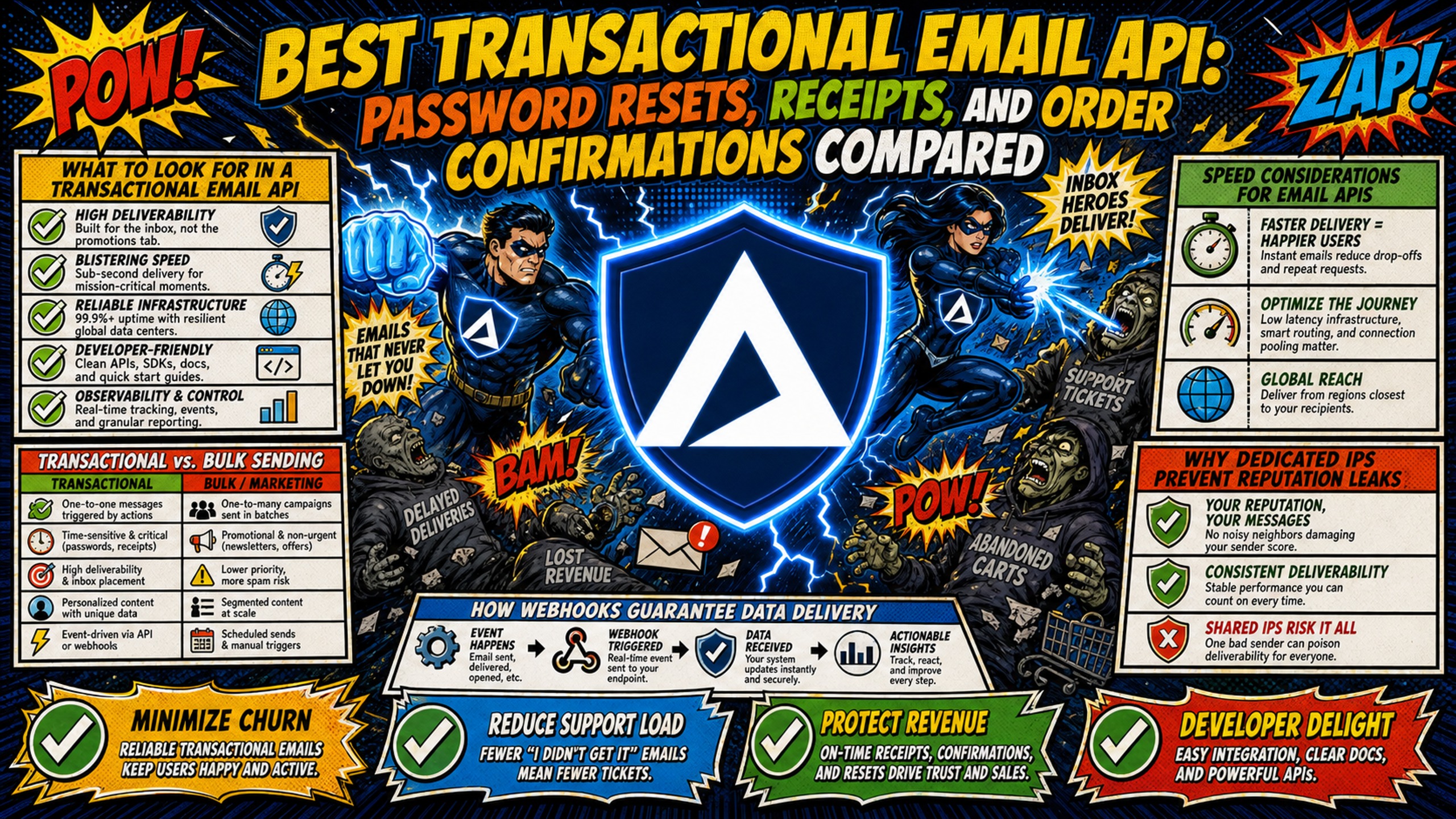
TL;DR: The best transactional email API is not the one with the most features. It is the one that isolates your password resets from your marketing sends and your outbound cold email. Transactional email requires dedicated IPs, delivery speed you can test, and webhooks that alert you when a critical email fails.
SendGrid, Postmark, Amazon SES, Mailgun, and Resend are among the transactional email providers teams commonly compare, with different trade-offs on cost, speed, and dedicated IP availability. Postmark suits teams that want transactional-only speed, and Amazon SES suits teams that want the lowest cost at scale and can manage AWS configuration. Teams that separate transactional traffic from bulk sending avoid the reputation leaks that silently kill user trust, and Inframail handles the bulk side with flat-rate pricing of $147/month on 1 dedicated IP so your transactional provider stays clean.
A password reset delayed by even a minute can increase abandonment and support ticket volume. A password reset that never arrives is a churned account. Many SaaS teams discover their transactional email API is failing when a user posts on X that they cannot log in.
Transactional email is the plumbing of a SaaS product. When it breaks, users cannot log in, cannot get receipts, and cannot confirm orders. The fix starts with understanding that transactional and bulk sending have different reputational needs. Dedicated IPs, webhooks, and delivery speed testing are the three levers that keep critical mail flowing.
What to look for in a transactional email API
Transactional email is the one-to-one mail your product sends when a user takes an action. Password resets, order confirmations, shipping notifications, and two-factor codes all count. These emails have a single recipient and a single purpose.
Marketing email is one-to-many. Newsletters, promotional campaigns, and cold outreach go to thousands of recipients at once. The sending patterns differ, and the reputational requirements differ with them.
When you evaluate a transactional email API comparison, you are looking at four criteria:
- Speed: How fast does a password reset land after the API call?
- Dedicated IP options: Can you isolate your transactional traffic from other senders?
- Webhooks: Does the API tell you when an email bounces, gets opened, or gets clicked?
- Template handling: Can you manage transactional templates separately from marketing templates?
The best transactional email API for your team depends on which of these criteria matters most for your use case.
Transactional vs. bulk sending: key differences
Transactional email and bulk sending are not the same problem. They have different speed requirements, different reputational risks, and different cost structures.
Speed considerations for email APIs
Transactional email needs to arrive in seconds. A user who requests a password reset is staring at their inbox right now. SendGrid's Email API processes requests quickly at the API layer, but actual inbox placement depends on your sender reputation and the recipient's mailbox provider.
Postmark publishes a status page showing median delivery times to major mailbox providers. Their focus on transactional email means they optimize for speed over volume.
Amazon SES charges $0.10 per 1,000 emails per AWS SES's published pricing and offers high throughput, but speed depends on your configuration and whether you use dedicated IPs.
Mailgun publishes latency targets in its documentation, while Resend publishes rate limits rather than latency guarantees. Mailgun's infrastructure handles both transactional and marketing sends, while Resend focuses on developer experience for transactional mail.
The speed difference between major providers is often negligible at the median. The difference shows up in tail latency and failure handling.
Why dedicated IPs prevent reputation leaks
A dedicated IP is an IP address used only by your sending. A shared IP pool is an IP address used by multiple senders. When one sender on a shared IP gets flagged for spam, every sender on that IP can see deliverability drop.
Shared IP pools work like carpool lanes where you're affected by other drivers. One bad actor spamming gets the whole range flagged. Dedicated IPs work like private lanes where your behavior alone determines reputation.
SendGrid offers dedicated IPs on higher-tier plans. Amazon SES charges $24.95 per month per dedicated IP per AWS SES's published pricing. Postmark offers dedicated IPs as an add-on. Mailgun includes dedicated IPs on some plans.
For outbound cold email, Inframail provides dedicated US-based IPs on a flat-rate plan. One dedicated IP comes with the Unlimited Plan at $147/month. Three dedicated IPs come with the Agency Pack at $387/month. This isolates your cold email reputation from other senders.
How webhooks guarantee data delivery
A webhook is an HTTP callback that fires when an event happens. In email APIs, webhooks tell you when an email was delivered, opened, clicked, bounced, or marked as spam.
Per SendGrid's Event Webhook documentation, SendGrid supports a named event set including processed, deferred, delivered, open, click, bounce, dropped, spam report, and unsubscribe events. Postmark's webhooks cover seven event types per Postmark's webhook documentation, including delivery, bounce, open, click, and spam complaint. Amazon SES publishes events to SNS or EventBridge per AWS event publishing documentation. Mailgun's webhooks track eight event types per Mailgun's webhook documentation, including delivered, bounced, opened, clicked, and unsubscribed events. Resend's webhooks cover a wide event set per Resend's event types documentation, including sent, delivered, bounced, and opened events.
Webhooks are the difference between knowing a password reset failed and finding out from a support ticket. Without webhooks, you are flying blind.
Key features for high inbox placement rates
Inbox placement rate is the percentage of sent emails that land in the inbox rather than spam or the recipient's mail server dropping them. High inbox placement requires clean templates, fast failure alerts, and isolated sending reputation.
Template management for SaaS senders
Transactional templates should live separately from marketing templates. SendGrid's transactional templates support dynamic content with Handlebars syntax. Postmark's templates use Mustachio, a Handlebars-like syntax, per Postmark's template syntax documentation. Mailgun's templates support variables and conditional logic. Resend offers React-based email templates.
Template separation matters because marketing templates often include tracking pixels and unsubscribe links that transactional emails should not have. Including marketing tracking pixels or unsubscribe links in transactional templates can trigger spam filters on critical mail.
Webhook alerts for email failures
Bounce webhooks are the most critical for transactional email. A bounced password reset means a locked-out user. Postmark's bounce webhook includes the bounce type and diagnostic code. SendGrid's Event Webhook includes bounce reasons and SMTP response codes.
Configure your webhooks to trigger alerts on hard bounces for transactional emails. A hard bounce on a password reset should trigger an immediate alert to whoever manages your email infrastructure.
Protecting reputation with dedicated IPs
Dedicated IPs isolate your sender reputation. When you send transactional email from a dedicated IP, your reputation is based on your sending behavior alone.
Inframail's dedicated IP infrastructure works the same way for outbound cold email. Your sending behavior alone determines your ESP trust, not the behavior of other senders on a shared pool.
Preventing delivery-blocking events
Delivery-blocking events include blacklists, spam complaints, and hard bounces. Inframail's blacklist monitoring auto-submits delisting requests when domains are flagged, with a 68.3% delisting success rate.
For transactional email, monitor your bounce rate and spam complaint rate daily. A sudden spike means something broke.
Best email APIs for critical user alerts
The best transactional email API depends on your volume, budget, and technical requirements. Here is how the major providers compare.
| Provider | Dedicated IP | Starting Price | Webhook Events |
|---|---|---|---|
| SendGrid | Yes (Pro plan) | $89.95/month | Named events (processed, deferred, delivered, open, click, bounce, dropped, spam report, unsubscribe) |
| Postmark | Yes (add-on) | Not published | 7 event types |
| Amazon SES | Yes ($24.95/mo) | $0.10/1,000 emails | Via SNS |
| Mailgun | Yes (some plans) | Not published | 8 event types |
| Resend | Yes (add-on, ~$30/mo, Scale plan) | Not published | Wide event set |
Why SaaS teams choose SendGrid APIs
SendGrid handles very high volume and offers both transactional and marketing email from one platform. Their Event Webhook covers named events including processed, deferred, delivered, open, click, bounce, dropped, spam report, and unsubscribe, and their template system supports dynamic content.
SendGrid's strength is scale and feature breadth. Their weakness is that marketing and transactional traffic can share infrastructure unless you configure subusers or separate IPs carefully.
Inframail's flat-rate model applies the same isolation principle to cold email. Instead of per-seat pricing that scales against you, Inframail charges $147/month for unlimited inboxes on 1 dedicated IP. Domain costs ($5 to $16 per domain per year) and warmup tools are additional.
Postmark: reliability for critical mail
Postmark focuses exclusively on transactional email. Their entire infrastructure is optimized for speed and deliverability of critical mail. Postmark's transactional-only policy ensures fast delivery, and their weakness is that teams need a separate provider for marketing email, which means managing two APIs.
Inframail serves that second use case with flat-rate dedicated IPs for cold email at $147/month, so transactional mail stays on Postmark while bulk sending runs on isolated infrastructure without per-inbox costs. Domain costs ($5 to $16 per domain per year) and warmup tools are additional.
Scale transactional sends with Amazon SES
Amazon SES is the lowest-cost option at $0.10 per 1,000 emails per AWS SES's published pricing. It offers high throughput. Dedicated IPs cost $24.95 per month each.
Amazon SES's strength is cost and scale. Their weakness is setup complexity. You need to configure SNS for event tracking, and much of the remaining configuration is manual.
For teams that want dedicated IPs without AWS complexity, Inframail provisions dedicated IPs automatically with no manual DNS configuration.
Mailgun performance for SaaS workflows
Mailgun offers both transactional and marketing email with strong API documentation. Their webhooks cover delivered, failed, opened, clicked, and unsubscribed events. Mailgun's strength is developer experience and flexibility, and their weakness is that shared IP pools are the default with dedicated IPs requiring higher-tier plans.
Inframail includes dedicated IPs on every plan (one IP at $147/month, three at $387/month) with no shared-pool risk for cold email workloads. Domain costs ($5 to $16 per domain per year) and warmup tools are additional.
Resend capabilities for failed deliveries
Resend is a newer API focused on developer experience. They offer React-based email templates and a modern API. Resend's strength is developer experience and modern tooling, and their weakness is that dedicated IPs are an add-on (about $30/month) available only to Scale-plan customers sending over 3,000 emails per day, per Resend's published pricing.
For teams that need dedicated IP isolation for cold email, Inframail provisions dedicated US-based IPs automatically at $147/month with no shared-pool contamination. Domain costs ($5 to $16 per domain per year) and warmup tools are additional.
Why delivery speed impacts user trust
Delivery speed is measurable and testable. A slow password reset email erodes user trust in your product.
What defines fast delivery
Fast delivery means the email arrives in the inbox within seconds of the API call.
Delivery speed depends on three factors. API response time measures how fast the provider accepts your request. Processing time measures how fast the provider queues and sends the email. Inbox placement time measures how fast the recipient's mailbox provider accepts and filters the email.
Testing your email API delivery time
Test delivery speed by sending 100 test emails to seed addresses at Gmail, Outlook, and Yahoo. Measure time from API call to inbox arrival and flag any emails that take longer than 30 seconds. Run this test weekly to catch degradation.
Mail-Tester provides spam score analysis for individual emails. GlockApps offers inbox placement testing across multiple mailbox providers.
Identifying hidden delivery delays
Hidden delays often come from shared IP reputation issues, throttling by mailbox providers, or misconfigured authentication records. Google Postmaster Tools shows how Gmail rates your domain, and Microsoft SNDS provides reputation data for traffic to Microsoft's consumer mailboxes (Outlook.com).
If your delivery times spike suddenly, check your IP reputation and recent sending patterns.
When to unify your transactional and lifecycle mail
Some teams successfully send transactional and marketing email from the same provider using subaccounts or separate IP pools. This is possible with careful configuration, but dedicated IPs or separate providers reduce risk for critical mail.
Separating transactional and bulk traffic
Separate transactional and bulk traffic at the IP level. Use one provider or subaccount for password resets and order confirmations. Use another for newsletters and cold outreach.
Inframail handles the bulk side with flat-rate dedicated IPs. Your transactional email stays on a separate provider optimized for speed.
Risks of shared IPs for transactional mail
Shared IPs carry contamination risk. One bad sender can get the entire IP range flagged. For transactional email, this risk is unacceptable.
SendGrid's shared IP pools are used by a large number of senders. Your password reset emails share reputation with marketing campaigns from other companies.
Calculating dedicated IP ROI
Calculate dedicated IP ROI by comparing the cost of a dedicated IP to the cost of lost users from delayed or dropped transactional emails. For cold email infrastructure, compare dedicated IP pricing to per-seat alternatives.
For 50 inboxes, Google Workspace Business Starter on the Flexible Plan (month-to-month) bills $8.40 per seat, so costs climb with every inbox you add and reach $420/month, while Inframail charges a flat $147/month platform fee with one dedicated IP included. Domain costs ($5 to $16 per domain per year) and warmup tools apply on both sides and are not included in this comparison.
| Inbox Count | Google Workspace (Flexible) | Inframail Platform Fee |
|---|---|---|
| 10 inboxes | $84/month | $147/month |
| 50 inboxes | $420/month | $147/month |
| 100 inboxes | $840/month | $147/month |
Moving your email API: 5 steps to zero downtime
Migration follows five steps: audit send counts, export templates, configure webhooks, set up authentication records, and test before cutover.
- Review daily transactional send counts: Audit your current sending volume by category. Count password resets, order confirmations, receipts, and other transactional emails separately from marketing sends. This tells you which provider tier you need.
- Export and validate sending templates: Export all transactional templates from your current provider. Validate that variables, conditional logic, and formatting work in the new provider's template system.
- Configure webhooks for delivery tracking: Configure webhooks for delivered, bounced, and spam complaint events before you cut over. Test that your webhook endpoints receive and process events correctly.
- Configure SPF, DKIM, and DMARC records: Configure SPF, DKIM, and DMARC records for your sending domain. SPF specifies which IPs can send for your domain, DKIM signs emails with a cryptographic key, and DMARC tells mailbox providers what to do when authentication fails. Inframail's automated DNS provisioning dashboard configures these records across multiple cold email domains without manual panel work.
- Test send paths before cutting over: Send test emails through the new provider to seed addresses at major mailbox providers. Verify inbox placement, check authentication results, and confirm webhook events fire correctly. Cut over only after tests pass.
Get started with Inframail
Inframail is a flat-rate cold email infrastructure provider built on Microsoft's cloud platform, with automated DNS setup and dedicated US IPs. The Unlimited Plan costs $147/month with 1 dedicated IP, and the Agency Pack costs $387/month with 3 dedicated IPs. Domain costs ($5 to $16 per domain per year) and warmup tools are additional.
In this case study video, watch how Inframail helped a client run cold email campaigns using its SMTP infrastructure, generate 2.06 times more positive replies per dollar than Outlook while handling roughly a third of 70,000 emails sent over two weeks, and close a $20,000 deal in the first month.
Sign up to Inframail and get started today.
FAQs
What's the difference between transactional and marketing email APIs?
Transactional email APIs optimize for speed and deliverability of one-to-one critical mail like password resets, while marketing email APIs optimize for volume and engagement tracking of one-to-many campaigns. Transactional APIs typically have stricter sending policies and better webhook coverage for failure events.
Do I need a dedicated IP for transactional email?
For production SaaS applications, yes. Shared IPs carry contamination risk from other senders, and a dedicated IP isolates your reputation. Amazon SES charges $24.95 per month per dedicated IP per AWS SES's published pricing, and SendGrid includes them on Pro plans starting at $89.95 per month per SendGrid's published pricing tiers.
How do I test transactional email delivery speed?
Send 100 test emails to seed addresses at Gmail, Outlook, and Yahoo. Measure time from API call to inbox arrival. Use tools like GlockApps for automated inbox placement testing across providers.
Can I use the same API for password resets and newsletters?
You can, but you should not. Separate transactional and marketing traffic at the IP or subaccount level. Marketing campaigns carry higher spam complaint risk that can contaminate your transactional deliverability.
What happens if a transactional email bounces?
A bounced transactional email means a locked-out user or lost order confirmation. Configure bounce webhooks to alert your team immediately. Hard bounces on password resets should trigger a support ticket or automated user notification through an alternate channel.
Key terms glossary
Transactional email: One-to-one email triggered by user action, such as password resets, order confirmations, or two-factor codes.
Dedicated IP: An IP address used only by your sending, isolating your reputation from other senders.
Webhook: An HTTP callback that fires when an email event occurs, such as delivery, bounce, or open.
SPF: Sender Policy Framework, a DNS record specifying which IPs can send email for your domain.
DKIM: DomainKeys Identified Mail, a cryptographic signature verifying email authenticity.
DMARC: Domain-based Message Authentication, a policy telling mailbox providers how to handle failed authentication.