
Best email tracking software for Gmail: 7 tools ranked for 2026
The best email tracking software for Gmail in 2026 depends on team size: Mailtrack suits individual reps (free, or from $2.99/month), Right Inbox Professional (
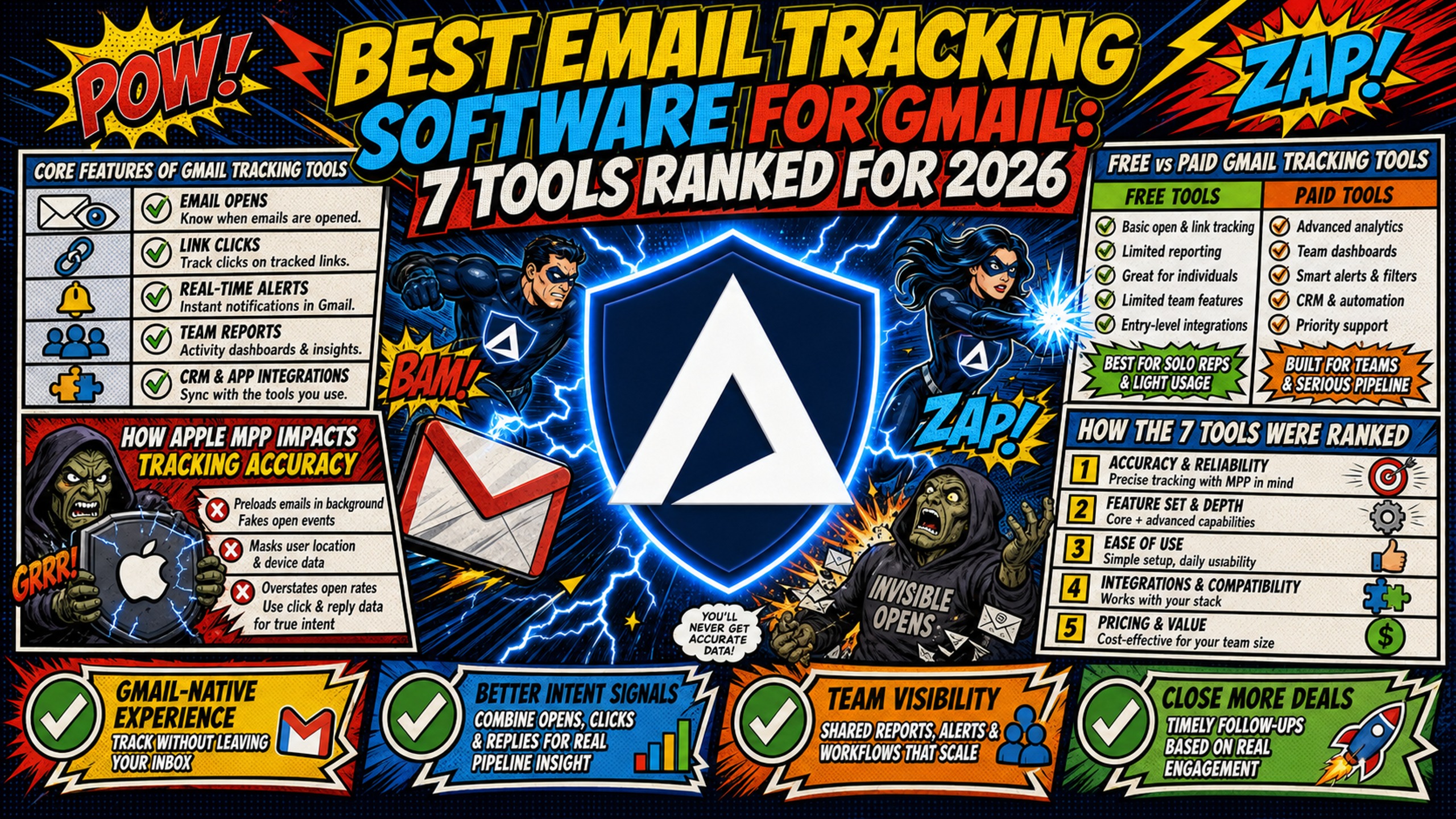
TL;DR: The best email tracking software for Gmail in 2026 depends on team size: Mailtrack suits individual reps (free, or from $2.99/month), Right Inbox Professional ($7.95/month) adds unlimited tracking and CRM integration, Mixmax (from $29/seat) fits teams running sequences, and HubSpot Sales Hub fits teams already on HubSpot CRM. Treat open rates with caution, because Apple Mail accounts for 62.26% of email opens (Litmus, July 2026) and Postmark shows Apple Mail Privacy Protection can report a 100% open rate for those recipients, so clicks and replies are the more reliable signals. Tracking also depends on the sending infrastructure underneath it, and Inframail's flat-rate Microsoft infrastructure costs $129/month regardless of inbox count, versus $420/month for 50 Google Workspace seats on flexible billing (both before warmup and domain costs). Inframail provisions Microsoft inboxes, not Google Workspace accounts.
Cold email open rates average 27.7% to 44%. The average cold email reply rate is 3.43%. SDR managers spend hours comparing Gmail tracking tools while ignoring the infrastructure that determines whether those tracking pixels land in the inbox or the spam folder.
Tool comparisons often focus on features and pricing, but tracking accuracy depends on two other factors. Apple MPP preloads emails on proxy servers, triggering tracking pixels even when recipients never open the message. And tracking pixels on a domain with poor reputation can pull messages toward spam before your SDRs get a chance to book meetings.
This article ranks 7 Gmail-compatible tracking tools across Gmail native connectivity, sending domain impact on tracking, real-world tracking results, and true pricing and hidden fees. Then it compares infrastructure costs at 50, 100, and 150 inboxes.
Core features of Gmail tracking tools
Gmail tracking software provides engagement metrics through two mechanisms: open tracking embeds an invisible 1x1 pixel that fires when recipients load images, and click tracking routes links through a redirect URL that logs clicks before sending recipients to the destination. Advanced tools add real-time alerts, complete interaction records, and CRM sync. CRM-native trackers log opens and clicks to the CRM record automatically, according to Cirrus Insight.
The limitation: tracking pixels only fire when recipients load images. Gmail shows images automatically by default, but holds them back when it flags a sender or message as suspicious, and Apple Mail Privacy Protection preloads images on proxy servers, creating false opens.
How Apple MPP impacts tracking accuracy
Apple Mail Privacy Protection preloads emails on its own proxy servers, which triggers the tracking pixel for every email it processes. Postmark's research on Apple Mail Privacy shows this can result in a 100% open rate for Apple Mail recipients regardless of whether they actually open the message.
Apple Mail accounts for 62% of email opens. For Gmail users who access email through Apple Mail applications, MPP applies regardless of the email address used. Opens from Apple Mail can't be trusted. Click tracking still fires when a recipient actively clicks a link, making clicks the more reliable signal for Apple Mail recipients.
This means open rates are no longer reliable as a primary metric. Reply rate and meeting-booked rate provide more accurate signals of engagement.
Free vs paid Gmail tracking tools
Free tiers work for individual SDRs with low monthly sending volume. Mixmax Free caps tracking at 20 opens a month and Yesware caps free use at 10 campaign recipients per month, covering occasional tracking but not consistent daily outbound. Paid tiers add team features, CRM sync, and advanced reporting. The upgrade trigger is monthly send volume: once an individual SDR exceeds the free monthly cap, the free tier stops working.
How the 7 tools were ranked
This ranking evaluates Gmail tracking tools across four criteria.
Each criterion targets a specific failure point that standard tool reviews miss, from tracking pixel reliability to the infrastructure costs that determine whether those pixels reach the inbox at all.
Evaluating Gmail native connectivity
Native Gmail integration means the tool works inside Gmail's interface without requiring external dashboards. Chrome extensions provide the most common integration method, but reliability varies across platforms.
Why the sending domain affects tracking
Tracking tools depend on the underlying email infrastructure. A tracking pixel on a domain with poor reputation can pull messages toward spam. GlockApps notes that sender reputation applies to both the domain and the IP address, and more messages land in spam as that reputation drops.
Validating real-world tracking results
Open rates mean nothing if emails land in spam. The ranking prioritizes tools that provide accurate click tracking and reply detection over inflated open metrics.
Unmasking true pricing and hidden fees
Per-seat pricing scales linearly with team size. A tool that costs $15/seat/month works for 5 SDRs but becomes expensive at 50 seats. The ranking calculates total cost at 50, 100, and 150 inbox tiers to show true TCO.
Best email tracking software for Gmail: 7 tools ranked
Here are the 7 best Gmail tracking tools ranked by Gmail native connectivity, sending domain impact on tracking, real-world tracking results, and true pricing and hidden fees.
| Tool | Free Tier | Paid Starting Price | Gmail Integration | Best For |
|---|---|---|---|---|
| HubSpot Sales | Basic tracking | $90/seat annually ($100 monthly) + $1,500 onboarding | Chrome extension + CRM | Teams using HubSpot CRM |
| Yesware | 10 campaign recipients/month | $15/month (annual) | Chrome extension | Small teams under 10 SDRs |
| Mixmax | 20 tracked opens, 50 sequence contacts/month | $29/seat | Chrome + Outlook | Teams running sequences from Gmail |
| Mailtrack | Basic open tracking | $2.99/month | Chrome extension | Individual SDRs |
| Streak | Available | $49/seat | Chrome plugin | Pipeline management in Gmail |
| Boomerang | 10 message credits/month | $14.98/month (tracking) | Multi-browser | Follow-up reminders |
| Right Inbox | Free plan (5 emails/month) | $7.95/month | Chrome extension | Affordable reminders and scheduling |
1. HubSpot email tracking features
HubSpot ranks first because it offers the deepest CRM integration of any tool on this list, making it the default choice for teams already running HubSpot workflows, though its per-seat cost is the highest of the seven.
HubSpot Sales Hub provides live notifications when someone opens or clicks emails, with real-time updates on when and how many times a contact opens your email, according to HubSpot's email tracking guide. The free tier includes 1‑to‑1 email, canned snippets (up to 3), and email templates (up to 3 per account). Professional is priced at $90/seat monthly (annual plan) or $100/seat monthly (month-to-month), plus a $1,500 onboarding fee. HubSpot excludes suspected non-human interactions, such as bot activity, from sales email open and click events, making click data and reply signals more reliable than raw open rates for Apple Mail recipients affected by MPP.
At 50 seats, HubSpot Professional costs $4,500 to $5,000/month depending on billing.
Best for: Teams already using HubSpot CRM who need native integration.
2. Yesware Gmail tracking review
Yesware ranks second because Pro at $15/month (annual) includes unlimited email and link tracking, and teams can move up to Enterprise ($65/user/month) for full Salesforce sync, making it a scalable option for small teams that want CRM integration without HubSpot's onboarding cost.
Yesware does not advertise MPP or bot-open filtering, so treat its open counts for Apple Mail recipients as inflated. Click tracking and reply data are the more reliable signals for teams with heavy Apple Mail readership.
The Pro plan includes unlimited email tracking, while Premium and Enterprise plans offer campaign management and team collaboration tools. Salesforce integration is available on Enterprise only. Yesware works well for Gmail-native teams, but per-user costs add up at 10+ seats. At 50 seats, Yesware Premium costs $1,750/month.
Best for: Small teams that want unlimited tracking at a low per-seat price.
3. Mixmax: advanced Gmail sales sequences
Mixmax ranks third because sequences are available on every plan from $29/seat. Mixmax Free includes 20 tracked opens and sequences for 50 contacts a month.
Mixmax was originally Gmail-only and Chrome-only, but now offers an Outlook Add-in for Microsoft 365 users. The Chrome extension remains the primary integration with full feature access. Paid tiers start at $29/seat and include full email tracking, meeting scheduling, inbox management, and AI-assisted features, with higher tiers at $49 and $89. Mixmax does not advertise MPP or bot-open filtering, so treat its open counts for Apple Mail recipients as inflated. Reply detection becomes the more accurate engagement signal.
Sequences are available on every Mixmax plan, with contact limits rising by tier. At 50 seats on the $49 Engagement Copilot tier, costs reach $2,450/month.
Best for: Teams running sequences from Gmail.
4. Mailtrack: essential Gmail open tracking
Mailtrack ranks fourth because it delivers the simplest open-tracking experience for individual SDRs at the lowest cost, including a functional free tier, but limited reporting and no team features place it below sequence-capable tools.
Mailsuite (formerly Mailtrack) adds check marks inside Gmail that show when a message has been opened. Mailtrack does not advertise MPP or bot-open filtering, so treat its open counts for Apple Mail recipients as inflated.
Mailtrack's paid plans start at $2.99/month ($1.99/month annually), with the Mailsuite plan at $5.99/month ($3.99/month billed annually) for advanced features. The free tier works for individual SDRs, but limited reporting and no team features force upgrades at scale.
Best for: Individual SDRs and small teams testing email tracking.
5. Streak: CRM pipelines inside Gmail
Streak ranks fifth because pipeline management is its core function and tracking is secondary, which makes it the right fit for a narrow use case but a weaker choice for teams whose primary goal is tracking accuracy.
Cirrus Insight describes Streak as "a full pipeline CRM that lives inside Gmail." Streak does not advertise MPP or bot-open filtering, so treat its open counts for Apple Mail recipients as inflated. Pipeline actions are a more accurate proxy for real engagement.
Streak's CRM-in-Gmail approach works for teams managing pipelines inside Gmail, but tracking is secondary to pipeline management. Pricing starts at $49/user/month on annual billing ($59/month billed monthly), per Streak pricing.
Best for: Teams managing sales pipelines inside Gmail.
6. Boomerang for Gmail follow-up automation
Boomerang ranks sixth because follow-up scheduling is its primary feature and tracking sits on paid plans, and the free tier's 10 credits cover only Send Later and reminders, limiting its usefulness for teams with consistent daily sending volume.
Boomerang focuses on email scheduling and follow-up automation, with tracking available as an additional feature. The free Basic plan includes 10 message credits per month for Send Later and reminders. Read receipts and click tracking start on the Pro plan at $14.98/month (billed annually). The $4.98 Personal plan does not include them. Boomerang does not advertise MPP or bot-open filtering, so treat its open counts for Apple Mail recipients as inflated.
Best for: Individual contributors who need follow-up reminders more than tracking.
7. Right Inbox for Gmail reminders and scheduling
Right Inbox ranks seventh not because of quality but because its feature set overlaps with higher-ranked tools at similar price points, though its Team plan at $16.95/month billed annually adds unlimited team members.
Right Inbox is a Chrome extension for Gmail built around scheduling and reminders, with tracking as one feature among several rather than the headline, per Cirrus Insight's email tracking software comparison. Right Inbox does not advertise MPP or bot-open filtering, so treat its open counts for Apple Mail recipients as inflated. Click and reply data should be used as the primary engagement signals.
Right Inbox Professional is $7.95/month billed annually and includes unlimited tracking, recurring emails, reminders, mail merge, and CRM sync. Team is $16.95/month billed annually and adds unlimited team members.
Best for: Teams needing affordable reminders and send-later.
TCO breakdown for 50, 100, and 150 inbox tiers
One clarification before the numbers: Inframail provisions Microsoft inboxes, not Google Workspace accounts. Teams that require Google Workspace email infrastructure will need to stay on Google's per-seat pricing.
Tracking tool pricing is only part of the cost equation. The underlying email infrastructure determines whether tracking pixels land in the inbox or trigger spam filters.
Google Workspace charges $8.40 per user monthly on flexible billing or $7 monthly on annual plans. Business Starter includes business email, Gemini AI assistant in Gmail, 100-participant video meetings, and 30 GB pooled storage per person.
The 150-inbox row uses Agency Pack at $327/month because the Unlimited Plan is capped at 80,000 emails per month. Teams sending more than 80,000 emails a month need Agency Pack's 300,000 monthly limit.
| Inbox Count | Google Workspace Cost | Inframail Platform Cost | Monthly Savings |
|---|---|---|---|
| 50 inboxes | $420/month ($8.40/seat) | $129/month flat | $291/month ($3,492 annually) |
| 100 inboxes | $840/month ($8.40/seat) | $129/month flat | $711/month ($8,532 annually) |
| 150 inboxes | $1,260/month ($8.40/seat) | $327/month flat (Agency Pack) | $933/month ($11,196 annually) |
Note: Domain costs ($5-$16/domain/year) and warmup tools ($15-$50/inbox/month) apply on both sides and are not included.
Avoid these hidden scaling fees
Per-seat pricing creates budget unpredictability because costs scale linearly with team growth. A tracking tool that costs $15/seat/month works for 5 SDRs ($75/month) but jumps to $750/month at 50 seats, and infrastructure costs compound when you stack Google Workspace at $8.40/seat plus tracking at $15/seat for a total of $23.40/seat/month (before warmup and domain costs).
Flat-rate infrastructure removes per-inbox charges on the infrastructure side. Tracking tools still bill per seat. Inframail charges $129/month for the Unlimited Plan regardless of how many inboxes you create, so infrastructure bills don't scale linearly with client growth.
Evaluating free email trackers for Gmail users
Free email tracking tools work for individual SDRs with low monthly sending volume. Mixmax Free's 20 tracked opens and Yesware's 10 monthly campaign recipients cover occasional sends but not consistent daily outbound. They break down at team scale due to recipient limits, lack of team features, and missing CRM sync.
The hidden cost: free tools force upgrades when monthly send volume exceeds the cap. A team of 10 SDRs sending 50 emails per day across 22 working days needs roughly 11,000 tracked emails per month, while free plans range from 5 tracked emails a month to unlimited opens with limited history.
| Tool | Free Tier Limits | Paid Tier Starting Price | Upgrade Trigger |
|---|---|---|---|
| Yesware | 10 campaign recipients/month | $15/month (annual) | Team collaboration, CRM sync |
| Boomerang | No tracking on free plan. 10 credits cover Send Later and reminders only | $14.98/month (tracking) | Read receipts and click tracking |
| Mailtrack | Basic tracking, no team features | $2.99/month | Team reporting, advanced analytics |
| Mixmax | 20 tracked opens, 50 sequence contacts/month | $29/seat | Sequences, automation |
Best cost-effective Gmail tracking tools
For reps with low send volume, Mailtrack's free plan provides basic open tracking without cost. For small teams (5-10 SDRs), Right Inbox Professional at $7.95/month adds unlimited tracking plus CRM integration. For teams needing sequences, Mixmax from $29/seat provides the best feature-to-cost ratio.
The best free email tracking software for Gmail is Mailtrack for individual use. For teams, the best value comes from Right Inbox at $7.95/seat or Mixmax from $29/seat for sequences. Regardless of tracking tool, flat-rate infrastructure starts at $129/month on the Unlimited Plan (before warmup and domain costs), compared to Google Workspace at $420/month for 50 seats and $1,260/month for 150 seats on flexible billing (before warmup and domain costs).
Selecting Gmail tools based on outbound volume
Tracking tool selection depends on team size and sending volume. Individual SDRs need different features than 50-person teams.
The sections below break down the right setup at each stage of team growth.
Automated setup for large SDR teams
Large SDR teams (20+ reps) need automated DNS configuration and dedicated IPs to protect sender reputation. Manual DNS configuration takes 12+ hours for 50 domains, blocking campaign launches and new SDR onboarding.
Inframail automates SPF, DKIM, and DMARC record creation without manual DNS panel work. Customer testimonials report spinning up 10 inboxes in 2 minutes. The platform provisions each inbox with IMAP/SMTP credentials, exports to CSV, and imports to Instantly.ai or Smartlead.
"I've been running cold email campaigns for my agency for a while now, and email infrastructure used to be one of the most frustrating parts. Then I found Inframail, and honestly, it's been a massive relief. The setup is ridiculously fast. SPF, DKIM, DMARC, forwarding - all handled in literally seconds without me having to dig through docs or guess what records to add." - Verified user review of Inframail
Dedicated IPs for larger SDR teams
SDR teams running 50+ domains need dedicated IPs to isolate sender reputation. Shared IP pools work like carpool lanes where you're affected by other drivers. One bad actor spamming gets the whole range flagged. Dedicated IPs work like private lanes where your behavior alone determines reputation.
Inframail's Unlimited Plan includes 1 dedicated US-based IP. Agency Pack includes 3 dedicated US-based IPs at $327/month flat for unlimited inboxes. Your sending reputation isn't affected by other users on shared IP pools. Inframail is built on Microsoft's cloud platform, with a publicly announced enterprise partnership (January 2024).
Inframail delivers 98%+ deliverability and a 68.3% blacklist delisting success rate within 48 hours. Both plans include a free AI deliverability consultant and priority support.
Gmail tracking options for individual SDRs
Reps starting out can use Mailtrack's free plan for basic open tracking. Free tiers cap tracked emails per month and lack team features, so plan for an upgrade as sending volume grows.
Get started with Inframail
Inframail is a flat-rate Microsoft email infrastructure platform built for agencies and SDR teams running 50 to 200 cold email domains. It automates SPF, DKIM, and DMARC configuration, provisions dedicated US-based IPs, and charges $129/month for unlimited inboxes regardless of how many you create.
Watch how Inframail helped this client scale cold email volume more quickly and cost-effectively, contributing to $18,000 in cash collected from three paid-in-full sales within 35 days in this case study video.
Sign up to Inframail and get started today.
FAQs
What is the best email tracking for Gmail?
For individual SDRs, Mailtrack provides free basic open tracking with no monthly cost. For small teams under 10 seats, Right Inbox Professional at $7.95/month includes CRM integration. Yesware's Salesforce sync starts on Enterprise at $65/user/month. For Gmail-native sequences, Mixmax at $29/seat offers sequences on every plan. For teams running HubSpot CRM, HubSpot Sales Hub provides the deepest native integration. Because Apple MPP inflates open rates in most of these tools, reply rate and meeting-booked rate are more reliable engagement signals regardless of which tool you choose.
Does Apple Mail Privacy Protection break email tracking?
Apple MPP preloads emails on proxy servers, triggering tracking pixels even when recipients never open the message. Postmark's research on Apple Mail Privacy shows this can report a 100% open rate for Apple Mail recipients. Reply rate and meeting-booked rate are more reliable metrics, and click data remains usable.
Can recipients tell if I'm tracking emails?
Recipients can detect tracking pixels by inspecting email source code or using browser extensions that block trackers. Gmail shows images automatically by default, but holds them back when it flags a sender or message as suspicious.
Do I need a paid tool for serious outbound volume?
Free plans range from 5 tracked emails a month (Right Inbox) to unlimited open tracking with limited history (Mailtrack), so the upgrade point depends on the tool. Teams sending 50+ emails per day need paid tiers starting at $2.99-$49 per seat per month depending on features.
Can I connect Gmail accounts to cold email platforms?
Some Gmail tracking tools connect to cold email platforms through Zapier or API webhooks rather than native integrations. Smartlead offers 1-click Google OAuth to connect Gmail accounts.
Key terms glossary
Email tracking pixel: A 1x1 invisible image embedded in emails that fires when the recipient's email client loads images, recording an open event. Tracking pixels only work when recipients enable image loading.
Apple Mail Privacy Protection (MPP): Apple feature that preloads emails on proxy servers, triggering tracking pixels even when recipients never open the message. Postmark's research on Apple Mail Privacy shows MPP can report a 100% open rate for Apple Mail recipients.
Chrome extension: Browser add-on that integrates tracking features directly into Gmail's interface. Chrome extensions provide the most common Gmail integration method but require Chrome browser.
Google Workspace integration: Native connection between tracking tools and Google Workspace email accounts. Integration depth varies from basic Gmail compatibility to full Workspace admin controls.
Read receipt: Notification sent when a recipient opens an email. Read receipts differ from tracking pixels: they require recipient action, while pixels fire automatically when images load.