
Best cold email templates for B2B sales in 2026 (with reply rate benchmarks)
A cold email template is a reusable message structure for B2B outreach, and the seven categories below cover the common patterns: problem-aware value propositio
TL;DR: A cold email template is a reusable message structure for B2B outreach, and the seven categories below cover the common patterns: problem-aware value propositions, case study references, mutual connection openers, trigger-event emails, direct questions, contrarian insights, and break-up emails. Instantly's 2026 Cold Email Benchmark Report puts the average B2B reply rate at 3.43%, with the top 10% above 10.7%. Woodpecker, which has sent over 20 million sales emails through its platform, reports advanced personalization reaching 17-18% against 7-9% for basic or no personalization. Copy alone does not deliver those numbers. Every template needs SPF, DKIM and DMARC configured, warmed domains, and dedicated IPs before it can reach the inbox. Inframail automates DNS setup and provisions unlimited Microsoft inboxes on dedicated US IPs at $147 per month flat, with domains and warmup tools billed separately.
The average B2B cold email reply rate is 3.43% according to Instantly's 2026 Cold Email Benchmark Report, with the top quartile at 5.5%+ and the top 10% at 10.7%+. The gap between average and elite performance goes beyond copy quality. Infrastructure, targeting, and deliverability also influence campaign results.
This article covers seven cold email template categories with the structural pattern, best-fit scenario, and personalization tier for each. It also covers the DNS health, dedicated IP requirements, and cost-per-inbox economics that determine whether any template actually reaches the inbox.
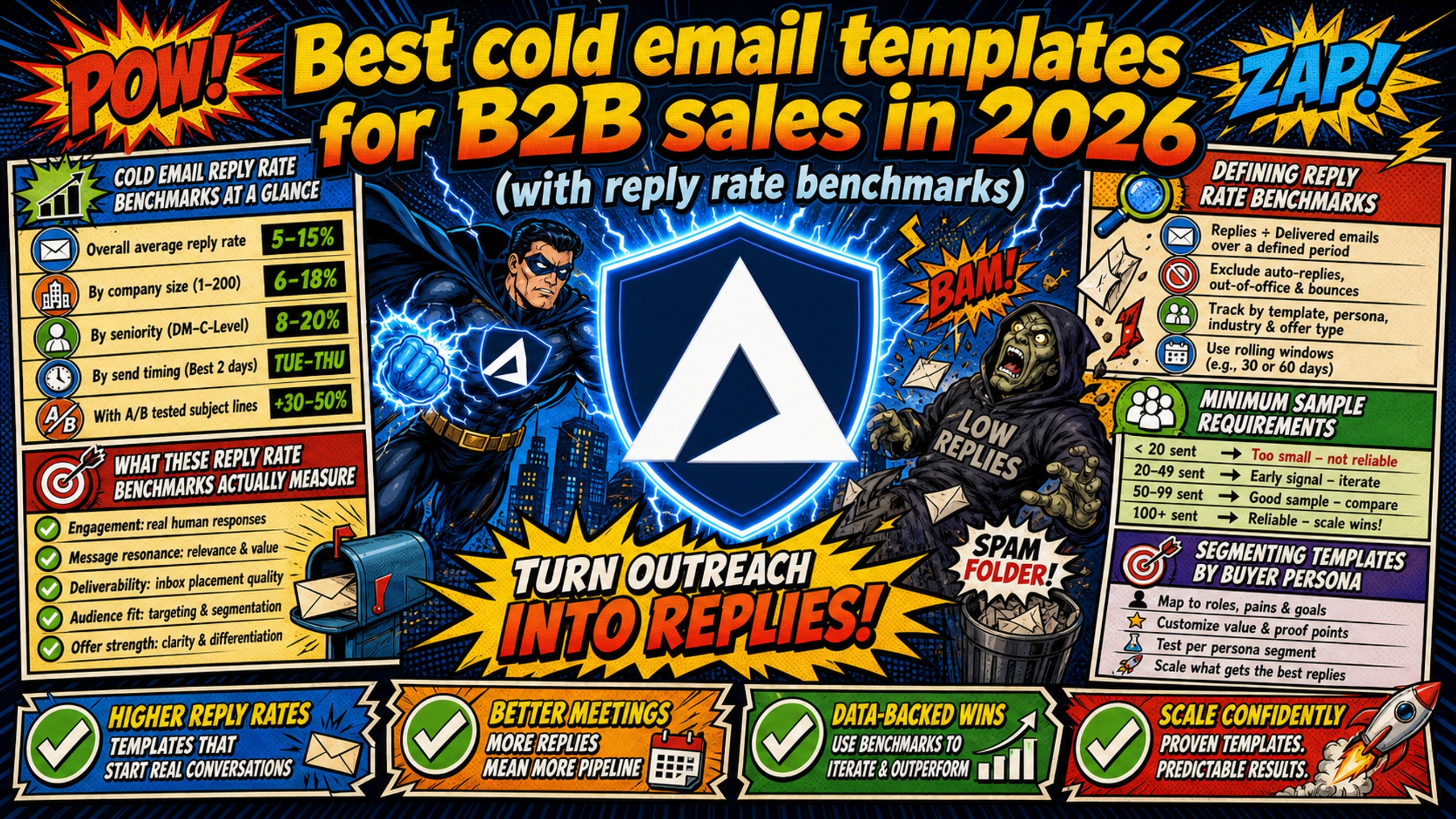
Cold email reply rate benchmarks at a glance
The table below collects the third-party benchmarks used throughout this article, with the sample behind each figure and the sources listed in the note beneath it.
| Benchmark | Figure | Sample |
|---|---|---|
| Platform-wide average | 3.43% | Billions of interactions, Jan to Dec 2025 |
| Top quartile | 5.5%+ | Not specified |
| Top 10% | 10.7%+ | Not specified |
| Strict rate, replies ÷ emails sent | 0.45% | 7,530,489 emails, 34,393 replies, Jan to Dec 2025 |
| Advanced personalization | 17-18% | Not stated, platform volume 20M+ emails |
| Basic or no personalization | 7-9% | Not stated, platform volume 20M+ emails |
| Sequences with 3-5 follow-ups | 8.3% | Not stated, platform volume 20M+ emails |
| Sequences with no follow-ups | 4.1% | Not stated, platform volume 20M+ emails |
Sources: The first three rows come from Instantly's 2026 Cold Email Benchmark Report. The strict-rate row comes from the Belkins 2026 study. The personalization and follow-up rows come from Woodpecker's cold email statistics.
Belkins and Instantly both describe real campaigns, but they count replies differently. Belkins' 0.45% is unique replies divided by emails sent, excluding auto-replies and bounces, which is the strictest measure. Instantly's 3.43% average is all replies received (including follow-up responses) divided by total emails sent. Woodpecker's report does not clearly define its reply-rate denominator, so compare its tiers with each other rather than with the other sources.
What these reply rate benchmarks actually measure
Reply-rate benchmarks are only useful when you understand how they're calculated. This section explains how the benchmarks in this article are defined and how to read them. All figures come from the cited third-party sources, not from an Inframail study.
Defining reply rate benchmarks
This article's working definition is that a reply counts when a human prospect responds to a cold email, whether positive, negative, or objection-based. Auto-replies, out-of-office messages, and internal forwards don't count under this definition. Not every benchmark uses it. Instantly's 3.43% headline figure counts all replies received (including follow-up responses) divided by total emails sent, so it is not measuring the same thing as this definition.
Instantly's 2026 Cold Email Benchmark Report puts the platform-wide average at 3.43%, with the top 10% at 10.7%+. Published averages run from 0.45% (Belkins, unique replies divided by emails sent, excluding auto-replies and bounces) to roughly 4.5%, and most of that gap is denominator choice, not campaign performance. When you compare your results to any benchmark, confirm whether it divides by emails sent, emails delivered, or prospects contacted.
Minimum sample requirements
Reply-rate data from fewer than 500 sends per variant produces noise, not signal, so 500 is the floor for a directional read only. A statistically conclusive result needs thousands of sends per variant. At a 3% baseline reply rate, proving that a variant lifts replies to 4% takes roughly 5,300 sends per variant (two-proportion test, 95% confidence, 80% power). Detecting smaller lifts requires even larger samples.
For positive reply-rate tests, campaigns should run for at least 5-7 business days before drawing conclusions.
Segmenting templates by buyer persona
Segment your own template tests by target seniority (manager, director, VP, C-suite), company size, and industry vertical. Reply rates differ by segment, so a template that performs well with one audience can underperform with another. Compare results within a segment rather than across your whole list.
7 cold email template categories to test
These are common cold email template structures for B2B outreach. Each entry includes the structural pattern, why it works, when to use it, and a personalization tier. The Woodpecker band for each tier (17-18% for advanced personalization, 7-9% for basic or no personalization) describes that tier in the data Woodpecker reports, not the individual template. Woodpecker has sent over 20 million sales emails through its platform but does not state the sample behind these figures, and the order of entries implies no ranking.
1. Problem-aware value proposition
Noticed [Company] recently [trigger event]. Most [job title]s I talk to say [specific pain point] eats [X hours] every week. We helped [similar company] reduce that by [X%]. Worth a brief conversation?
Why it works: The email demonstrates awareness of the prospect's specific situation and ties the value proposition to a concrete metric. The single ask is low-friction (a short conversation, not a demo or purchase).
Best for: First-touch outreach to mid-market decision-makers where a known pain point exists.
Personalization tier: Advanced (trigger event plus role-specific pain point). Woodpecker band: 17-18%.
2. Personalized case study reference
[Similar company in prospect's industry] was getting low reply rates on their outbound. After switching their infrastructure and testing new templates, they went from [X%] to [Y%] replies. Here's the process they used: [link]. Curious if the same approach would work for [Company]?
Why it works: Social proof from a relevant peer reduces skepticism, and the specific metrics give the prospect a concrete outcome to evaluate.
Best for: Prospects who've tried cold outreach before and gotten mediocre results.
Personalization tier: Basic (industry-level match). Woodpecker band: 7-9%.
3. Mutual connection templates
[Mutual connection] mentioned you're running outbound for [Company]. I've been working with [similar company] on their cold email infrastructure. They went from $420/month on Google Workspace (50 inboxes, Business Starter Flexible Plan at $8.40 per user) to $147/month flat. Happy to share how they did it if you're looking at infrastructure costs.
Why it works: The mutual connection provides borrowed trust. The specific cost comparison gives the prospect a tangible reason to engage. This template is a worked example using Inframail's figures, so swap in your own solution and cost data before sending. The figures compare platform fees only, and domain costs ($5-16 per domain per year) and warmup tools ($15-50 per inbox per month) apply on both sides and are not included.
Critical: Never fabricate mutual connections as this destroys sender credibility and can trigger blacklisting.
Best for: Warm-ish outreach where a genuine shared contact exists.
Personalization tier: Advanced (named contact plus a specific cost situation). Woodpecker band: 17-18%.
4. Trigger-event cold templates
Saw [Company] just posted multiple SDR roles on LinkedIn. When teams scale outbound headcount that fast, per-inbox infrastructure costs usually climb with every new seat. [Your solution] helped [similar company] hold [cost metric] flat during their last hiring wave. Worth a look?
Why it works: The trigger event makes the email timely and relevant. Trigger-based emails sit in the advanced personalization tier, where Woodpecker, which has sent over 20 million sales emails through its platform, reports 17-18% reply rates versus 7-9% for basic or no personalization. If you fill [cost metric] with a platform fee, state that it is a platform fee only, because domain costs ($5-16 per domain per year) and warmup tools ($15-50 per inbox per month) apply on both sides.
Best for: Prospects showing visible buying signals like hiring sprees, funding announcements, or product launches.
Personalization tier: Advanced (live buying signal). Woodpecker band: 17-18%.
5. Direct question templates
Quick question: are you paying per inbox for your cold email domains? Most [prospect type] running [X]+ inboxes are spending [current cost]/month on [current provider] alone. Flat-rate options exist at [your price]/month. Is cost per inbox something you're evaluating right now?
Why it works: The direct question format forces a mental yes/no response and qualifies the prospect in one line. The costs in this template compare platform fees only. Domain costs ($5-16 per domain per year) and warmup tools ($15-50 per inbox per month) apply on both sides and are not included.
Best for: Prospects with known budget pressure or scaling infrastructure needs.
Personalization tier: Basic (one qualifying question, light research). Woodpecker band: 7-9%.
6. Contrarian insight scripts
Most [job title]s think [common assumption]. After analyzing [data point], we found the opposite: [contrarian insight]. For example, [specific evidence]. If you're open to it, I'll send over the full breakdown.
Why it works: The contrarian pattern challenges a belief the prospect holds, which creates curiosity. The specific data point and example make the claim credible, and the offer to send the full breakdown keeps the ask to a single low-friction step. No public reply-rate figure is available for contrarian openers specifically.
Best for: Sophisticated buyers who've seen every standard template and respond to data-driven contrarianism.
Personalization tier: Basic (segment-level insight rather than a prospect-specific signal). Woodpecker band: 7-9%.
7. Break-up email templates
I've reached out a few times about [topic] and haven't heard back. Totally fine if the timing isn't right. Should I close this out, or is it worth revisiting next quarter?
Why it works: The break-up email creates a loss-aversion trigger. The prospect faces a decision: respond now or lose the opportunity. For context on sequence length, Woodpecker, which has sent over 20 million sales emails through its platform, reports sequences with 3-5 follow-ups reaching 8.3% reply rates versus 4.1% for sequences with no follow-ups.
Inframail's co-founder covers follow-up templates and reply-rate data in a short video on this pattern.
Best for: Final touch in a 4-7 email sequence (the sweet spot in Instantly's 2026 report) where earlier touches got no response.
Personalization tier: Basic (follow-up in an existing sequence). Woodpecker band: 7-9%.
Cold email openers and follow-up scripts
The top cold email templates above cover specific scenarios. This section provides the building blocks for assembling full sequences.
Best cold email openers for B2B
The first line determines whether the email gets read or archived. Three opener approaches fit most B2B cold email sequences:
- Observation opener: Reference a specific observation tied to the prospect's business context, like recent hiring, funding, or product launches. For example: "Saw you posted three SDR roles this month."
- Problem-first opener: Lead with a hook that names a pain point relevant to the prospect's role or industry. For example: "Most agencies running 50+ inboxes watch per-seat costs climb with every new client."
- Referral opener: Open with a named mutual connection. For example: "[Mutual connection] suggested I reach out about your outbound setup."
Cold email opener mistakes kill reply rates even when the rest of the email is strong.
Follow-up and re-engagement scripts
Send the break-up email as the final touch, after at least two value-driven follow-ups.
Standard break-up:
I've shared a few ideas about [topic] over the past two weeks. No response usually means the timing isn't right. I'll close this out on my end. If [pain point] becomes a priority, I'm one email away.
New information re-engagement:
When we first connected, [feature/capability] wasn't available. It is now. [One-line description of what's new and why it matters]. Worth another look?
Re-engagement emails target prospects who engaged previously but went cold. A reasonable trigger window is 30-90 days of no activity after initial engagement, which you can adjust to your sales cycle.
Anatomy of high-converting cold email templates
The best B2B cold email templates share structural patterns that drive replies regardless of industry or persona.
Optimizing subject lines for higher replies
Short, lowercase subject lines that look like internal emails are a good default to test against marketing-style headlines. Commonly used B2B patterns include "quick question" and "[first name] - [company name]," which read as personal rather than promotional.
Avoid ALL CAPS, exclamation points, and spam-trigger words like "free" or "guarantee."
How personalization depth affects reply rates
Not all personalization is equal. Woodpecker, which has sent over 20 million sales emails through its platform, reports a wide gap between advanced personalization and basic or no personalization:
- Advanced personalization: 17-18% average reply rate
- Basic or no personalization: 7-9% average reply rate
The personalization that moves reply rates is a specific observation about the prospect's business situation tied to a relevant trigger event. Deeper research takes more time per prospect, so the right depth depends on your volume model and target segment. Test whether the reply-rate lift from added research justifies the extra time before scaling it.
Strategic CTA placement for cold emails
Gong Labs' analysis of 304,174 emails, with success defined as a meeting booked within 10 days, compared types of calls to action and found the interest-based ask was the highest-performing for cold emails. Gong reports the specific-time ask booking 15% at the cold stage, rising to 37% once a deal is open.
The study compares ask types, not the number of asks per email.
Because that evidence is about which kind of ask works, it does not show whether one CTA outperforms several. Inframail's co-founder covers CTAs that boost reply rates with specific examples.
Place the CTA toward the end of the email, typically in the final sentence or two. Frame it as a low-commitment question ("Worth a 15-minute call?") rather than a high-commitment request ("Can we schedule a demo?").
Writing emails that prospects actually read
Instantly's 2026 report puts elite performers under 80 words per first-touch email, in plain text format. Write short paragraphs, use the prospect's name once, and avoid images or heavy formatting.
Avoid these 5 cold email mistakes to boost replies
Template selection matters, but execution mistakes destroy performance even with the best templates.
Remove generic language from templates
Generic openers like "I hope this email finds you well" or "I wanted to reach out because" signal mass outreach and reduce reply rates before the prospect reads the value proposition.
Replace generic phrases with specific observations. Instead of "We work with companies like yours," use "We helped [specific company] go from [X%] to [Y%] reply rates."
Why single-ask emails are worth testing
Multi-ask emails may create decision friction. When a prospect sees "Would you like a demo, a case study, or a 15-minute call?" the easiest choice may be no response. No public figure is available for the reply-rate gap between single-ask and multi-ask emails, so test a single-ask version against a multi-ask version on your own list.
Why over-selling kills cold emails
Cold email is a conversation starter, not a sales pitch. Feature lists, superlatives, and aggressive pricing pushes trigger deletion.
The goal of the first email is a reply, not a meeting, so save the pitch for the call.
Fixing sender identity for higher replies
Use a real human name (not "Sales Team" or "noreply@") and a professional email address on a sending domain that matches the company. The signature should include name, title, and company, nothing more, because images in signatures increase HTML weight and spam-score risk.
Sending on clean infrastructure
This mistake kills campaigns before copy matters. Unauthenticated domains are more likely to land in spam or get rejected than fully authenticated ones, so even a strong template can underperform if it never reaches the inbox.
Refining email scripts to increase reply rates
Template selection is the starting point. Iteration and testing drive long-term performance.
Adapting copy for niche B2B sectors
Industry-specific language and proof points increase relevance. A template targeting staffing agencies can reference time-to-fill metrics. A template targeting SaaS companies could reference metrics SaaS teams commonly track, such as ARR growth and churn reduction. Test whether these references lift replies for your segment before adopting them as a default.
Sector-specific references give you something concrete to personalize around. Woodpecker, which has sent over 20 million sales emails through its platform, reports advanced personalization reaching 17-18% reply rates compared to 7-9% for basic or no personalization, so the lift comes from personalization depth, not sector language alone.
Matching copy to prospect seniority
C-suite executives often respond to bottom-line metrics and strategic outcomes. Managers may respond better to messages about tactical efficiency and operational improvements, though this is a hypothesis to test rather than a verified pattern.
Reply rates can vary by seniority and industry, so segment your results before evaluating template performance.
A/B testing template variations
Test one variable at a time (subject line, opener, CTA, or value proposition) so you know which change drove the result. Use enough contacts to reach statistical significance.
A statistically conclusive result needs thousands of emails per variant: detecting a 20% relative lift (from a 3.43% to a 4.12% reply rate) takes roughly 12,200 emails per variant at 95% confidence and 80% power, or about 24,400 total sends. Most campaigns cannot reach this volume, so the practical move is to test bigger swings (offer, segment, angle) rather than small copy variants. Run each test for at least 5-7 business days before drawing conclusions.
Some practitioners argue the offer and segment are the variables that move results most, and no template compensates for reaching the wrong person. That's valid. But targeted, signal-personalized outreach earns higher reply rates than generic campaigns (17-18% versus 7-9% in Woodpecker's benchmarks), and template structure is a controllable variable that compounds with good targeting.
Technical prerequisites for template deliverability
Every template in this article assumes the sending infrastructure meets three prerequisites: authenticated DNS, a dedicated IP, and inbox placement verified before sending.
- DNS health: SPF, DKIM, and DMARC records must be configured and propagated. Since February 2024, Google's email guidelines require SPF, DKIM and DMARC from senders above 5,000 messages per day to Gmail, and warn that non-compliant mail may be rejected or marked as spam. Inframail automates SPF/DKIM/DMARC configuration without DNS panel access, eliminating the 12+ hours of manual setup that 50 domains typically require.
- Dedicated IPs: Shared IPs distribute reputation across multiple senders, so one bad sender's spam complaints affect everyone. Dedicated IPs concentrate reputation entirely on your sending behavior. Inframail provides 1 dedicated US IP on the Unlimited Plan ($147/month) and 3 on the Agency Pack ($387/month).
- Inbox placement verification: Before sending a single template, verify inbox placement with a seed list test. Inframail's help center covers how to tell if campaign emails are going to spam with healthy-metric thresholds. The platform's centralized dashboard manages unlimited client inboxes, tracking domain health and blacklist status in one view. Outbound campaign managers can monitor every sending domain without switching between DNS panels, warmup tools, and sending platforms.
"For years, I considered running cold email campaigns but consistently held back due to a lack of technical knowledge and confidence... After diving into the platform and consuming extensive educational content from Kidous, everything changed. The learning curve became manageable, my confidence grew, and I am now successfully sending thousands of cold emails per day while generating high-quality leads." - Verified user review of Inframail
Cost-per-inbox analysis for scaling templates
Testing templates at scale requires enough inboxes to distribute volume safely, and the Unlimited Plan caps sending at 80,000 emails per month. Inframail's help center recommends 40 emails per inbox per day, split 70% warmup and 30% campaign, which leaves 12 campaign emails per inbox per day. At the sample sizes discussed above, a test requires approximately 24,400 campaign sends. Completing that volume within 30 days requires about 68 inboxes sending 12 campaign emails daily, or approximately 93 inboxes when sending only on 22 business days. Here's the monthly infrastructure cost comparison at three inbox counts.
| Scenario | Google Workspace (Flexible) | Inframail Unlimited |
|---|---|---|
| 10 inboxes | $84/month | $147/month |
| 50 inboxes | $420/month | $147/month |
| 100 inboxes | $840/month | $147/month |
Domain costs ($5-16 per year each) and warmup tool costs ($15-50 per inbox per month) apply to both Google Workspace and Inframail and are not included in the platform fee comparison above. The 10-inbox row shows Inframail costing more, and the breakeven sits at about 18 inboxes ($147 divided by $8.40 per user), so flat-rate pricing pays off only above that count.
Google Workspace Business Starter costs $8.40 per user per month on the US Flexible Plan (month-to-month, no commitment). At 50 inboxes, the flat-rate Inframail model saves $273/month, or $3,276 annually, in platform fees before warmup and domain costs. At 100 inboxes, the savings reach $693/month, or $8,316 annually. Inframail's sending capacity guide helps match inbox count to plan tier.
Deliverability troubleshooting when templates fail
When a proven template stops generating replies, check these three variables in order.
Check DNS records: Verify SPF, DKIM, and DMARC records are valid and propagated. Authentication failures now carry heavier penalties under Google's sender requirements.
Check warmup status: Published warmup guidance ranges from about two weeks to six weeks, with Instantly's 2026 report recommending a gradual ramp over 4-6 weeks. Inframail requires external warmup tools (Warmbox, Lemwarm) at $15-50 per inbox per month. Sending cold emails from unwarmed domains kills inbox placement regardless of template quality.
Check blacklist status: Inframail's dashboard monitors blacklist status and auto-submits delisting requests, with a 68.3% delisting success rate. The same source documents the 98%+ deliverability rate.
"I send 4,000 emails a day, sometimes 7 days a week. All my domains are .info which aren't the best for deliverability and even then I'm still hitting ~99% deliverability across the board." - Verified user review of Inframail
Inframail's published deliverability figure is 98%+, and individual results vary by domain and list quality.
Start testing templates on infrastructure that delivers
The templates in this article produce results when the sending infrastructure underneath them is sound. Inframail automates DNS configuration, provisions unlimited Microsoft inboxes on dedicated US IPs, and monitors blacklist status from a single dashboard at $147/month flat.
Watch this case study video and see how Inframail helped a client run cost-effective cold email campaigns with reliable infrastructure for over a year, build momentum through faster responses and consistent outreach, and secure $42,000 in new sales in just 4 weeks.
Sign up to Inframail and get started today.
FAQs
What is the average reply rate for B2B cold emails?
Instantly's 2026 Cold Email Benchmark Report puts the average at 3.43%, with the top quartile at 5.5%+ and the top 10% at 10.7%+. Belkins' stricter measure (unique replies divided by emails sent, excluding auto-replies and bounces) found 0.45%, so methodology and denominator choice drive most of the spread between published averages.
How many follow-ups should a cold email sequence include?
Instantly's 2026 report puts the sweet spot at 4-7 touchpoints. Inframail's co-founder covers specific follow-up templates in a short video.
Should I use HTML formatting or plain text?
Plain text. It reads like a one-to-one message and avoids the image weight and heavy formatting that raise spam-filter risk. Instantly's 2026 report puts elite performers under 80 words per first-touch email, so keep emails short with short paragraphs.
How do I know which template to test first?
Start with the category matching your strongest available trigger: mutual connection if you have one, trigger-event if the prospect shows buying signals, or problem-aware if you know their pain point. Use at least 500 contacts per variant for a directional read, but a statistically conclusive result needs thousands per variant.
Can I combine elements from multiple templates?
Yes, but change one variable at a time when A/B testing. Isolating a single variable is a general A/B testing best practice because it shows which change drove the result. Combining a trigger-event opener with a case study value proposition is one pairing worth testing, but run it against the standalone versions to isolate what drives the lift.
What DNS records do I need before sending cold emails?
SPF, DKIM, and DMARC records are required, and authentication failures now carry heavier penalties under Google's sender requirements. Inframail configures all three automatically.
Key terms glossary
Reply rate: The percentage of sent cold emails that receive a human response. Auto-replies and out-of-office messages are excluded. The denominator varies by source (emails sent, emails delivered, or prospects contacted), so confirm which one a benchmark uses.
Inbox placement: The percentage of sent emails reaching the recipient's primary inbox rather than spam folders. Distinct from deliverability (whether the receiving server accepted the email), inbox placement determines whether prospects actually see the message.
Personalization variable: A merge field in a cold email template populated with prospect-specific data (name, company, trigger event, pain point). Deeper personalization variables correlate with higher reply rates.
Trigger-based outreach: Cold emails sent in response to a specific, observable event (job posting, funding round, product launch) that creates a relevant reason to contact the prospect.
Break-up email: The final email in a cold outreach sequence, explicitly giving the prospect permission to say no or close the conversation. Uses loss aversion to prompt a response from previously unresponsive prospects.