
10 cold email template mistakes killing your reply rates
Fix cold email deliverability before template copy, because better copy cannot raise reply rates on messages that never reach the inbox. A broken SPF, DKIM, or
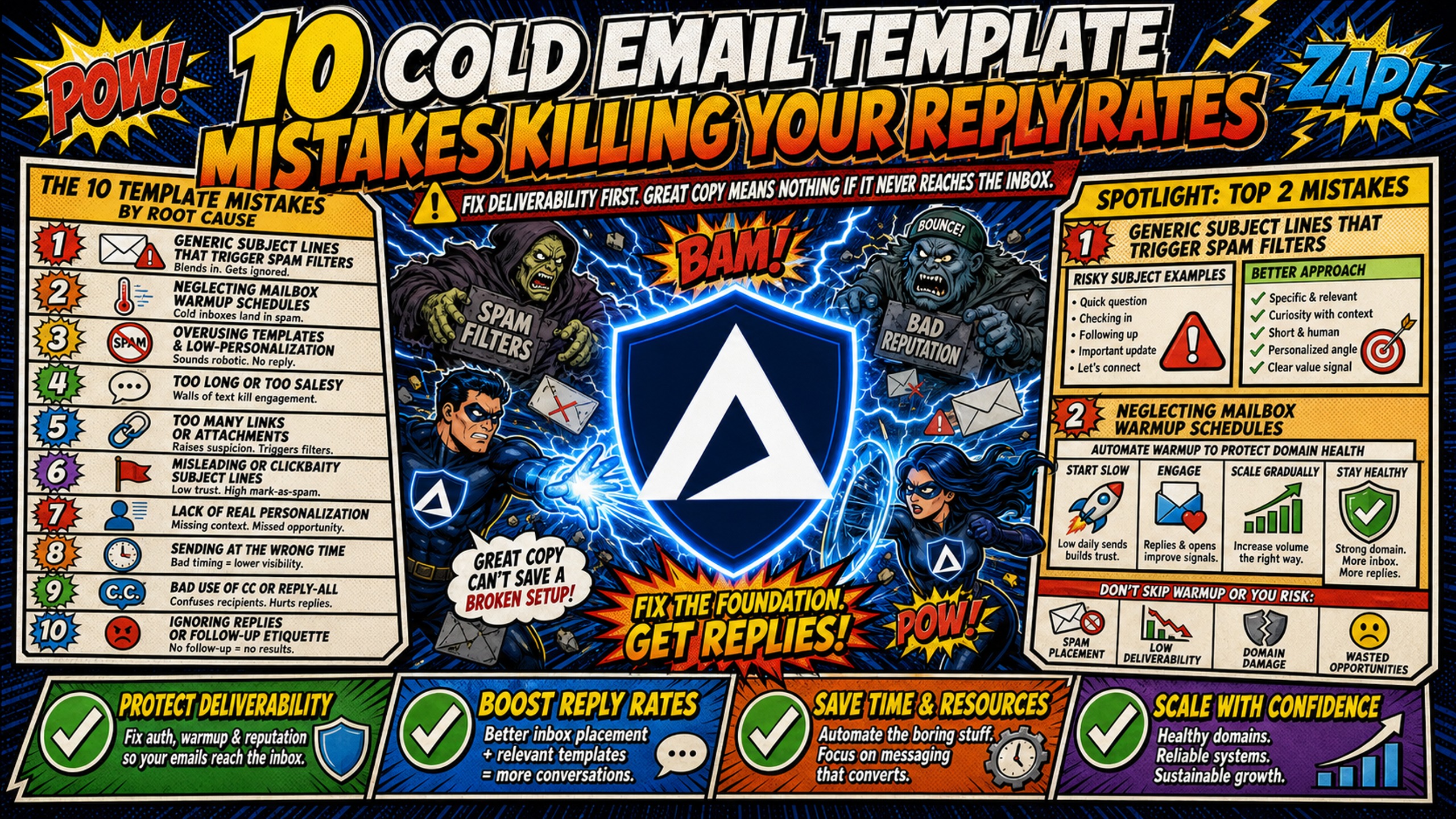
TL;DR: Fix cold email deliverability before template copy, because better copy cannot raise reply rates on messages that never reach the inbox. A broken SPF, DKIM, or DMARC record, a skipped warmup, or a shared IP pool suppresses replies no matter how well the template reads. Google's sender requirements put the spam complaint ceiling below 0.30% and recommend staying under 0.10%, and Microsoft puts an acceptable bounce rate at no higher than 2%. Against a 3.43% average cold email reply rate, a campaign well below that mark usually has an infrastructure problem rather than a copywriting one. Inframail automates SPF, DKIM, and DMARC configuration and provides dedicated US-based IPs. Once authentication, a 14-day warmup, and dedicated IPs are in place, the template levers that move reply rates are subject lines, personalization, a single CTA, per-variant reply tracking, and A/B testing.
Most cold email templates fail for one of ten reasons, and five of them have nothing to do with the words in the template. Template mistakes make recipients delete the email. Infrastructure mistakes stop it reaching the inbox at all, which makes template quality irrelevant. This guide covers both: five template errors that cost replies, and five infrastructure errors that stop any template from performing.
The 10 cold email template mistakes, split by root cause
Cold email failures trace back to two root causes. Copy mistakes make recipients ignore or delete your email. Infrastructure mistakes make ESPs route your email to spam before anyone sees it.
Keep your bounce rate under 2%, a widely used benchmark that Microsoft's Dynamics 365 documentation puts at no higher than 2% in most cases, and your spam complaint rate under 0.1%, as Google's sender requirements recommend. Google requires bulk senders keep spam rates below 0.30% and recommends staying below 0.10%. Climbing above those thresholds puts sender reputation at risk and increases the likelihood that ESPs route mail to spam.
| Mistake | Category | Fix |
|---|---|---|
| Generic subject lines | Template | Use specific, value-driven subject lines that reference recipient context |
| Skipped warmup | Infrastructure | Follow 14-day warmup cycle, starting at 10 emails/day on day 1 |
| Broken DNS records | Infrastructure | Automate SPF/DKIM/DMARC configuration |
| No personalization | Template | Research recipients and reference specific details |
| Exceeding sending caps | Infrastructure | Cap each inbox at 40 emails/day (28 warmup, 12 campaign) and scale across multiple domains |
| No reply-rate tracking by template variant | Template | Track reply rate per variant, not just send volume |
| Shared IP pools | Infrastructure | Use dedicated IPs to isolate sender reputation |
| Mixed CTAs | Template | Limit each email to one clear call to action |
| No A/B testing | Template | Test subject lines, opening lines, and CTAs systematically |
| Premature campaign launch | Infrastructure | Complete DNS setup and warmup before sending |
Mistake 1: Generic subject lines that trigger spam filters
Generic subject lines like "Quick question" or "Following up" get ignored by recipients. Spam filters analyze patterns, not just keywords. A subject line that appears in thousands of cold emails signals "mass email" to both filters and humans.
Compare "Quick question" to "Saw your Series B announcement, question about scaling outbound." The first tells the recipient nothing about why you're reaching out. The second shows research and gives the recipient a reason to open. Openers carry more weight for replies than subject lines do for opens, per Inframail's opener psychology guide.
Avoid risky keywords and token overuse
Personalization tokens like {{firstName}} are for human readers, not spam filters, and filters analyze the entire email structure, not just the subject line. Certain keywords also trigger filters.
Phrases like "Act now," "Risk-free," "100% guaranteed," and "Limited time" are patterns commonly associated with promotional bulk mail. Spam filters are trained on large volumes of that kind of messaging, so stacking multiple promotional phrases in one email increases the risk of being treated as bulk mail.
Replace risky keywords with specific alternatives: "complimentary" instead of "free," reference previous results instead of "guarantee," "please respond by Friday" instead of "act now." The goal is to sound like a human writing to another human, not a marketing blast.
Mistake 2: Neglecting mailbox warmup schedules
New domains and inboxes need a warmup period to build sender reputation. Skipping warmup is one of the fastest ways to kill reply rates. ESPs treat new domains with no sending history as suspicious because they lack signals like domain age, sending volume patterns, and engagement rates that indicate legitimate senders.
Start with 10 warmup emails per day on day 1, sending only to people who will engage (team members, friends, existing contacts). Gradually increase volume over the next two weeks, mixing in a small number of cold prospects. A 14-day ramp brings you to 23 warmup emails per day by day 14, reaching 20-30 warmup emails per day thereafter, and you can then begin cold outreach while keeping warmup running in the background at reduced volume.
Automate warmup to protect domain health
Manual warmup tracking across multiple inboxes is error-prone. You need to track daily sending volume, engagement rates, and DNS health for every inbox. A warmup tool automates the schedule and alerts you if an inbox falls behind or triggers spam complaints.
Inframail does not include built-in warmup. Campaign managers need external tools like Warmbox or Lemwarm (typically $15-50 per month per inbox). Inframail's warmup migration guide walks through the process of warming up inboxes after migrating to the platform.
Mistake 3: Broken DNS records hurting deliverability
Missing or misconfigured SPF, DKIM, and DMARC records cause emails to fail authentication and land in spam. SPF (Sender Policy Framework) lists the servers allowed to send email from your domain. DKIM (DomainKeys Identified Mail) adds a cryptographic signature to every message. DMARC (Domain-based Message Authentication, Reporting and Conformance) tells receiving servers how to handle authentication failures.
Manual DNS setup requires logging into your DNS provider's panel, creating three types of records, and waiting for propagation. For 50 domains, that's 12+ hours of manual work. Inframail automates SPF/DKIM/DMARC configuration, eliminating manual DNS panel work entirely.
Why missing records tank your reply rate
Without SPF, DKIM, and DMARC records, ESPs can't verify that you're a legitimate sender. Emails fail authentication, get flagged as spam, and never reach the inbox. DMARC requires alignment between the domain in the From header and the domain that passed authentication.
The impact on reply rates is direct. If your emails land in spam, recipients never see them. Common errors include missing DKIM records, incorrect SPF syntax, and DMARC policy set to "none" instead of "quarantine" or "reject."
Audit your SPF, DKIM, and DMARC setup
Audit your DNS setup before launching any campaign. First, check that your SPF record includes your sending IP address. Second, verify that your DKIM record matches your sending domain. Third, confirm that your DMARC policy is set to "quarantine" or "reject" once you've verified that SPF and DKIM are working correctly.
Start with a monitoring policy (p=none) and transition to enforcement (p=quarantine or p=reject) once everything is verified. Inframail's automated DNS setup eliminates this manual audit. The platform configures SPF, DKIM, and DMARC records automatically when you purchase or transfer a domain. Users report setup times measured in minutes, compared to 12+ hours for manual setup across 50 domains.
Mistake 4: Failing to personalize your sequences
Generic templates like "Hi there" or "I hope this email finds you well" get ignored because they show no research. Recipients can spot a mass email in the first sentence. The fix is specific, research-based personalization that references the recipient's context.
Compare "I hope this email finds you well" to "Saw your recent post on scaling outbound after your Series B." The first is generic and could apply to anyone. The second shows you did research and gives the recipient a reason to keep reading.
How to humanize stiff email copy
Avoid generic openers like "I hope this email finds you well," "I came across your profile," and "I noticed we have similar interests." These phrases appear in thousands of cold emails and signal no research. Using {{firstName}} or {{company}} tokens without real research is fake customization that recipients detect immediately.
Real personalization requires research. Look at the recipient's LinkedIn profile, recent company news, or published content, then reference something specific. Write like you talk, use short sentences, and ask specific questions.
Weak personalization shows up across the whole template, not just one sentence. Here is what that looks like end to end:
Before (generic template):
Subject: Quick question
Hi [First Name],
I wanted to reach out to explore potential synergies between our organizations. We help companies like yours improve their outreach. Would love to connect.
Best, [Name]
After (research-based template):
Subject: Saw your post on scaling outbound
Hi [First Name],
Noticed your recent post on scaling outbound after your Series B. We help agencies book more meetings from cold outreach. Worth a 15-minute call?
[Name]
The before version could be sent to anyone. The after version references something specific the recipient published, states a concrete outcome, and closes with one clear CTA. Every element of the template earns its place, as Inframail's email greetings guide demonstrates.
Mistake 5: Exceeding daily inbox sending caps
Each inbox provider publishes hard sending caps. Google Workspace allows up to 2,000 messages per day per user, per Google's sending limits documentation. Microsoft 365 allows up to 10,000 recipients per day per mailbox and 30 messages per minute, per Microsoft's Exchange Online limits page, which also notes that Exchange Online is not suited to bulk-mailing scenarios.
For agencies running 50 to 200 Microsoft inboxes inside a single tenant, the binding constraint is not the per-mailbox figure but the Tenant External Recipient Rate Limit (TERRL), which caps the total number of external recipients a tenant can reach per day based on license count, with trial tenants capped at 5,000 external recipients per day, per Microsoft's Exchange Online limits page. Because Inframail provisions Microsoft inboxes, TERRL is the ceiling that determines real sending capacity across the account, not the individual mailbox limit.
Both provider ceilings are far higher than the volumes cold email practitioners actually use in any single inbox, because exceeding the practitioner-recommended daily volume triggers spam filters and reputation damage well before you approach the provider's technical ceiling.
For best deliverability, Inframail's FAQ documentation sets a maximum of 40 emails per day per account, broken down as approximately 28 warmup emails (70%) and 12 campaign emails (30%), according to Inframail's FAQ documentation.
Per-inbox daily sending limits (provider guidelines)
| Provider | Published hard cap | Safe cold email volume |
|---|---|---|
| Google Workspace | 2,000 messages/day per user (500 on trial) | Not published by Google |
| Microsoft 365 | 10,000 recipients/day per mailbox, 30 messages/minute | Not published by Microsoft |
| Inframail recommendation | No cap on emails sent | 40 emails/day per account (28 warmup, 12 campaign) |
Neither Google nor Microsoft publishes a safe cold email volume. The figures above are spam-prevention ceilings for ordinary business mail, not outreach targets. Microsoft's own documentation states that Exchange Online "isn't suited to accommodate bulk-mailing scenarios" and points bulk senders to third-party providers instead.
The operative number is far lower and comes from your infrastructure provider. Inframail recommends a maximum of 40 emails per day per inbox, split 70/30 between warmup and campaign sends, which leaves 12 campaign emails per inbox per day. Scale total volume by adding inboxes rather than pushing any single inbox harder, and keep each domain to 3 to 5 inboxes.
How volume spikes damage sender reputation
Sudden volume spikes signal "spam" to ESPs. A new domain that sends 500 emails on day one has no sending history for ESPs to evaluate, and the volume pattern looks identical to a spammer blasting a purchased list rather than a legitimate sender scaling a campaign.
The fix is gradual volume increases. Start with 10 warmup emails per day on day 1, then increase gradually over 14 days, reaching 23 warmup emails per day by day 14 and 20-30 warmup emails per day thereafter. This gives ESPs time to observe your sending behavior and build trust. Volume spikes can destroy sender reputation quickly.
The fix: scale gradually across domains
Spread volume across multiple domains and inboxes, each sending within its daily limit. This keeps every inbox well below provider limits and reduces the risk of triggering spam filters. Inframail's flat-rate pricing makes this scaling affordable at $147 per month plus domain costs ($5-16 per domain per year), compared to $420 per month for 50 Google Workspace inboxes at $8.40 per user on the Flexible Plan. Note that Inframail provisions Microsoft inboxes, not Google Workspace, so this comparison reflects a platform switch rather than a like-for-like swap within the same provider.
The savings compound as sending volume grows. For 200 inboxes, Inframail's Unlimited Plan remains $147/month for up to 80,000 monthly sends. Higher-volume campaigns require the $387/month Agency Pack. Domain costs and external warmup tools ($15-50 per inbox per month) apply to both approaches and are not included in this comparison.
Mistake 6: Not tracking reply rate by template variant
Reply rate is the metric that ties template performance to infrastructure health. Send rate tells you nothing on its own, because you can send 1,000 emails and have zero replies if your DNS records are broken, your domain is blacklisted, or your template copy is generating no response. Tracking reply rate per template variant tells you whether the problem is in the words or in the infrastructure. Target 90%+ inbox placement rate as the baseline that makes template testing meaningful.
Reply rate and open rate measure different failure points, and tracking both tells you which layer of your template to fix. A 45% open rate with a 0.5% reply rate means your subject line works but your body copy does not. A 20% open rate with a reply rate stuck under 1% points to a deliverability problem instead, since poor inbox placement suppresses opens and replies together. Without that split, you can't tell whether to rewrite the template or fix the infrastructure.
When you don't track engagement, you keep sending to dead inboxes, which hurts your sender reputation. ESPs interpret low engagement (no opens, no replies) as a signal that recipients don't want your emails. This creates a negative feedback loop: low engagement leads to lower inbox placement, which leads to even lower engagement.
Early warning signs of deliverability problems
Inframail's help documentation sets 30-50%+ as a healthy open rate, though Apple Mail Privacy Protection (MPP) pre-loads tracking pixels and can inflate reported open figures, so treat open rate as a directional signal rather than a hard measure. With the industry average reply rate sitting at 3.43% according to Instantly's 2026 Cold Email Benchmark Report, as reported by Woodpecker, a reply rate well below that mark signals a fundamental problem with list quality, deliverability, or messaging, not just copywriting.
Watch for sudden changes in engagement metrics. When your typical bounce rate hovers around 2%, a sudden jump to 5% becomes an immediate red flag. When your spam complaint rate creeps above 0.1%, you want to know immediately, not after your sender score has already taken a hit.
Keep deliverability high with daily audits
Run a daily audit checklist to catch deliverability problems early. Check bounce rate (target below 2%), spam complaint rate (target below 0.1%), inbox placement rate (target above 90%), and blacklist status. Each metric tells you something specific about your sending health.
Inframail's platform monitors domain and IP health with blacklist tracking. Note that Inframail does not track campaign-level metrics like bounce rates, reply rates, or warmup scores, so you'll need to monitor those in your sending platform, per Inframail's help documentation.
Mistake 7: Using low-reputation shared IP ranges
Shared IP pools mean your sender reputation is affected by other users' behavior. If one sender on your shared IP triggers spam traps, runs a high bounce rate, or gets blacklisted, your messages on the same IP face the same fate. Dedicated IPs isolate that risk entirely, because your sending behavior alone determines how ESPs evaluate your domain.
Shared IPs work like carpool lanes where you're affected by other drivers. One bad actor spamming gets the whole range flagged. Dedicated IPs work like private lanes where your behavior alone determines reputation.
Why shared IPs hurt sender reputation
On a shared IP, multiple senders use the same server address. The ESP manages reputation collectively, pooling sending behavior across multiple senders. High-engagement senders and low-quality senders share reputation impact.
Over a 3 to 6 month period, inbox placement on a shared IP can drop from 85% to under 60%, per Mailtester's shared IP impact analysis. You have no control over other users' behavior on a shared IP.
Why dedicated IPs boost deliverability
Dedicated IPs isolate your sender reputation. Your behavior alone determines ESP trust. Inframail includes 1 dedicated US-based IP on the Unlimited Plan ($147 per month) and 3 dedicated IPs on the Agency Pack ($387 per month). This gives you direct control over your sender reputation without contamination from shared IP pool users.
Inframail's blacklist monitoring tracks IP health and auto-submits delisting requests when domains get flagged. The platform achieves 68.3% delisting success within 48 hours, which minimizes downtime when blacklist events occur.
"The setup is ridiculously fast. SPF, DKIM, DMARC, forwarding - all handled in literally seconds without me having to dig through docs or guess what records to add." - Verified user review of Inframail
Mistake 8: Mixing multiple CTAs in one email
Multiple CTAs ("Book a call," "Download our whitepaper," "Check out our pricing") confuse the reader and reduce reply rates. The reader doesn't know which action to take, so they take none.
Use one clear CTA to boost replies
The fix is one clear CTA per email. A single CTA gives the reader one clear action, which increases the likelihood they'll take it. The psychology is simple: more choices create decision paralysis, but one choice creates clarity. Make the CTA specific and easy to complete.
Instead of "Let me know if you're interested," use "Reply with a time that works for a 15-minute call this week." The second version tells the reader exactly what to do and how long it will take. Specificity increases response rates.
Mistake 9: Lack of A/B split testing for replies
Without A/B testing, you're guessing at what works. You don't know if your subject line, opening line, or CTA is the reason for low reply rates. The fix is a systematic testing workflow that isolates one variable at a time.
Selecting your first A/B test focus
Start by testing opening lines because they directly influence whether recipients continue reading and respond. Once you've identified a stronger opener, test subject lines to improve opens, then experiment with CTAs.
Run each test with a minimum of 1,000 prospects per variant and let it run for at least 30 days. A result only counts as real when the winning variant shows at least a 15% relative improvement over the control.
Once you've identified a winning subject line, move to opening lines. Test a research-based opener vs. a generic one. Then test CTAs. Each test builds on the previous one, so you're always improving reply rates, as Inframail's A/B testing framework outlines.
The fix: systematic testing workflow
Follow a step-by-step testing workflow. First, pick one variable to test (subject line, opening line, or CTA). Second, create two variants. Third, split your list evenly between the two variants, with a minimum of 1,000 prospects per variant. Fourth, run the test for at least 30 days and declare a winner only when the winning variant shows at least a 15% relative improvement over the control. Fifth, analyze results and apply the winner to future campaigns.
Inframail's unlimited inboxes make it affordable to run A/B tests at scale. You can test multiple variants across different inboxes without worrying about per-seat costs. The flat-rate model ($147 per month) means testing doesn't increase infrastructure spend.
Mistake 10: Launching campaigns before infrastructure is ready
Rushing domain setup leads to broken DNS, skipped warmup, and poor inbox placement. A campaign launched too early gets flagged as spam, and the domain's reputation is damaged before it even starts. The fix is a pre-launch checklist that verifies DNS, warmup, and sending caps before the first email goes out.
Must-have DNS and warmup checklist
Use this pre-launch checklist before sending your first email:
- SPF record configured: Verify that your SPF record includes your sending IP address.
- DKIM record configured: Verify that your DKIM record matches your sending domain.
- DMARC policy set: Set DMARC to "quarantine" or "reject" (not "none" unless still monitoring).
- Domain warmed up for 14 days: Follow the 14-day warmup schedule (10 emails/day on day 1, reaching 23 warmup emails/day by day 14, then 20-30 warmup emails/day thereafter).
- Inbox placement test passed: Run an inbox placement test with GlockApps or Mail-Tester.
- Sending caps set: Limit each inbox to 40 emails per day maximum (approximately 28 warmup emails and 12 campaign emails), per Inframail's FAQ documentation.
This checklist prevents the most common infrastructure mistakes that kill reply rates.
What recovery looks like if you launch too early
A domain flagged as spam on day one is not a permanent failure, but recovery is slow and costly. According to Suped's domain reputation recovery guide, recovering from Bad or Low to High reputation typically takes 4 to 12 weeks of clean sending, active list hygiene, and reduced volume after the root problem is fixed. During that window, reply rates stay suppressed, booked meetings drop, and any client depending on that domain misses targets.
The faster path is to complete DNS setup and warmup before the first email goes out. Inframail automates SPF, DKIM, and DMARC configuration so the DNS step takes minutes instead of hours, which removes the most common reason campaign managers skip verification and launch early.
The speed advantage compounds when you're managing multiple clients or campaigns. Instead of spending 12+ hours on DNS setup, you can launch campaigns in minutes. This improves client-facing speed and reduces the risk of launch delays.
Start sending with infrastructure that works
Inframail is a flat-rate Microsoft email infrastructure platform built for agencies and campaign managers running cold email at scale across 50 to 200 domains. It automates SPF, DKIM, and DMARC configuration, provisions dedicated US-based IPs, and monitors blacklist status with a 68.3% delisting success rate within 48 hours. The Unlimited Plan is $147 per month. The Agency Pack is $387 per month.
Watch this case study video and see how Inframail helped a client automate cold email outreach with automatic replies and responsive technical support, expand to around 250 warmed-up mailboxes, achieve an approximately 25% reply rate, and close four new clients in the first month.
Sign up to Inframail and get started today.
FAQs
How long does it take to warm up a new domain?
Allow at least 14 days to warm up a new inbox. Start with 10 warmup emails on day 1 and gradually increase to approximately 23 warmup emails by day 14. Continue warming up as you introduce campaign sending, while monitoring deliverability and sender reputation.
What's a good reply rate for cold email campaigns?
5-10% is a solid target. Below 1% signals a fundamental problem with list quality, deliverability, or messaging. The overall average reply rate is 3.43%, with top performers exceeding 10%.
How many inboxes do I need to send 500 emails per day?
You need approximately 42 inboxes to safely send 500 cold emails per day. That figure is based on Inframail's FAQ-documented cap of 40 emails per day per inbox, with 12 emails (30%) allocated to campaign sends. Inframail's unlimited inbox plan makes this affordable at $147 per month flat.
Can I fix a blacklisted domain or should I start fresh?
It depends on the blacklist. Inframail's automated delisting requests achieve 68.3% delisting success within 48 hours. If delisting fails and the root cause cannot be fixed, a new domain may be the best path forward.
What's the fastest way to test deliverability before launching?
Run an inbox placement test with a tool like GlockApps. Send test emails to seed accounts across Gmail, Outlook, and Yahoo, and check where they land.
Key terms glossary
Inbox placement rate: The percentage of sent emails that land in the primary inbox vs. spam or promotions. Target 90%+.
SPF/DKIM/DMARC: DNS records that authenticate your sending domain. SPF authorizes sending IPs, DKIM signs emails cryptographically, DMARC tells ESPs how to handle failures.
Dedicated IP: An IP address used only by your sending infrastructure. Your behavior alone determines reputation.
Shared IP pool: An IP address shared by multiple senders. Other users' behavior affects your reputation.
Warmup schedule: A gradual increase in sending volume over 14 days to build sender reputation.
Bounce rate: The percentage of emails that fail to deliver. Target below 2%.
Spam complaint rate: The percentage of recipients who mark your email as spam. Target below 0.1%.